
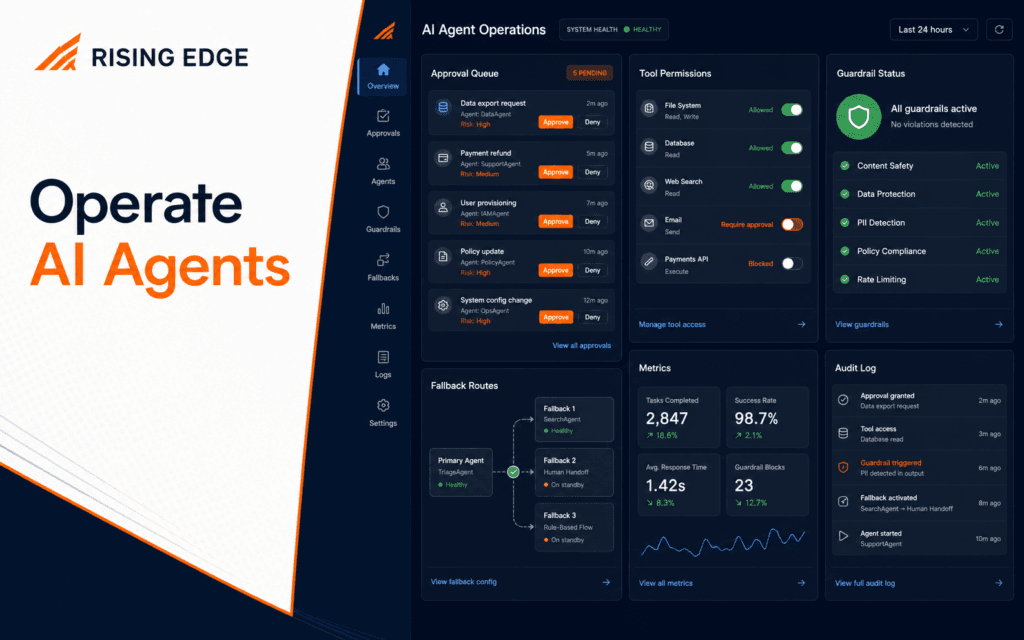
AI Agent Operations Checklist: Approvals, Logs, Fallbacks, Metrics
An AI agent operations checklist turns a promising demo into a controlled workflow. Before an agent supports real work, define approvals, tool permissions, guardrails, logs.
RisingEdge Resources
Explore practical guides, technology insights, course updates, and career-focused articles designed to help students prepare for real industry work.

138+
Articles
Practical Guides
17+
Topics
Technology Skills
Updated
Regularly
Fresh Content
Featured Resource
An AI agent operations checklist turns a promising demo into a controlled workflow. Before an agent supports real work, define approvals, tool permissions, guardrails, logs.
100%
Free Resources
For All Learners
Fresh learning resources, practical guides, and technology insights from RisingEdge.

A web development debugging workflow helps you move from a vague bug report to the exact failing layer. Start by reproducing the issue, then check the browser, network request.

An AI automation agents tutorial should begin with a small controlled workflow, not a fully autonomous system. The safest first pattern is trigger, context, instruction, tool.

A useful web development skills guide should move in the same order as real project work: structure content with HTML, style responsive layouts with CSS, add behavior with.

An AI learning path for beginners should not start with random tools. Start with the problem an AI system is supposed to solve, learn the difference between artificial.
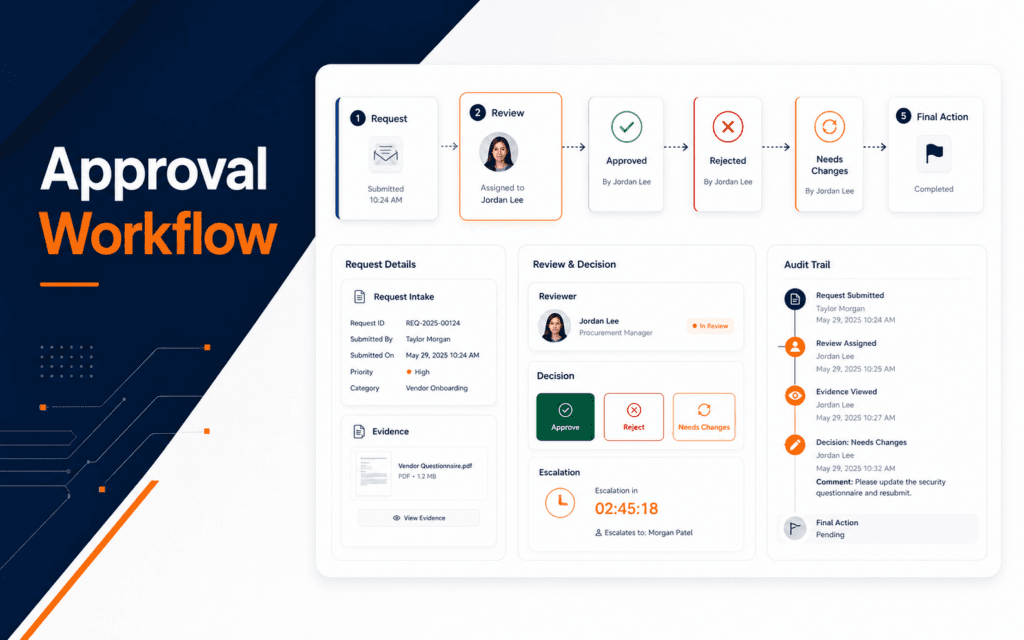
An approval automation workflow helps teams move routine decisions faster while keeping a human responsible for the final call. The practical structure is to define the request.
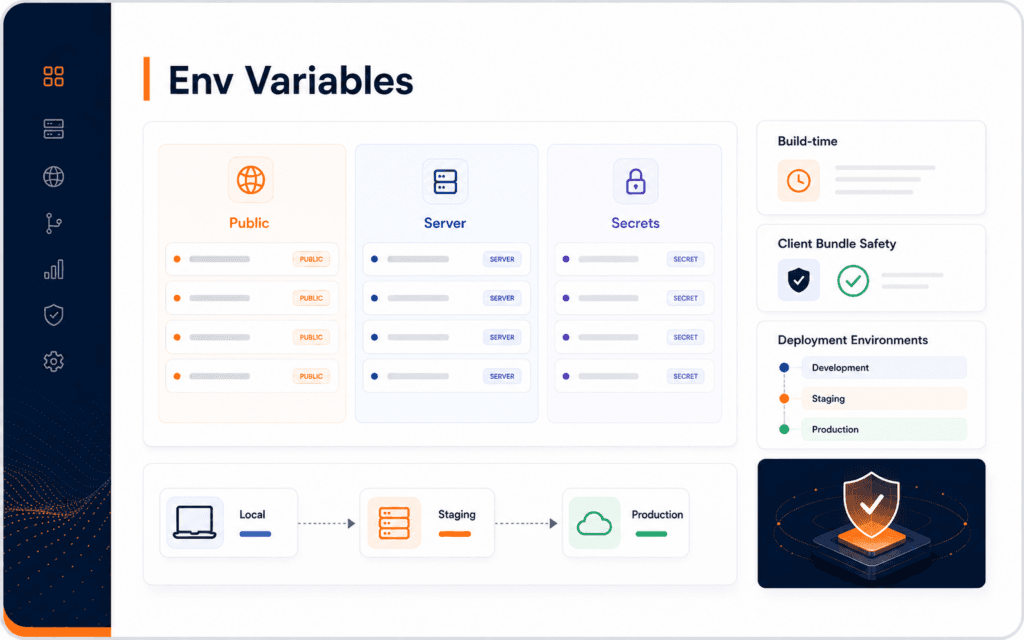
Next.js environment variables control how an application connects to APIs, databases, analytics, email services, feature flags, and deployment settings. The practical rule is.
Explore practical RisingEdge courses designed to help students learn, build projects, and prepare for career opportunities.
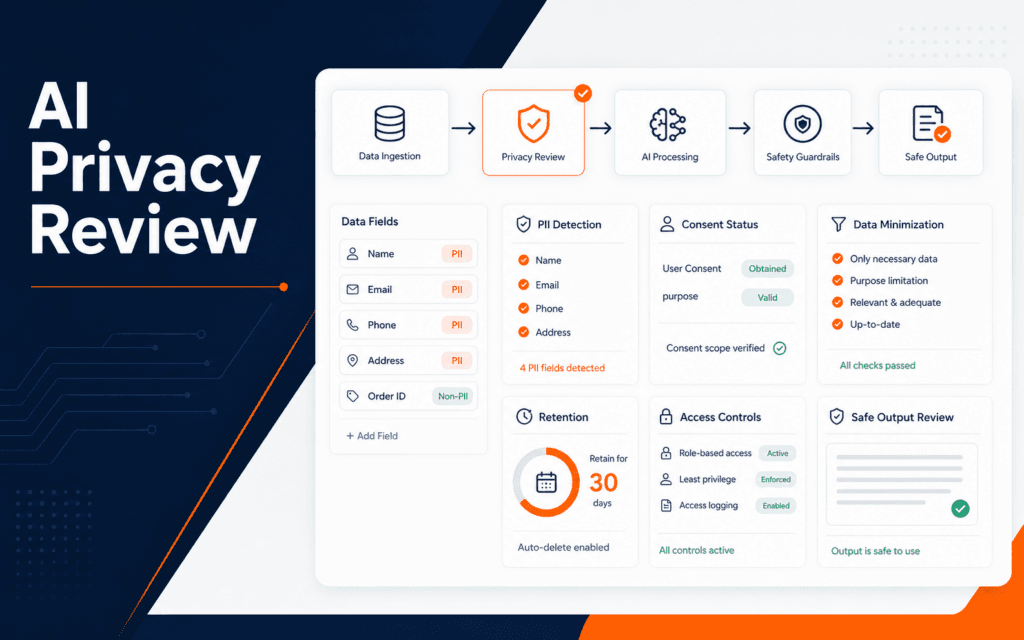
An AI privacy review helps teams decide whether a dataset, prompt workflow, or automation is handling personal information responsibly. The practical sequence is to identify.

Get practical learning resources, course updates, and technology insights delivered straight to your inbox.
No spam. Unsubscribe anytime.
Graphic design export settings decide whether a good design stays usable after it leaves the design tool. The practical workflow is to identify the final placement, choose the.
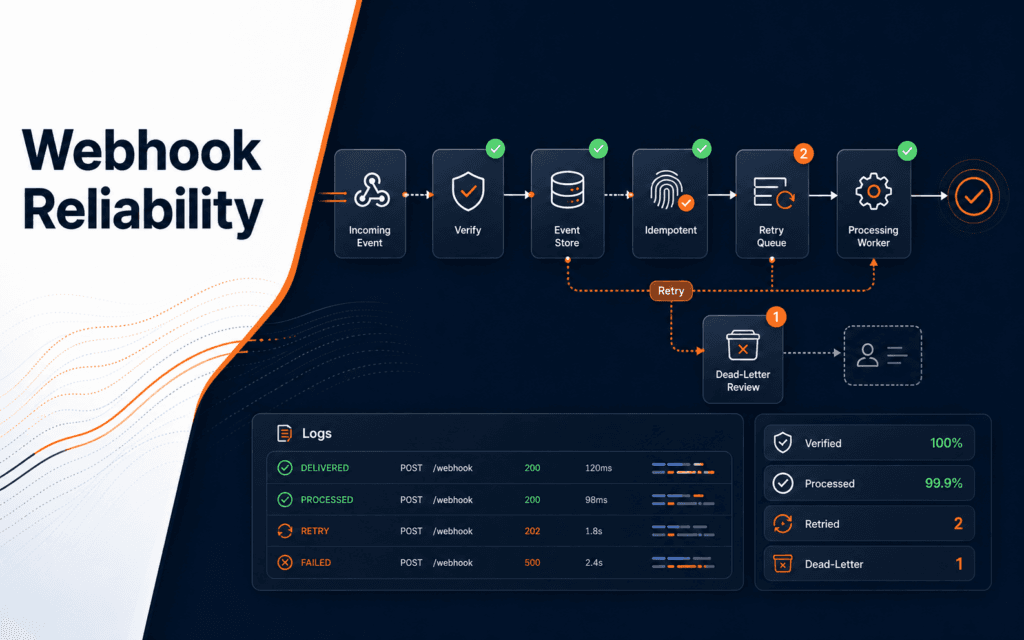
A webhook automation checklist helps teams build automations that survive duplicate events, delayed deliveries, server errors, and partial failures. The practical workflow is to.
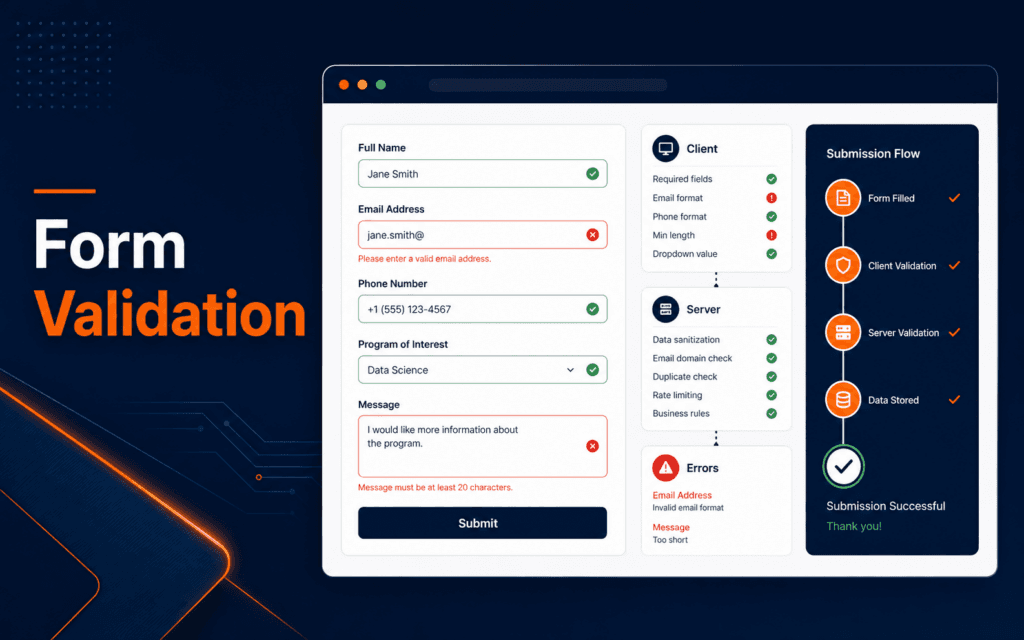
A form validation checklist helps developers prevent broken submissions, confusing errors, and unsafe input handling. The practical workflow is to define the accepted data, add.
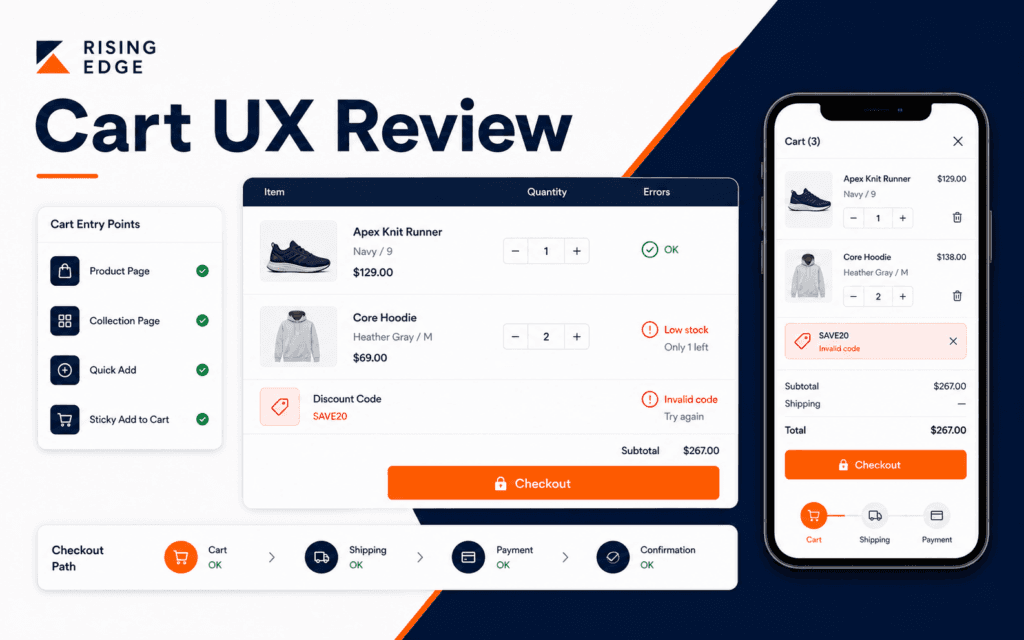
Cart UX reviews help store teams find buying-path problems before customers abandon the order. The practical workflow is to check cart entry points, product details, quantity.
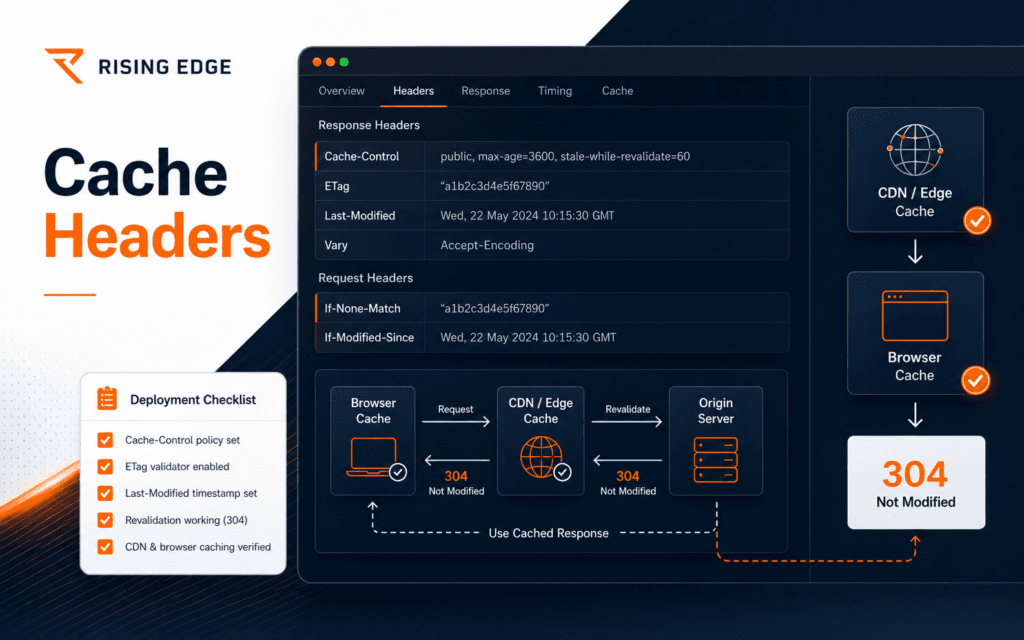
An HTTP cache headers checklist helps developers decide when browsers and shared caches can reuse a response and when they must ask the server again. The practical workflow is to.