Next.js Environment Variables: Public, Server, Secrets
Next.js environment variables control how an application connects to APIs, databases, analytics, email services, feature flags, and deployment settings. The practical rule is.

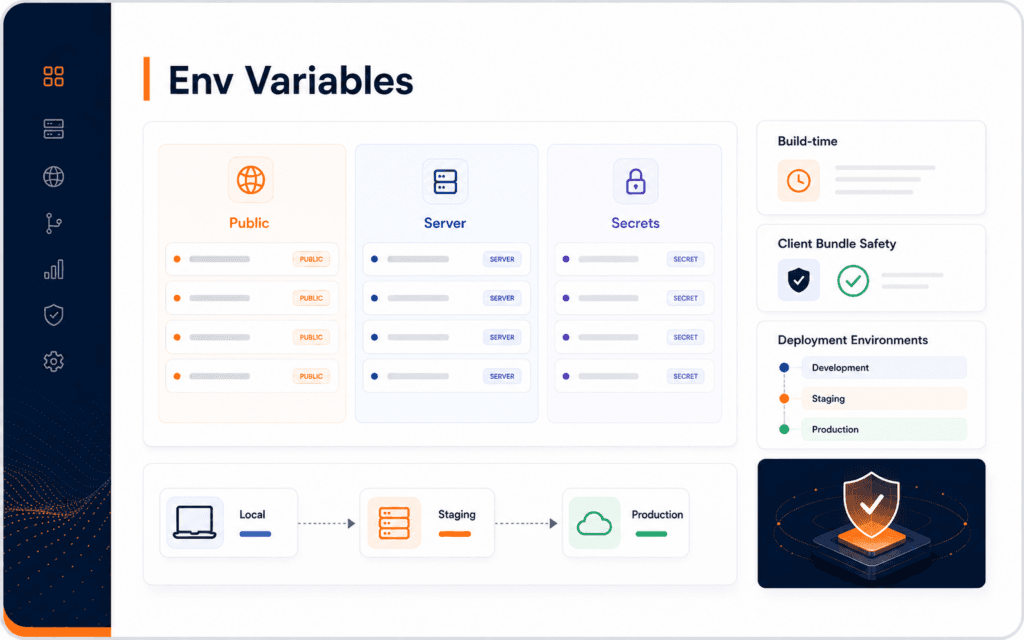
Next.js environment variables control how an application connects to APIs, databases, analytics, email services, feature flags, and deployment settings. The practical rule is simple: keep secrets on the server, expose only intentional public values with the right prefix, understand which values are fixed at build time, and test configuration in the same environment where the site runs. Use this guide to diagnose and resolve the problem when local settings work but production forms, APIs, metadata, or secrets fail. Many deployment bugs come from treating every variable as the same kind of setting.
The Next.js documentation says environment variables are supported and, by default, are only available on the server. It also documents the NEXT_PUBLIC prefix for variables that must be bundled for browser-side code. OWASP’s secrets guidance adds the security side: secrets need controlled storage, access, auditing, rotation, and management.
Separate Public And Private Values
Start by sorting variables into public values, server-only values, and true secrets. A public analytics measurement ID may be safe to expose. A database password, SMTP password, payment secret key, CMS application password, or revalidation token is not.
In Next.js, the NEXT_PUBLIC prefix is the line that makes a variable available to browser-side code. That makes it useful, but also dangerous when misunderstood. Anything exposed to the browser should be treated as visible to users.
Do not put secrets in client components, public runtime scripts, frontend bundles, or page source. If a browser needs to trigger a protected action, it should call a server route that checks permissions and uses the secret privately.
The Full Stack Web Development course connects to this because configuration sits across frontend, backend, deployment, and security.
Keep Secrets On The Server
Server-only variables are available to code that runs on the server. They can be used in route handlers, server actions, API routes, build processes, and backend integrations depending on the application structure.
Examples include database URLs, API secrets, email passwords, CMS application passwords, webhook secrets, private tokens, and revalidation secrets. These should not use NEXT_PUBLIC. They also should not be printed in logs, committed to Git, pasted into screenshots, or copied into public documentation.
OWASP recommends strong secrets management practices such as central storage, controlled provisioning, auditing, and rotation. For a small project, that may begin with a private deployment dashboard and a local ignored env file. For a larger team, it may require a dedicated secrets manager.
Understand Build Time
Some environment values are read during build. If a public value is bundled into client JavaScript at build time, changing the deployment variable later may not update the already-built bundle. That can surprise teams that expect every variable to behave dynamically.
Decide when the value is needed. Some values are needed by the browser after build. Some are needed by the server per request. Some affect static generation or deployment output. The timing changes how the variable should be configured.
Next.js also documents next.config.js env as a build-time mechanism. Use the current recommended environment variable flow for normal application secrets and settings instead of turning configuration into a hardcoded bundle by accident.
Use Local Env Files Carefully
Local env files are useful for development, but they should be ignored by Git. Keep examples in a safe .env.example file with placeholder values, not real credentials. The example file should show required keys without revealing secrets.
Use clear names. NEXT_PUBLIC_SITE_URL, CMS_API_URL, SMTP_HOST, and REVALIDATE_SECRET tell a better story than KEY1 or PASSWORD2. Names help future debugging.
Do not mix production secrets into local experiments. A local mistake should not send test emails to real users, modify production CMS data, or trigger live payment events.
Validate Required Variables
Applications should fail clearly when required variables are missing. A vague runtime error wastes time. A startup check or typed configuration module can report exactly which setting is absent.
Group variables by purpose: public site URLs, CMS connection, email delivery, authentication, analytics, revalidation, and feature flags. Then validate each group close to where it is used.
For user-facing pages, configuration mistakes can affect SEO too. A wrong public site URL can damage canonical URLs, Open Graph images, sitemaps, and links. The SEO course is relevant because deployment configuration often shapes public metadata.
Avoid Logging Secrets
Debugging often creates leaks. A developer logs the full environment object, prints a request header, captures a screenshot, or sends an error report with hidden credentials. Those leaks can be worse than the original bug.
Log whether a setting exists, not the value. For example, “SMTP_PASS configured: yes” is safer than printing the password. If a partial value is needed for debugging, mask it carefully and avoid storing it long term.
Review CI logs, deployment logs, server logs, and error tracking. Secrets can travel into places the team forgets to clean.
Check The Client Bundle
When a value is meant to stay private, verify that it does not appear in the browser. Open the deployed page, inspect the source and network calls, and search built assets when appropriate. You do not need to reverse engineer the whole site. You need enough confidence that a secret was not accidentally shipped.
Look especially for keys added with NEXT_PUBLIC, values placed in client components, and configuration objects passed from server code into browser code. A value can leak even when it started in a private env file if the application sends it to the client.
For safer debugging, create a harmless test variable. Confirm that a public variable appears where expected and a server variable does not. This teaches the boundary without risking a real credential.
Maintain An Env Example File
A good .env.example file helps future developers configure the project without exposing secrets. It should list required variable names, short comments, and fake placeholder values. It should not contain real passwords, tokens, private URLs, or production identifiers that should stay restricted.
Keep the example file current. When a form, CMS integration, analytics tool, image service, or webhook secret is added, update the example and the deployment notes. Missing documentation creates avoidable production failures.
Also document which variables require rebuilds or redeploys. A developer should know whether changing a value in the hosting dashboard is enough or whether a new build is needed.
Split Environments Clearly
Development, staging, and production should not share every value. A staging site can use test credentials, test emails, test API keys, and a safe CMS dataset. Production should use production credentials with tighter access.
Name environments clearly in the deployment dashboard and documentation. Confusing staging and production variables can send test messages to real users or connect a local experiment to live data.
When a variable exists in multiple environments, compare names and purpose, not secret values. The team should know that SMTP_HOST or CMS_API_URL exists everywhere, while each environment keeps its own private value.
Review Feature Flags
Feature flags often look harmless, but they still belong in configuration review. A public flag can reveal an upcoming feature. A server-only flag can change payment, email, CMS, or automation behavior. A stale flag can leave dead code active for months.
Name feature flags clearly and record their owner. Also decide when the flag should be removed. Temporary flags that never expire become a second hidden settings system.
Before enabling a flag in production, test both states. The application should behave predictably when the flag is missing, false, true, or configured differently across environments.
Plan Rotation And Recovery
Secrets should be replaceable. If a token leaks, the team should know where it is used, how to rotate it, how to deploy the new value, and how to confirm the old value stopped working.
Keep a compact variable inventory. Include name, purpose, owner, environment, public or private status, rotation note, and where it is configured. Do not store the secret itself in the inventory.
When rotating, update the secret in the provider, deployment environment, local development instructions, and any related service. Then redeploy or restart what needs the new value.
Test Deployment Configuration
Test configuration after deployment, not only locally. Check public pages, server routes, forms, CMS fetches, image URLs, metadata, revalidation, and any automation that depends on a secret.
The Web Design course connects indirectly because broken configuration often appears as a broken user experience: missing images, failed forms, wrong URLs, and stuck loading states.
Use a small deployment checklist: required variables present, public variables intentional, no secrets in client bundle, logs clean, forms working, metadata correct, and protected actions server-side.
Treat preview deployments as separate environments. Confirm which variables are available there, who can change them, and whether logs or build output could reveal values that are correctly hidden in production.
In Gujrat, Punjab, Pakistan, prospective learners can apply the practical approach in this article when discussing the Full Stack Web Development with an admissions adviser. Questions should stay tied to current exercises, review methods, prerequisites, and project evidence.
FAQ
What does NEXT_PUBLIC mean in Next.js?
NEXT_PUBLIC marks an environment variable for browser-side code. Treat it as public because users can inspect client-side JavaScript.
Should API keys go in NEXT_PUBLIC variables?
Only public client keys should go there. Secret keys, passwords, private tokens, and server credentials must stay server-side.
Why do environment variables work locally but fail in production?
The production environment may be missing a value, using a different build-time value, or running code in a different server or browser context than local development.
Want to Build Practical Technology Skills?
Explore RisingEdge courses designed to help students learn real skills, build projects, and prepare for career opportunities.