WordPress Block Editor for Beginners: What to Learn Before Custom.
The WordPress Block Editor is the modern editing system where pages and posts are built from blocks such as paragraphs, headings, images, columns, buttons, and reusable patterns.

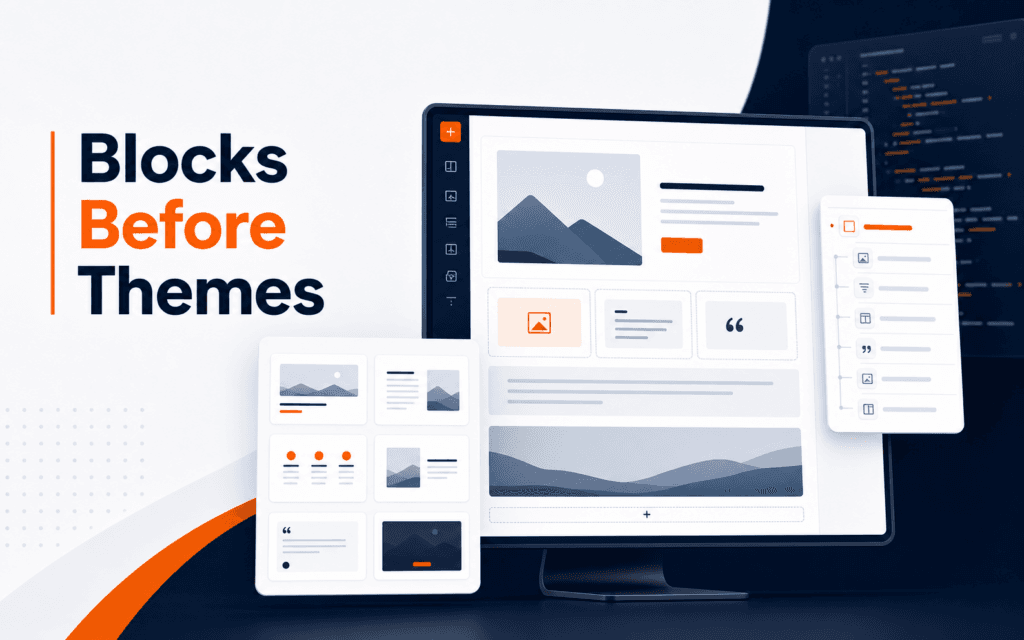
The WordPress Block Editor is the modern editing system where pages and posts are built from blocks such as paragraphs, headings, images, columns, buttons, and reusable patterns. Beginners should learn how blocks, templates, reusable patterns, categories, and REST-connected publishing work before jumping into custom themes. That foundation makes WordPress development easier because students understand the editor experience they are building for.
The official WordPress developer resources describe the Block Editor as a core part of modern WordPress publishing, and the WordPress REST API Handbook explains how applications can interact with WordPress data through JSON. For Rising Edge learners, the WordPress Development course connects naturally with Web Design because good WordPress work needs both publishing structure and visual judgement.
Learn Blocks as Content Units
A block is a content unit. It may be a paragraph, heading, image, list, quote, button, gallery, group, column, or custom component. Instead of thinking about one large editor field, beginners should think in content pieces that can be arranged, styled, reused, and moved.
This matters because WordPress clients rarely think like developers. They want to edit a heading, replace an image, add a button, or reorder a section without breaking the page. Blocks make that editing experience possible when the site is built carefully.
A simple practice page built with only core blocks is enough to begin. Build a hero section, a feature list, a course overview, and a contact section. Then reorder blocks, duplicate them, and test how the layout behaves on mobile. This builds practical familiarity before code enters the picture.
Understand Patterns and Reusable Sections
Patterns are pre-designed block arrangements. They help editors insert a consistent section without rebuilding it from scratch. A course card grid, testimonial section, pricing layout, and call-to-action band can all become patterns.
Beginners should learn patterns before custom theme development because patterns explain what site owners actually need: repeatable, editable sections. A developer who understands patterns can create a theme that supports real publishing workflows instead of hard-coding every layout.
The key standard is whether an editor can safely reuse and update the section later. That standard changes how students think about spacing, text length, image ratios, buttons, and responsive behavior.
Learn Templates Before Theme Code
Templates define how different kinds of content appear. A blog post template, page template, archive template, product template, and landing page template each serve a different job.
Before writing a custom theme, map the content types a site needs. A training institute might need course pages, blog posts, instructor profiles, contact pages, and admissions pages. Each type has repeated fields and design patterns.
This mapping prevents one of the biggest beginner mistakes: building every page as a one-off design. One-off pages are hard to maintain. Templates keep structure consistent while still allowing editors to update content.
Connect Editor Decisions to Frontend Quality
WordPress development is not only PHP or plugins. It is also the quality of what the visitor sees. A block layout can look good in the editor and still fail on the frontend if spacing, image sizing, heading hierarchy, or mobile behavior is weak.
Check every block section on desktop and mobile. Long headings should wrap cleanly. Buttons should remain tappable. Images should not crop important details. Columns should stack in a sensible order. Text contrast should remain readable.
This is why web design foundations matter. WordPress gives editors tools, but design judgement keeps those tools from becoming messy pages.
Understand the REST API at a Beginner Level
The WordPress REST API provides a way for applications to interact with WordPress data. A headless website, mobile app, automation, or publishing workflow can read posts, media, categories, tags, and other content through API requests.
Beginners do not need to master custom endpoints immediately. They should first understand what an API response is, why authentication matters for write actions, and how public content differs from edit-context content.
A simple learning project is to fetch a list of posts from WordPress and display their titles in a small frontend. Then fetch a single post by slug. This teaches the relationship between WordPress as a content backend and a website as the public frontend.
What to Learn Before Building a Custom Theme
Before custom themes, learn this sequence:
- Core blocks and their editing behavior.
- Heading hierarchy and content structure.
- Patterns and reusable sections.
- Templates for repeated page types.
- Mobile preview and responsive behavior.
- Media handling and alt text.
- Categories, tags, and post organization.
- Basic REST API reading.
- Safe editing permissions.
- Theme files only after the publishing model is clear.
This order protects students from writing code for problems they do not yet understand. A custom theme should support a publishing system, not just recreate a static screenshot.
Common Mistakes Beginners Make
The first mistake is treating the Block Editor as a simple page builder. It is also a content model, an editor workflow, and a frontend structure.
The second mistake is hard-coding sections that should be editable. If a client needs to update a course title or button, the theme should not require a developer for every change.
The third mistake is ignoring mobile previews. Blocks that look balanced on desktop can become awkward when columns stack.
The fourth mistake is installing too many plugins before learning native WordPress behavior. Plugins can help, but they can also hide the basics.
The fifth mistake is learning custom themes before understanding how editors maintain content.
A Beginner Practice Project for the Block Editor
The best way to learn the Block Editor is to build a small editable site section, not a full custom theme. Create a simple course landing page with a hero block group, a short benefits section, a curriculum list, an instructor note, and a contact or admissions call to action. Use only core blocks at first.
After the page is built, test it like an editor. Change the title length. Replace the image. Add one more benefit. Move the call to action above the curriculum. Preview the page on mobile. If the layout breaks easily, the section design is too fragile.
Next, turn one repeated section into a pattern. A course highlight card or testimonial row works well. Insert the pattern twice and edit the content. This teaches an important WordPress habit: repeated design should be reusable, but the content should remain editable.
Only after that should students inspect the theme layer. At that point, theme files are not abstract code. They are the system that supports pages, patterns, templates, and editor decisions.
What Custom Themes Should Preserve
Custom theme development should not remove the editor’s usefulness. A good theme preserves clear content areas, sensible typography, responsive spacing, accessible colors, and predictable block behavior. It also avoids locking normal updates behind code changes.
Before custom theme work, identify what the editor changes often, which sections need fixed design control, and which parts of the page are data-driven rather than hand-written. Those answers shape whether a feature belongs in blocks, patterns, template parts, custom fields, or theme code.
This is also where REST API awareness helps. If WordPress will feed a headless frontend, students must understand which content fields are available, which require authentication, and how slugs, media, categories, and tags are represented. The editor and API are connected parts of the same publishing system.
Learning this sequence makes WordPress development more professional. The student is no longer just making a theme look right. They are building a maintainable publishing experience.
How to Know You Are Ready for Theme Development
A beginner is ready to study custom themes when they can explain the difference between content, layout, and presentation. Content is the actual heading, paragraph, image, or course detail. Layout is the arrangement of those pieces on the page. Presentation is the visual styling that makes the arrangement feel polished and consistent.
This distinction matters because a custom theme should not trap content inside design code. If a course title changes, the editor should update the title. If a section layout is reused, a pattern or template part may be better than a copied block arrangement. If a visual rule applies across the site, theme styles may be the right place.
Students also need to read a page as a system by noting one-time blocks, repeated sections, WordPress-driven data, and mobile-specific spacing needs. These questions are simple, but they prevent messy theme architecture later.
When those answers are clear, custom theme development becomes a natural next step instead of a jump into files and functions too early.
Whether a learner attends in Gujrat or joins live online classes elsewhere in Pakistan, the practical approach in this article can serve as a project-quality standard for the WordPress Development. The important signal is repeatable work supported by clear reasoning and review.
FAQ
Is the WordPress Block Editor enough for beginners?
Yes. Beginners can learn a lot from core blocks, patterns, templates, media, categories, and reusable sections before writing custom theme code.
Do WordPress developers need the REST API?
Modern WordPress developers should understand the REST API at least at a basic level because headless sites, automations, and integrations often depend on it.
When should a student learn custom theme development?
After they understand blocks, templates, frontend quality, responsive design, and the publishing workflow a theme needs to support.
Next Step
Build one WordPress page using only core blocks. Then turn one section into a reusable pattern and test it on mobile. Once that feels natural, study templates and REST API basics before moving into custom theme development.
Want to Build Practical Technology Skills?
Explore RisingEdge courses designed to help students learn real skills, build projects, and prepare for career opportunities.