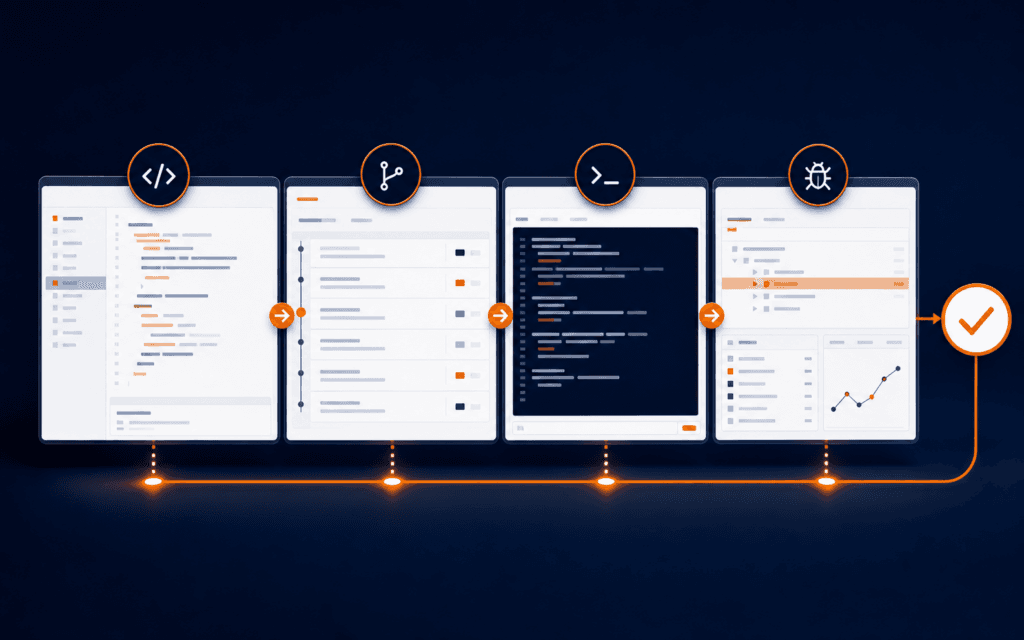
Git Bisect Tutorial: Find a Regression with Good and Bad Commits
Git bisect helps diagnose and resolve the problem when a feature works at one known commit and fails at another. To complete the stated reader task, define one repeatable.

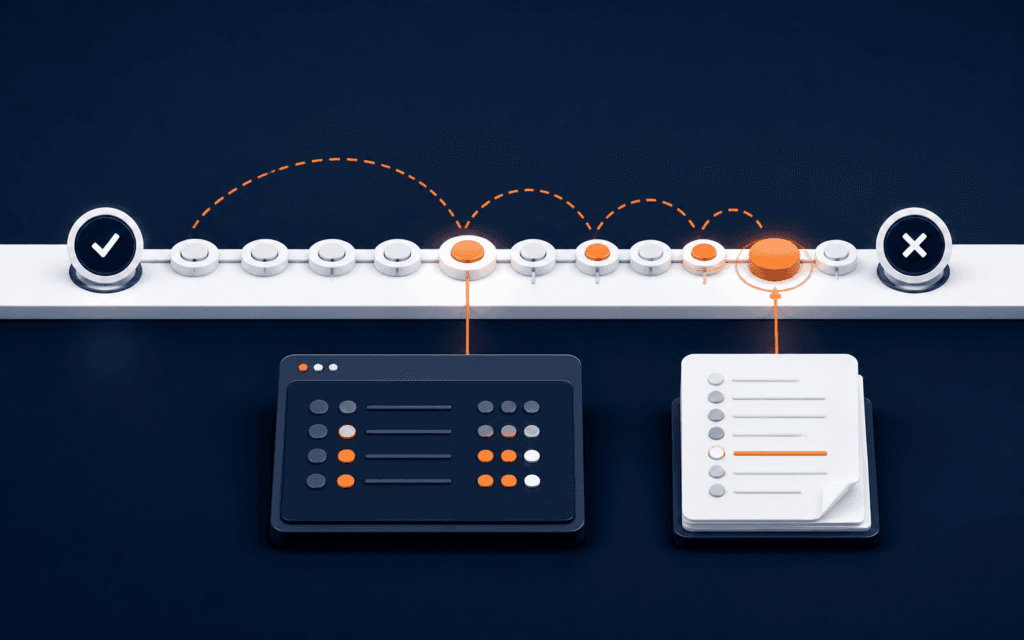
Git bisect helps diagnose and resolve the problem when a feature works at one known commit and fails at another. To complete the stated reader task, define one repeatable pass-or-fail test, record the current environment, protect uncommitted work, mark a verified bad boundary and an older verified good boundary, then classify the midpoint commits Git selects. Each reliable answer narrows the history until Git identifies the first bad commit.
The command finds where an observable property changed. It does not prove why the change caused the failure, whether the commit is defective in every environment, or who should be blamed. After bisection, inspect the candidate, test its parent and the candidate under the same conditions, confirm the relevant diff, save the log, reset the session, and open a bounded fix with regression evidence.
Decide Whether Bisection Fits
Use bisection when the behavior changed somewhere in a meaningful commit range and you can classify selected commits consistently. It works well for a deterministic test failure, broken route, missing output, visual regression with an objective comparison, or a measurable threshold. It is poor evidence when the failure depends on unstable data, unavailable services, random timing, or an environment that changed independently of the repository.
First reproduce the failure outside bisect. Write the exact input, expected output, actual output, command, environment, and cleanup. Use the web development debugging workflow to identify whether the symptom belongs to browser, network, server, build, or deployment. Do not search commit history for a failure caused only by current production configuration.
Protect The Working State
Run git status and preserve work according to the repository’s normal process before starting. Bisection checks out historical commits and leaves you in a detached HEAD state while it tests them. Commit appropriate work, create a branch, or use an approved stash strategy. Record the original branch and commit so you can verify the reset result.
Do not run destructive cleanup commands copied from an example without understanding their effect. Historical commits may expect different dependencies, generated files, databases, or environment variables. Use disposable test data and an isolated environment. Never run old code against production credentials, live customer data, or a writable production service.
Write One Classification Predicate
The predicate is the rule that labels a commit good or bad. Make it narrow and binary: the named test exits zero, the endpoint returns the expected status, or the rendered component contains the required accessible label. Keep the same input, dependency policy, setup, and decision threshold for every commit.
A commit is good only when the target property passes, not when the project merely builds. A commit is bad only when the target failure is present, not when an unrelated lint rule fails. If a candidate cannot be tested because its dependencies no longer install or a fixture is unavailable, classify it as untestable and use git bisect skip rather than guessing.
Verify The Bad Boundary
Choose a commit where the regression definitely exists, often the current branch head, and run the predicate before labeling it. Record the full commit ID and output. Start the session with git bisect start, then mark that revision using git bisect bad <commit> or include the boundary in the start command.
A recent failing commit is not automatically the right bad boundary. Confirm that the failure is the same symptom and not a later unrelated break. If HEAD cannot build for another reason, choose a testable bad commit nearer the failure or repair the test environment without changing the behavior under investigation.
Verify The Good Boundary
Find an older release, tag, deployment commit, or recorded build where the same predicate passes. Check it directly under the controlled environment before running git bisect good <commit>. Memory, a closed ticket, or a green dashboard from another configuration is not sufficient on its own.
The good commit must be an ancestor in the relevant history path for the simple case. If history contains merges, rebases, or multiple release lines, inspect the commit graph and document which path you intend to search. A boundary that was never actually tested can make every later classification look precise while producing the wrong range.
Classify Each Selected Commit
After both boundaries are set, Git selects a commit between them. Build only what the predicate requires, run the exact test, save the result, then call git bisect good or git bisect bad. The official Git documentation explains that this binary search repeatedly reduces the remaining candidates until a first bad commit is found.
Before labeling, confirm the selected commit ID and that setup succeeded. Do not repair historical code differently at every step. If a temporary compatibility adjustment is unavoidable, apply the same documented method consistently and remove it before classification. Mixed methods turn the search into several experiments with incompatible results.
Handle Untestable Commits Honestly
Use git bisect skip when the selected commit cannot answer the predicate, such as an independent build failure or unavailable fixture. Record why it was skipped. Git may identify a range of possible first bad commits when adjacent revisions are skipped, so report that uncertainty instead of naming one culprit.
Too many skips often indicate that the predicate or range needs redesign. Consider a smaller path, a test that does not require the broken subsystem, or a known buildable release boundary. Do not label an untestable revision bad merely to keep the search moving; that changes the meaning of the result.
Automate Only A Stable Test
git bisect run <command> can automate classification. The command should exit 0 for good, 1 through 127 except 125 for bad, and 125 for an untestable revision according to Git’s documented convention. Keep the script outside the changing worktree when repository checkouts could overwrite it.
Run the script manually at both boundaries first. Confirm cleanup, timeouts, services, ports, caches, and test data are deterministic. Automation magnifies a weak predicate quickly. A flaky script can generate a confident-looking commit ID that merely reflects timing or state left by the prior iteration.
Save And Inspect The Bisect Record
Use git bisect log to capture boundaries, classifications, skips, and the identified commit. Save it with the issue or investigation record, not as unexplained terminal output. git bisect replay <log> can reproduce the sequence in a compatible repository state.
Inspect the candidate with git show, its parent, linked issue, tests, migration, dependency changes, and nearby commits. The first commit where the predicate becomes bad may expose an earlier hidden assumption or an external compatibility change. Treat the result as an isolation point for causal analysis, not a verdict about a person.
Verify The Candidate Outside Bisect
Check out or otherwise test the candidate’s parent and the candidate using the same clean setup. The parent should pass and the candidate should fail. Then build a minimal revert or targeted fix in a separate branch and run the regression test plus relevant neighboring tests.
When a merge commit is identified, inspect both parents and the integrated result. Git offers options such as first-parent traversal, but the right history model depends on what you are investigating. State the chosen model in the record so another developer can understand why the search included or excluded branch internals.
Work Through A Checkout Regression
Suppose checkout accepted a valid discount last week but now rejects it after the cart total changes. Define a test fixture with one product, one discount, and a fixed currency. Mark the current commit bad only after the same test fails twice. Find a deployed release commit where the fixture passes and verify it before marking that boundary good.
At each selected commit, install the lockfile-defined dependencies, reset the fixture, run only the stable regression test, and save the commit ID and result. Skip a revision whose database migration cannot load the fixture. When Git identifies a candidate, compare its parent and inspect changes to discount calculation, rounding, and cart refresh. The evidence narrows investigation without assuming the author or visible diff alone caused the failure.
Reset And Create A Fix Record
Run git bisect reset when finished and verify that Git returned to the expected branch and commit. Recheck git status. Keep the bisect log, predicate, environment notes, candidate and parent evidence, and any skipped revisions in the investigation record.
Create a regression test that fails before the fix and passes after it. Explain the cause, correction, risk, and rollback. A Full Stack Web Development course can provide structured debugging practice, but production bisection still requires repository-specific permissions, test isolation, and evidence.
In Gujrat, Punjab, Pakistan, prospective learners can apply this practical method when discussing the Full Stack Web Development with an admissions adviser. Questions should stay tied to current exercises, review methods, prerequisites, and project evidence.
FAQ
Can git bisect find a bug without a test?
It needs a reliable classification method. That can be a manual check, but a repeatable automated test is usually faster and easier to audit.
What should I do if a selected commit does not build?
Use git bisect skip when the target property cannot be tested. Record the reason and report a possible range if skips prevent Git from identifying one commit.
Does the first bad commit prove who caused the bug?
No. It identifies where the chosen predicate changed in the tested history. Confirm the parent, candidate, environment, diff, and underlying cause before deciding on a fix.
Want to Build Practical Technology Skills?
Explore RisingEdge courses designed to help students learn real skills, build projects, and prepare for career opportunities.