Prompt Workflow Controls: Instructions, Outputs, Review
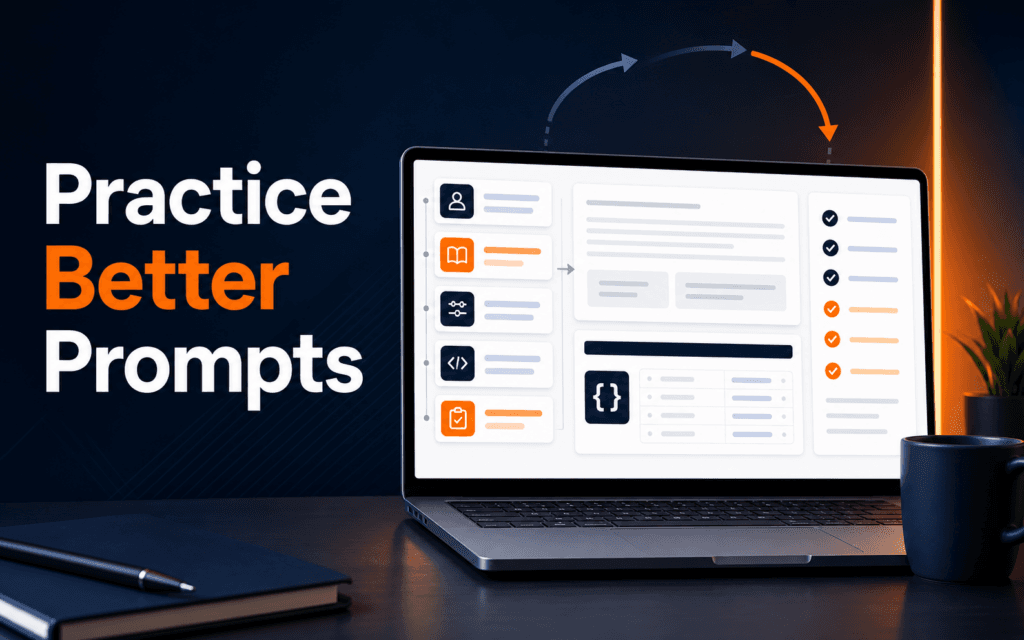
Prompt workflow controls help working professionals turn AI use from casual trial and error into a repeatable process. The useful controls are instructions, context, examples.

Prompt workflow controls help working professionals turn AI use from casual trial and error into a repeatable process. The useful controls are instructions, context, examples, output format, review criteria, and an approval boundary. Once those controls are clear, automation can be added carefully. If prompts are unclear, automation only makes unclear work happen faster.
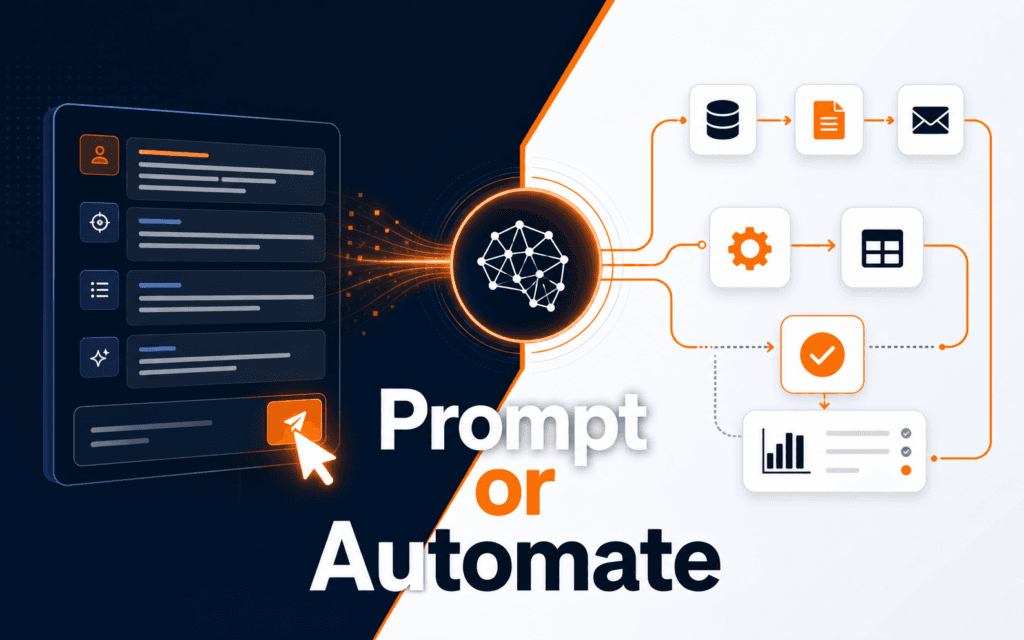
The choice is not really one skill against the other. It is a sequence. Prompt engineering is the control layer for individual model outputs. AI automation is the operating layer for repeatable processes. A professional who understands both can design useful workflows, but the first step should usually be learning how to ask for, evaluate, and improve one result.
What Prompt Engineering Actually Teaches
OpenAI describes prompt engineering as writing effective instructions so a model consistently generates content that meets requirements. In practical workplace terms, that means turning vague intentions into clear task instructions.
A good prompt names the role, input, audience, constraints, output format, and quality standard. It also says what to avoid. For example, asking for a marketing summary is weak. Asking for a 150-word summary for a nontechnical business owner, based only on supplied notes, with three action bullets and no invented claims is much stronger.
Prompting also teaches review. A beginner learns that the first output is not final. It must be checked against the task for format, unsupported details, answer quality, and tone. This habit becomes essential when the work moves into automation.
The Prompt Engineering course is a natural starting point because it builds the language of instruction, constraints, examples, and evaluation. Those ideas apply whether the user is writing content, analyzing data, coding, or planning a workflow.
What AI Automation Adds
Automation connects model outputs to repeatable actions. It might summarize form submissions, draft replies, classify support tickets, create structured records, update a spreadsheet, or route tasks to a human. It may involve tool calling, structured outputs, agents, APIs, webhooks, databases, or scheduled workflows.
OpenAI’s function calling documentation describes a flow where the model can request a tool call, application code executes the tool, and the model uses the result. That is a different responsibility from writing a single prompt. The designer must think about inputs, permissions, errors, retries, logs, and what should happen when the model is uncertain.
Agents go further. OpenAI describes agents as applications that can plan, call tools, collaborate across specialists, and keep state for multi-step work. That power is useful, but it increases the need for boundaries. A workflow that touches customer data, publishing systems, or business records needs guardrails, not just creativity.
This is why AI automation should come after prompt fundamentals. Automation requires prompts, but also requires process thinking. A weak prompt inside a workflow can create repeated errors. A strong prompt with no workflow can still be reviewed manually. The risk profile is different.
Learn Prompting First When The Output Is Still Human-Reviewed
The prompting foundation should come first when the work involves drafts, summaries, ideas, briefs, learning support, or content preparation. These tasks benefit from speed, but a human can still review the output before anything important happens.
For example, a digital marketer might ask for campaign headline options. A designer might ask for a client brief summary. A student might ask for a study plan. A developer might ask for a code explanation. In each case, the human can judge usefulness before acting.
This stage builds judgment. You learn which instructions produce clear outputs, which examples help, which constraints prevent drift, and which review questions catch problems. That judgment later becomes the checklist for automation.
Structured outputs are also worth learning here. OpenAI’s structured output guidance focuses on model responses that adhere to a supplied JSON Schema. Even for nondevelopers, the idea is valuable: define the shape of the answer before asking for it. A table, checklist, JSON-like record, or form response is easier to review and reuse than a loose paragraph.
Move To Automation When The Process Repeats
Move into AI automation when the same task happens often, uses predictable inputs, has clear rules, and benefits from speed or consistency. If the task happens once, automation may be unnecessary. If the task changes every time, automation may become fragile.
Good automation candidates include intake triage, lead summaries, content brief creation, FAQ extraction, email draft routing, course enquiry classification, and simple report preparation. Each has repeatable inputs and a defined result. Poor candidates include vague strategic decisions, high-stakes approvals, or workflows where nobody knows what a good output looks like.
Before automating, document the manual version. Name what starts the process, what information is required, what decision is made, what output is produced, who approves it, and what happens when information is missing. If the manual workflow is unclear, automation will expose the confusion.
Students interested in the deeper workflow side can continue from prompting into the AI Automation and Agent Development course. That sequence keeps the foundation strong before tools and integrations multiply.
Compare The Skills Side By Side
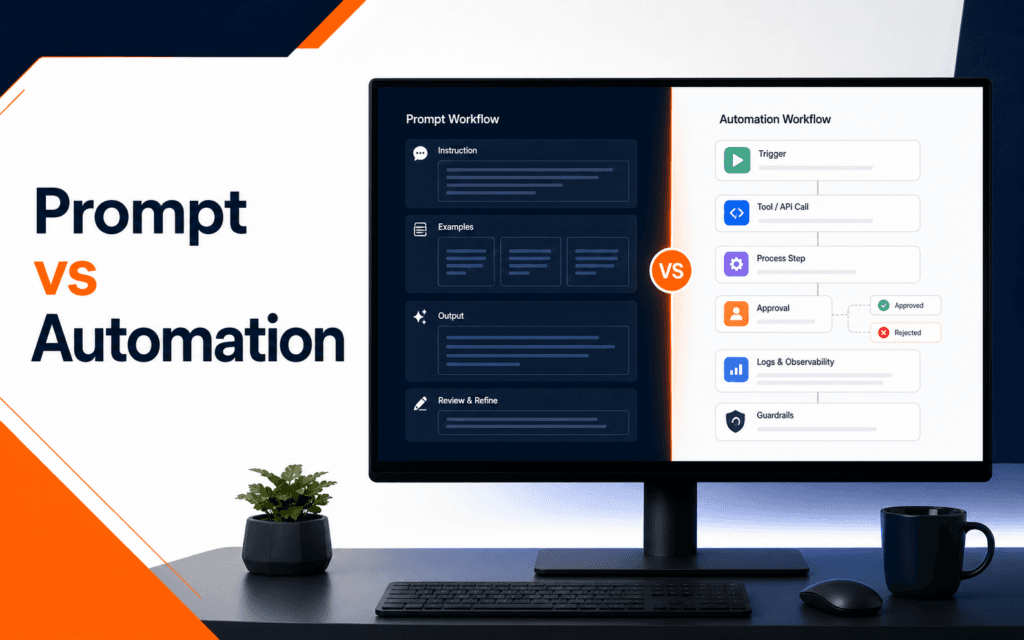
Prompt engineering is usually easier to start because it needs fewer moving parts. You need a model interface, a task, and a review habit. The risk is moderate because the output can remain draft-only. The main skill is clear instruction and evaluation.
Workflow automation needs more system thinking. You need triggers, inputs, tools, permissions, outputs, logs, and fallback rules. The risk can be higher because an automation may act before a human sees the result. The main skill is designing a controlled process.
Clear prompting improves individual outputs. Automation improves repeatable workflows. Prompting focuses on getting the right answer. Automation focuses on making the right process happen reliably. Both matter, but they are not the same learning problem.
The best career path depends on the role. Content creators, marketers, teachers, designers, and analysts often benefit from prompt engineering first. Developers, operations teams, CRM managers, and process owners may move into automation sooner. Even then, prompt quality remains part of the system.
A Practical Learning Path
Start with five prompt patterns. Learn task prompts, rewrite prompts, extraction prompts, comparison prompts, and critique prompts. For each one, define the input, output format, constraints, and review criteria. Save weak and improved versions so the difference is visible.
Next, learn structured outputs. Practice turning unstructured notes into fields such as name, problem, audience, urgency, next action, and missing information. This prepares you for automation because workflows need predictable data.
Then design one manual workflow. For example, take a course enquiry, summarize the student goal, classify the course area, draft a response, and flag missing information. Run it manually five times. Only after that should you automate one step.
Finally, add safeguards. Require human approval before sending messages, publishing content, changing records, or making decisions with business impact. Automation should reduce repetitive work, not remove accountability.
Common Mistakes
The first mistake is automating before the prompt is reliable. If one output is inconsistent, a hundred automated outputs will be inconsistent too. Fix the prompt and review checklist first.
The second mistake is treating automation as magic. An automation is a process with inputs, actions, and failure modes. It needs monitoring. It needs logs. It needs a safe stop condition.
The third mistake is skipping the human approval layer. Some tasks can run automatically after testing, but beginners should keep a review step until the workflow proves itself.
The fourth mistake is learning tools without learning decisions. A platform tutorial can show where to click, but professional value comes from knowing what should happen and why.
Strong prompts give you control over the model. A well-designed automation gives you control over the process. Learn the first, then build the second with care.
Portfolio Practice For Working Professionals
A useful practice project is a two-step enquiry assistant. First, write a prompt that summarizes a course enquiry into student goal, current skill level, preferred course area, missing information, and suggested next response. Review ten sample enquiries manually and improve the prompt until the summaries are consistent.
Second, design the automation on paper without connecting it to a live inbox. Define the trigger, input fields, summary output, human approval step, and fallback when information is missing. This teaches the difference between output quality and workflow safety.
Only after that should you connect tools. A beginner who can explain the manual flow will make better automation choices than someone who starts with integrations and hopes the process becomes clear later.
A structured Artificial Intelligence (AI) learning path should let students practise these controls across different tasks, then explain why each instruction, constraint, and review step exists. That explanation is stronger evidence than a collection of isolated prompts.
Version the control set separately from the task input. When an output changes, this makes it possible to identify whether the instruction layer, source context, model setting, or user data caused the difference.
For a learner comparing classroom training in Gujrat, Punjab, Pakistan, this checklist turns interest in the Artificial Intelligence (AI) into concrete evaluation criteria. It clarifies which decisions and checks should appear in credible practical work.
FAQ
Is prompt engineering easier than AI automation?
Yes. Prompt engineering usually has fewer moving parts and is easier to practice manually. AI automation adds tools, triggers, data flow, permissions, and failure handling.
Can I learn AI automation without prompt engineering?
You can start, but it is harder to build reliable workflows without prompt fundamentals. Most automations still depend on clear instructions and review criteria.
When should I start learning agents?
Start learning agents after you understand prompting, structured outputs, tool use, and workflow design. Agents are useful for multi-step work, but they need stronger guardrails.
Want to Build Practical Technology Skills?
Explore RisingEdge courses designed to help students learn real skills, build projects, and prepare for career opportunities.