Prompt Engineering vs AI Automation: Which Skill Should You Learn.
Prompt engineering and AI automation are connected, but they solve different problems. Prompt engineering improves the instructions, context, examples, and output format you give.

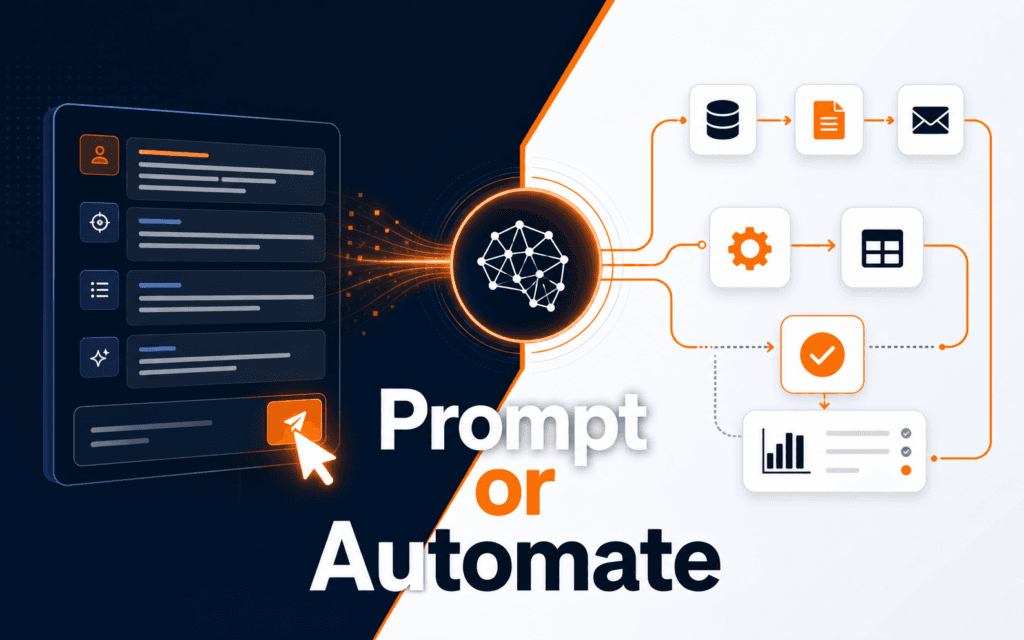
Prompt engineering and AI automation are connected, but they solve different problems. Prompt engineering improves the instructions, context, examples, and output format you give an AI model. AI automation connects AI to tools, triggers, files, apps, approvals, and repeatable workflows. The goal is to make a justified choice based on your immediate bottleneck: start with prompt engineering when output quality is weak, and start with automation when the same task already repeats across systems.
For most learners, prompt engineering should come first, then automation. OpenAI’s prompt engineering guide covers effective instructions, while function calling and the Agents SDK show tool-connected workflows. Rising Edge learners can start with Prompt Engineering, then move into AI Automation and Agent Development.
The Difference in Plain Language
Prompting work is about the quality of the conversation with the model. It covers the task request, context, examples, output format, constraints, and success criteria used to judge whether the answer is useful.
AI automation is about the system around the model. It defines the workflow trigger, input source, destination tool, failure handling, logging, approval, retry path, and human control point.
A freelancer writing product descriptions may need prompt engineering first because the immediate problem is getting sharper, brand-appropriate copy. A small business owner who receives the same support emails every day may need automation because the task has a predictable input and a repeatable response process. A developer building an internal assistant may need both: prompt engineering to shape the model’s behavior and automation to connect it to data and tools.
The skills overlap, but they should not be blurred. A good prompt can still produce a poor workflow if no one checks where the output goes. A clever automation can still fail if the model receives vague instructions. The best AI workers learn to separate the instruction problem from the workflow problem.
Start With Prompt Engineering If Your Output Is the Problem
Start with prompt engineering when your main frustration is that AI gives answers that are too generic, too long, too short, off-tone, poorly structured, or hard to use. This is common for students, marketers, designers, writers, teachers, and early-stage entrepreneurs.
The prompting skill teaches you how to define the task before asking for output. Instead of saying, “Write a marketing post,” you learn to say who the audience is, what the offer is, what objections the reader has, what tone fits the brand, what length is needed, what examples to avoid, and what structure the answer should follow. This changes the output because the model has fewer missing details to guess.
It also teaches evaluation. A strong prompt is not only a request. It often includes success criteria. For example: “Return three options, each under 120 words. Use a practical tone. Avoid hype. Include one concrete benefit and one proof point. After the options, explain which one is clearest for a beginner audience.” That prompt makes the model easier to judge.
This skill is especially useful before automation because it reveals whether the task is clear enough to repeat. If you cannot get one good manual AI output, automating the same weak instruction will only create weak outputs faster. This is where many learners rush. They connect tools before they know what a good result looks like.
Good beginner practice projects include:
- Turn rough notes into a structured blog outline.
- Rewrite a service description for three different audiences.
- Create a checklist from a long policy document.
- Summarize a lesson into beginner, intermediate, and advanced explanations.
- Ask the model to critique a draft against a clear rubric.
These projects build the mental habits automation later depends on: task definition, context control, output format, and review.
Start With AI Automation If the Workflow Is the Problem
Start with AI automation when the task already repeats and the bottleneck is moving information between tools. The classic signs are easy to notice: you copy the same data from emails into a spreadsheet, rewrite similar replies every day, summarize form submissions manually, rename files after each project, or send the same onboarding message to every new lead.
AI automation does not begin with the model. It begins with the workflow map: trigger, required data, AI-supported decision, destination tools, human approval, and the fallback for uncertain output.
OpenAI’s function calling documentation is useful here because it shows the idea of connecting model output to defined tools or functions. The Agents SDK expands that into agent-style systems with tools, handoffs, and guardrails. In no-code and low-code platforms, n8n’s AI Agent node and Zapier Agents actions show similar practical concerns: the AI step needs access to actions, instructions, and boundaries.
Automation is powerful, but it also raises the cost of mistakes. A bad manual prompt creates one bad answer. A bad automation can create many bad records, send incorrect messages, or publish unreviewed content. That is why automation should include checks. For content workflows, a human approval step may be required before publishing. For customer communication, confidence thresholds and escalation rules matter. For data entry, validation and logging are essential.
Useful beginner automation projects include:
- Summarize contact form submissions and draft a reply for review.
- Convert meeting notes into tasks in a project tool.
- Classify support emails by topic and priority.
- Generate first-draft social captions from approved blog posts.
- Extract structured fields from an inquiry and save them to a spreadsheet.
Each project should include a review point. Automation is not a reason to remove judgement. It is a way to reduce repetitive handling while keeping important decisions visible.
A Decision Framework for Learners
Use this comparison before choosing your first learning path.
| Question | Choose Prompt Engineering When | Choose AI Automation When |
|---|---|---|
| What is broken? | The AI output is vague, poorly structured, or hard to use. | The task repeats across tools and takes too much manual handling. |
| What do you need first? | Better instructions, context, examples, and review criteria. | A workflow map, trigger, actions, checks, and logging. |
| Best first project | Improve one draft, summary, lesson plan, or content brief. | Move one repeatable task from input to reviewed output. |
| Main risk | Believing a fluent answer is automatically correct. | Scaling a weak or unsafe process. |
| Human role | Editor, reviewer, and task designer. | Approver, exception handler, and workflow owner. |
If you are a student, marketer, designer, or writer, prompt engineering usually gives faster improvement because it upgrades your daily work immediately. If you are an operations assistant, developer, admin, or business owner handling repeated processes, automation may solve a more painful problem. If you are a freelancer, learn enough prompt engineering first, then use automation to package repeatable services.
How the Skills Build on Each Other
Clear prompting is the foundation layer. It teaches you to describe work clearly. AI automation is the systems layer. It teaches you to make that work repeatable across tools.
A practical progression looks like this:
- Write better task prompts for one-off work.
- Add examples and output formats.
- Create review checklists for AI outputs.
- Turn successful prompts into reusable templates.
- Identify repeatable workflows that use those templates.
- Add triggers, actions, approvals, and logs.
- Improve the workflow through testing and failure review.
This path prevents a common mistake: building automation around prompts that have never been tested. It also prevents the opposite mistake: staying forever in prompt experiments and never solving operational problems.
For example, imagine a training institute wants to publish weekly course tips. Prompt engineering helps create the content brief, outline, and draft checklist. Automation can then collect approved topics, generate a first draft, route it to an editor, create a featured image prompt, and prepare a CMS draft. The content still needs review, but the repetitive coordination is reduced.
Mistakes to Avoid
Avoid choosing a skill because it sounds more advanced. Choose the one that removes your current bottleneck. Many people chase automation because it feels impressive, then discover they cannot define the task clearly. Others keep polishing prompts when the real problem is that ten apps are being updated manually.
Avoid automating tasks with unclear rules. If every case needs deep human judgement, start with decision support instead of full automation. Ask AI to summarize, classify, or draft, then keep approval manual.
Security and privacy need attention because automation may move data between services. Know what information is being processed, where it goes, and who can access it. Avoid putting sensitive information into tools without permission.
Testing should happen on small sample data first. Check edge cases. Confirm that failed outputs are caught before they affect real users.
Measure more than speed. A fast workflow that creates cleanup work is not an improvement. Measure clarity, error rate, review time, and user experience.
If the comparison points toward broader AI foundations before automation, review the Artificial Intelligence (AI) program against the projects and review controls described here. Choose based on the work you want to demonstrate, not the trendiest label.
Students considering technology training in Gujrat, Punjab, Pakistan can use this comparison framework to judge the practical depth of the Artificial Intelligence (AI). The useful evidence is the work a learner can explain, test, and improve, not a list of tools alone.
FAQ
Is prompt engineering easier than AI automation?
For most beginners, yes. Prompt engineering usually requires fewer tools and gives quicker feedback. AI automation adds workflow design, integrations, testing, and error handling.
Do I need coding to learn AI automation?
Not always. No-code tools can teach triggers, actions, and workflow logic. Coding becomes useful when you need custom integrations, stricter validation, private systems, or more control.
Can I learn both at the same time?
Yes, but keep the projects small. Practice prompting on one manual task, then automate only the parts that repeat. Learning both through a single real workflow is often better than watching unrelated tutorials.
Final Recommendation
If you are unsure, start with prompt engineering for two weeks. Build five reusable prompts, test them on real work, and learn how to judge the output. Then choose one task you repeat every week and design a simple AI automation with a human review step. That sequence gives you both clarity and momentum: first better instructions, then better systems.
Want to Build Practical Technology Skills?
Explore RisingEdge courses designed to help students learn real skills, build projects, and prepare for career opportunities.