Digital Marketing Tools for Working Professionals: What to Learn.
Digital marketing tools for working professionals should be chosen around decisions, not around dashboards. The first useful stack is simple: one tool to see where traffic comes.

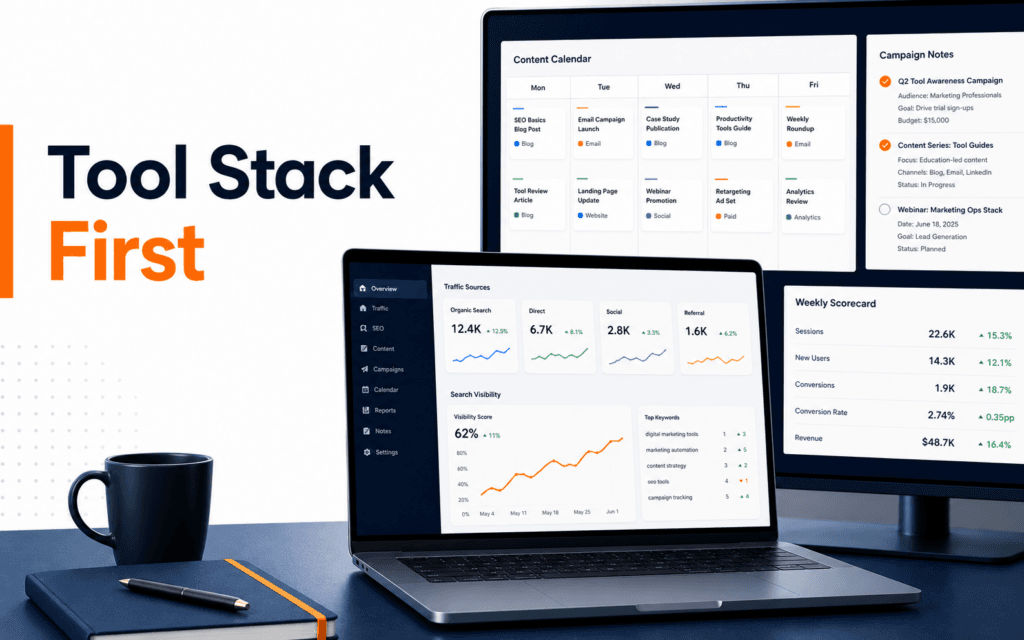
Digital marketing tools for working professionals should be chosen around decisions, not around dashboards. The first useful stack is simple: one tool to see where traffic comes from, one tool to understand search visibility, one place to plan content, one way to create assets, one channel tool for publishing or email, and one weekly report that turns activity into decisions. Paid platforms can help later, but they are not a shortcut for understanding what each tool is supposed to prove.
For a working professional, the goal is not to collect a long list of software names. The goal is to become the person who can look at a campaign, identify the next useful action, and explain that action clearly to a manager, client, or team. That is why a practical digital marketing stack starts with measurement and workflow before automation. If the foundation is weak, more tools only create more noise.
Start With The Decision Each Tool Supports
Before choosing a tool, ask what decision it will help you make. A traffic tool should help answer where visitors came from. A search tool should help answer which pages and queries have visibility. A content planning tool should help answer what should be published next. A design tool should help answer whether campaign assets are ready to ship. An email or CRM tool should help answer which audience segment needs follow-up.
This decision-first approach keeps the stack practical. It also protects beginners from paying for advanced platforms before they can use the basics. A professional who understands campaign structure, audience, landing pages, search intent, and reporting will get value from almost any decent tool. A professional who skips those ideas may buy expensive software and still be unable to explain whether a campaign worked.
For Rising Edge students, this is also a better learning route. In the Digital Marketing course, tools are most useful when they sit inside a repeatable workflow: plan the audience, create the message, publish the asset, measure the response, and improve the next version.
Analytics Tools: Learn Traffic Before Attribution
Google Analytics is usually the first analytics tool professionals should understand because it teaches the language of users, sessions, traffic sources, engagement, and conversions. Google documentation explains acquisition reporting as a way to understand where users come from and how they arrive on a site. That is the core job of analytics for most early marketing work.
Do not begin by trying to master every report. Start with a small set of questions around channel sources, pages that earn attention, pages that lead people toward action, and campaigns that changed the pattern. A weekly answer to that set is more valuable than a daily scan of every chart.
Working professionals should also learn the difference between measurement and interpretation. A report can show that traffic increased from social media, but it cannot automatically explain whether those visitors were qualified, whether the landing page matched the message, or whether the campaign attracted people who were likely to contact the business. That interpretation is where marketing judgment develops.
The practical skill is to connect analytics with notes. If a new post, ad, email, or landing page went live on Monday, record it. When the traffic changes, compare the change with the activity. Without that context, analytics becomes a memory test. With that context, it becomes a learning system.
Search Tools: Use Visibility Data Before Guessing
Search Console belongs in the first tool stack because it shows how a site appears in Google Search. Google describes the Performance report as a way to review search data such as queries, pages, countries, devices, and search appearance. For marketers, this matters because search visibility can improve before traffic improves. Impressions may rise before clicks rise, and both signals can guide content decisions.
The first habit is to review queries and pages together. A page might receive impressions for a search term that does not match its heading. That tells you the page may need clearer structure or a better section that answers the query. Another page may have many impressions but a weak click-through rate. That may point to a title or meta description issue.
Search tools are also useful because they slow down guesswork. A marketer may feel that a topic is important, but Search Console can show whether people are finding the site through that topic already. It can also reveal unexpected queries that deserve a supporting article, a clearer FAQ, or a stronger internal link.
This is where the SEO course connects naturally with digital marketing. SEO is not only keyword placement. It is the discipline of matching real search demand with useful pages, clear structure, and measurable improvement.
Planning Tools: Keep Campaign Work Visible
A content calendar can be managed in a spreadsheet, Notion-style board, task manager, or project tool. The exact software matters less than the fields. A useful calendar should show topic, audience, search intent, asset type, owner, due date, channel, publication status, link, and result notes.
For working professionals, visibility is the main value. Without a shared plan, campaigns become scattered conversations. Someone designs a graphic, someone writes a caption, someone updates a page, and nobody can see the full sequence. A calendar turns that scattered activity into an accountable workflow.
The planning tool should also separate ideas from commitments. An idea bank can be messy. A production calendar should be clean. Once a topic moves into production, it should have a specific audience, purpose, deliverable, and date. This prevents teams from filling the calendar with vague posts that do not support a business or learning goal.
If you are building your first portfolio, keep screenshots of the calendar, campaign brief, asset drafts, and final report. Employers and clients care about results, but they also care about your working method. A visible process shows that you can manage marketing work, not just use marketing words.
Creative And Publishing Tools: Choose Speed With Control
Design tools, short-form video tools, email tools, CMS tools, and social scheduling tools can all be useful. The mistake is treating them as the center of digital marketing. They are production tools. They help you create and distribute work, but they do not decide the audience, message, offer, or measurement plan.
Choose creative tools that help you stay consistent. A small brand kit, reusable templates, clear image sizes, and approved copy blocks can save hours. Consistency also makes campaign testing easier. If every asset changes style, offer, format, and audience at the same time, it becomes hard to know what caused the result.
Publishing tools should be judged by reliability. The tool should support previewing, quick editing, link tracking, timed publishing, and shared visibility into what is live. A simple publishing workflow that everyone follows is better than a complex platform that only one person understands.
AI tools can support this stage, especially for brainstorming variations, checking clarity, summarizing campaign notes, and turning raw ideas into first drafts. The important boundary is verification. AI can accelerate draft work, but a professional still checks facts, claims, brand fit, and final wording. Students who want to understand this responsibly can connect the workflow with the Artificial Intelligence course.
Reporting Tools: Build One Weekly Scorecard
A practical reporting system does not need to be complicated. Create one weekly scorecard with five areas: traffic source, search visibility, top landing pages, key actions, and lessons for the next week. Add campaign notes beside the numbers so the report explains context.
This report should answer three questions. What changed? Why might it have changed? What should we do next? If the report cannot answer those questions, it is probably a dashboard screenshot rather than a marketing report.
Working professionals should avoid reporting every metric with equal importance. A small business website, course landing page, blog article, and e-commerce product page all have different jobs. Judge each page by its job. A blog post may support discovery. A course page may support enquiry. A contact page may support conversion. Mixing those purposes into one average can hide the truth.
The weekly scorecard also becomes a portfolio asset. It shows that you can connect tools to decisions. That is more impressive than saying you know a long list of platforms.
When Paid Tools Make Sense
Paid tools make sense when they remove a real bottleneck. If manual reporting takes too long, a dashboard tool may help. If email segmentation is becoming complex, an email platform may help. If social posting across channels is difficult to manage, a scheduler may help. If SEO research needs a wider competitive view, a paid SEO platform may help.
But paid tools should not be used to avoid learning fundamentals. Buy when the workflow exists and the tool improves it. Do not buy because the workflow is unclear. That rule saves money and makes the professional stronger.
A simple test is useful: imagine the paid tool disappeared tomorrow and decide whether you could still explain the campaign, recreate the main report, and choose the next action using basic data. If yes, the tool is an accelerator. If no, the tool may be hiding a skill gap.
Practical Starter Stack
Start with Google Analytics for traffic and behavior, Search Console for search visibility, a spreadsheet or board for campaign planning, a design tool for brand assets, the website CMS for publishing, and a weekly report document. Add email, automation, CRM, paid SEO, or ad tools only when the project needs them.
For a first practice project, choose one landing page or article. Define the audience and goal. Publish one supporting content asset. Track traffic source and search visibility for four weeks. Record what changed. Improve the title, internal links, or call to action based on evidence. That small project teaches more than watching tool tutorials without publishing anything.
The best digital marketers are not tool collectors. They are decision makers with a clear workflow. Tools matter, but only when they help you plan, publish, measure, and improve with discipline.
For technology learners based in Gujrat, Punjab, Pakistan, the practical approach in this article shows one kind of evidence worth building through the Digital Marketing. The focus should remain on defensible decisions and finished work rather than attendance or software familiarity.
FAQ
What digital marketing tools should a beginner learn first?
Start with Google Analytics, Google Search Console, a content calendar, a basic design tool, and a simple reporting document. These cover measurement, search visibility, planning, asset creation, and decision making.
Do working professionals need paid marketing tools?
Not at the beginning. Paid tools become useful when they solve a clear workflow problem, such as reporting speed, team coordination, email segmentation, or deeper competitive research.
How can I practice digital marketing tools without a client?
Use a personal site, course project, or sample landing page. Publish one piece of content, track search and traffic data, document changes, and write a short report explaining what you would improve next.
Want to Build Practical Technology Skills?
Explore RisingEdge courses designed to help students learn real skills, build projects, and prepare for career opportunities.