WordPress or Shopify: Which Path Should a Beginner Learn?
Compare WordPress and Shopify as beginner learning paths based on portfolio projects, website skills, ecommerce work, and career direction.

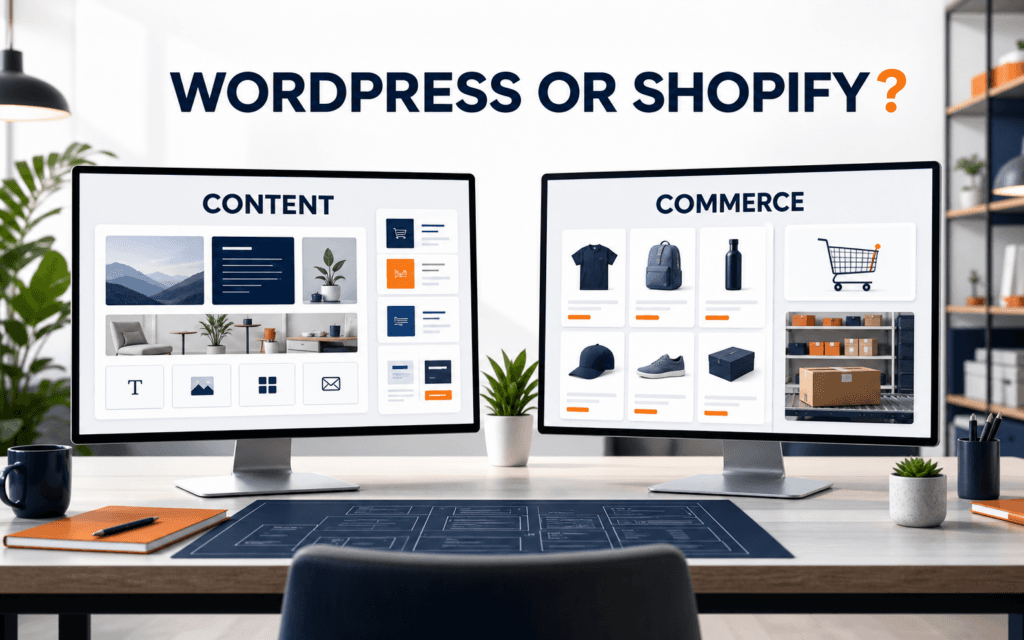
Choose WordPress if you want to learn flexible website building, content management, themes, plugins, and custom site structures. The WordPress Development course follows that broader site-building path. Choose Shopify if you want to learn online store setup, product management, checkout settings, fulfillment workflows, and commerce operations; the Shopify Development course concentrates on those commerce workflows. The better beginner path is not the platform with the louder reputation. It is the path that matches the projects you want to build and the work you want to do.
Beginners often confuse platform popularity with personal fit. A student who wants to build blogs, service websites, landing pages, and custom business sites will usually learn more transferable website structure through WordPress. A learner who wants to help stores launch products, manage inventory, configure collections, and improve shopping experiences will usually get a clearer start through Shopify. This article compares learning outcomes rather than generic feature lists.
The Short Decision
Learn WordPress first if your goal is broad website development. WordPress learning starts with planning, installation, settings, pages, themes, plugins, and, later, more advanced development work. WordPress's getting-started documentation describes themes as the layer that controls presentation and plugins as the way to extend site capabilities. That makes WordPress a strong learning path for students who want to understand how websites are structured and customized.
Learn Shopify first if your goal is ecommerce execution. Shopify's store setup guidance covers theme customization, policies, store preview, domains, products, collections, menus, and launch preparation. Its product documentation covers descriptions, media, pricing, inventory, variants, collections, tags, and metafields. That makes Shopify a focused path for learners who want practical commerce skills.
If you are still unsure, choose based on your first three portfolio projects. If those projects are a portfolio site, a service business website, and a blog, start with WordPress. If they are a small store, product catalog, and checkout-ready brand site, start with Shopify.
What You Learn From WordPress
WordPress teaches a beginner how websites are organized. You learn pages, posts, menus, media, settings, themes, plugins, URLs, users, and content publishing. You also learn that a website is not only a design. It is a system of content, templates, navigation, forms, permissions, performance choices, and maintenance habits.
The official WordPress getting-started path covers planning, installation, settings, content, pages, themes, plugins, and more advanced ways to work with the platform. For a beginner, that path builds a foundation that can support many project types:
- Personal portfolio.
- Institute or school website.
- Blog or publication.
- Service business site.
- Landing page.
- Membership or course information site.
- Custom client website.
The strength of WordPress is flexibility. That flexibility is also the learning challenge. Beginners must learn how themes affect presentation, how plugins extend functionality, and how too many plugin choices can create confusion. A good WordPress learner does not install a plugin for every problem. They learn when to use built-in settings, when to adjust theme options, when to use a reliable plugin, and when custom development is needed.
For learners interested in full stack web development, WordPress can also become a bridge into HTML, CSS, PHP, JavaScript, databases, hosting, security, and performance. You do not need to master all of that on day one, but the platform exposes those layers over time.
What You Learn From Shopify
Shopify teaches a beginner how ecommerce websites work as operating systems for selling. You learn products, variants, collections, menus, themes, domains, policies, checkout settings, payments, fulfillment, shipping, inventory, and launch preparation. The platform keeps many technical infrastructure decisions inside a managed system, so beginners can focus on store setup and commerce logic.
The official Shopify setup documentation covers the practical tasks needed to prepare an online store, including themes, policies, preview, domain, products, collections, menus, checkout, and fulfillment settings. Its product documentation shows that product setup includes descriptions, media, pricing, inventory, variants, collections, tags, and metafields.
That learning path suits students who want to help businesses sell products online. Instead of asking only, “How does the page look?” a Shopify learner asks:
- Is the product information complete?
- Are product variants clear?
- Are collections useful?
- Are images and descriptions ready for buyers?
- Are checkout and fulfillment settings configured?
- Are policies and domain settings ready before launch?
Shopify is more focused than WordPress. That focus is useful when the project is a store, but it can feel limiting if the learner wants to build many non-commerce website types. A beginner who only knows Shopify may be strong at store setup but less prepared for custom content-heavy websites that do not revolve around products.
Compare the Learning Outcomes
The simplest comparison is not “which platform is better?” It is “what skill will I be able to demonstrate after learning it?”
| Learning goal | Better first path | Why |
|---|---|---|
| Build general websites | WordPress | Teaches pages, themes, plugins, content structure, and site customization |
| Launch online stores | Shopify | Teaches product catalog, store setup, checkout, and fulfillment flow |
| Learn flexible client work | WordPress | Many small businesses need service pages, blogs, forms, and custom sections |
| Learn ecommerce operations | Shopify | Store work includes inventory, variants, collections, policies, and sales flow |
| Move toward web development | WordPress | Easier bridge into templates, code, hosting, and custom behavior |
| Move toward ecommerce support | Shopify | Clearer path into store setup, merchandising, and launch support |
A beginner should also consider motivation. If you enjoy content structure, layouts, service pages, and custom websites, WordPress will feel more natural. If you enjoy products, catalogs, pricing, variants, shipping logic, and launch checklists, Shopify will feel more practical.
Which Is Easier for Beginners?
Shopify can feel easier at the start because the platform is focused on ecommerce and many infrastructure decisions are managed. A beginner can follow a store setup path and see progress quickly. The challenge is that real ecommerce work still requires careful product data, policies, checkout configuration, fulfillment settings, and launch testing.
WordPress can feel broader at the start because there are more choices. Hosting, themes, plugins, editors, performance, backups, and security can confuse beginners if they do not follow a structured path. The advantage is that the same learning can support many website types.
Ease depends on the project. A five-page service website is usually easier to understand in WordPress than in Shopify. A small product store is usually easier to understand in Shopify than in WordPress. The platform should match the project, not the other way around.
Portfolio Projects for Each Path
A beginner should pick a learning path that produces visible portfolio evidence. For WordPress, build:
- A personal portfolio with an about page, services page, contact form, and blog.
- A small institute or training website with course pages and admissions information.
- A service business site with testimonials, FAQ, and conversion-focused contact sections.
For Shopify, build:
- A demo store with five products, variants, collections, menus, policies, and a configured theme.
- A product catalog cleanup project showing better descriptions, images, tags, and collections.
- A launch checklist project showing domain, navigation, checkout, policies, and fulfillment readiness.
These projects are more useful than vague certificates because they prove what the learner can actually build. They also make the decision clearer. If the WordPress project list excites you, start there. If the Shopify list feels more relevant, start there.
Mistakes Beginners Should Avoid
Do not learn both platforms at the same depth at the same time. You will likely collect scattered tutorials without building a complete project. Learn one platform enough to finish portfolio work, then add the other if your goals require it.
Do not choose Shopify only because ecommerce sounds profitable. Store work requires product thinking, operations, policies, fulfillment, customer communication, and ongoing maintenance. Do not choose WordPress only because it is flexible. Flexibility requires decisions about structure, plugins, maintenance, and performance.
Avoid comparing advanced custom development in one platform against beginner setup in the other. A fair beginner comparison should compare beginner WordPress site building with beginner Shopify store setup. Advanced WordPress development and advanced Shopify theme or app development are later paths.
Do not assume the platform alone creates career value. Career value comes from completed projects, clear explanations, problem-solving, client communication, and the ability to maintain what you build.
A Practical Four-Week Learning Plan
If you choose WordPress, spend the first week learning site structure, pages, menus, settings, and content. Spend the second week learning themes and layout control. Spend the third week learning plugins, forms, basic SEO settings, backups, and security habits. Spend the fourth week building a complete service website or institute-style website.
If you choose Shopify, spend the first week learning products, variants, collections, media, and descriptions. Spend the second week learning theme customization, navigation, pages, and policies. Spend the third week learning checkout, shipping, taxes where relevant, fulfillment settings, and domain preparation. Spend the fourth week building a complete demo store and documenting launch checks.
In both paths, keep a project journal. Write what you changed, why it matters, and what you would improve next. That habit turns platform practice into portfolio evidence and interview talking points.
Learners can apply the practical approach in this article through classroom training in Gujrat or live online classes across Pakistan while exploring the WordPress Development. The same project evidence should remain clear regardless of delivery mode: decisions, testing, feedback, and a finished result.
Questions Readers Often Ask
Should I learn WordPress before Shopify?
Learn WordPress before Shopify if you want a broader website-building foundation. Learn Shopify before WordPress if your immediate goal is ecommerce store setup and product operations. Neither order is universally correct.
Can I learn both later?
Yes. Many practical web professionals eventually understand both. The mistake is trying to learn both superficially before completing one strong project. Finish one path first, then add the other with a clear reason.
Next Step
Write down the first three projects you want in your portfolio. If most are general websites, choose WordPress. If most are stores or product catalogs, choose Shopify. Then commit to one complete beginner project before switching platforms.
Want to Build Practical Technology Skills?
Explore RisingEdge courses designed to help students learn real skills, build projects, and prepare for career opportunities.