Technology Training Practice Lab: Accounts, Sample Data, Reset.
A technology training practice lab is a controlled environment where a learner can complete realistic tasks, make recoverable mistakes, verify results, preserve evidence, and reset.

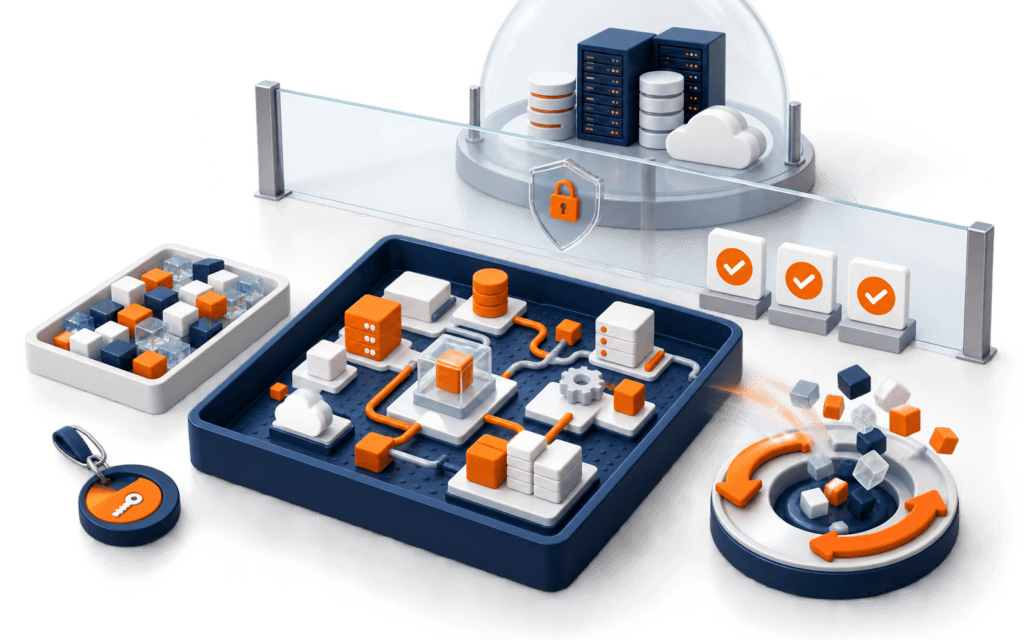
A technology training practice lab is a controlled environment where a learner can complete realistic tasks, make recoverable mistakes, verify results, preserve evidence, and reset for the next exercise. It may be a local project, cloud development environment, CMS sandbox, development store, analytics demo property, or design workspace. The defining feature is managed isolation, not expensive hardware.
Design the lab before the lesson. Specify the task, starting state, accounts, sample data, permissions, dependencies, expected result, verification, reset, cost, accessibility, and teardown. Never depend on shared passwords, production systems, private customer records, or an instructor’s personal account. A practice environment should make safe behavior easier than unsafe shortcuts.
Define The Lab Outcome
Write what the learner will produce and verify: a responsive page, cleaned dataset, theme customization, automated intake route, design export, or documented test. State prerequisites, estimated practice time, acceptance criteria, and excluded production actions.
Keep one lab focused on one observable capability. If setup, coding, analytics, design, deployment, and presentation are all new, split them into stages. Otherwise, environment troubleshooting consumes the learning objective.
Choose The Isolation Model
Decide between local files, a virtual or container environment, a platform development account, or a shared institution sandbox with individual workspaces. Compare operating-system support, network needs, cost, reset speed, accessibility, and the consequences of accidental actions.
Use a development store for platform-specific commerce practice, not a live merchant store. Shopify documents that dev stores can support theme and app testing and generated test data, with platform conditions that instructors must verify before the lesson.
Create Scoped Learner Accounts
Provision a named account or workspace for each learner where possible. Grant only the role needed for the exercise and separate instructor administration. Record owner, creation date, scope, expiry, recovery method, and teardown status without recording passwords in the roster.
Do not share one administrator credential across a class or client team. Use invitations, organization-managed identities, temporary roles, or platform training accounts. Test the learner view because an instructor’s broader permissions can hide missing-access problems.
Protect Secrets
Supply secrets through an approved secret mechanism only when the lab genuinely requires them. Prefer mock services, local fixtures, or limited test keys. Keep credentials out of repositories, screenshots, notebooks, sample files, prompts, chat, and recorded demonstrations.
Plan revocation before distribution. Confirm that deleting or rebuilding an environment does not leave keys active elsewhere. Use different credentials for training and production, and never ask learners to paste personal access tokens into a shared form.
Build Safe Sample Data
Create fictional records that cover normal and edge conditions: missing values, long text, variants, invalid formats, unavailable items, and conflicting fields. Label the data as training material and document its schema, generation method, allowed use, and reset source.
Shopify generated test data can populate common commerce objects for development-store practice. Instructors should still explain which objects exist, which features have conditions, and why the data is not evidence of a real business or customer.
Create A Reproducible Starting State
Automate or document setup from a clean environment: repository or template version, dependencies, configuration, fixtures, account role, and verification command. Pin versions where appropriate and provide checksums or tags for important starter files.
Test the instructions on a second machine or fresh workspace. A lab that works only on the author’s device is not ready. Record expected setup time and the common failure routes separately from the task instructions.
Add A Preflight Check
Before the exercise, verify device requirements, browser, network, account access, available storage, required extensions, sample data, and safe endpoint. Provide a small action that confirms write permission without changing meaningful state.
The practical IT class preparation guide can help learners prepare devices and files. The lab should still display a clear ready state so support issues are found before timed practice begins.
Use Checkpoints
Divide the exercise into states that can be verified independently. A web lab might check semantic structure, styling, responsive behavior, and version history. A store lab might check product data, theme configuration, cart behavior, and test order conditions.
At each checkpoint, tell the learner what evidence to inspect, not simply what the screen should resemble. Use status, source diff, test result, rendered behavior, or platform record. Screenshots alone can hide incorrect structure and inaccessible interaction.
Design Reset Points
Define how to undo the last step, restore a checkpoint, rebuild the environment, or create a fresh workspace. Protect the learner’s intended evidence before a destructive reset. Test the reset while errors are present, not only after a clean run.
GitHub documents that Codespaces have create, save, stop, rebuild, and delete lifecycle states, and that persistence differs by location and action. Explain those boundaries so learners know what a rebuild preserves and what deletion removes.
Handle Failure Without Taking Over
Provide a troubleshooting ladder: read the exact error, verify starting state, compare versions, check permissions, inspect logs, retry the smallest action, restore a checkpoint, then request help with evidence. This teaches diagnosis rather than dependence on the instructor’s keyboard.
When support is needed, ask for the lab ID, checkpoint, safe error text, attempted fix, and environment version. Do not request passwords or private account access. Record recurring failures and improve the lab setup after the session.
Capture Practice Evidence
Define the smallest evidence package: task brief, version identifier, source or configuration change, test results, final state, reflection, and known limitation. Use synthetic names and remove secrets, private URLs, account IDs, and unrelated browser content.
Distinguish completion from understanding. Ask the learner to explain one decision, reproduce one check, and correct one seeded defect. Evidence should show the process and verification, not only a polished final screenshot.
Support Accessibility
Provide keyboard-operable instructions, readable contrast, captions or transcripts for demonstrations, descriptive links, zoom-friendly documents, and alternatives to color-only states. Check whether platform editors, terminals, remote desktops, and timed tasks create barriers.
Offer equivalent ways to demonstrate the learning outcome when a specific interaction is inaccessible. Accessibility is part of lab design and support planning, not an exception improvised after a learner is blocked.
Control Cost And Resource Use
Document which resources incur compute, storage, API, email, transaction, or subscription cost. Set quotas, timeouts, spending alerts, and auto-stop or teardown where supported. Use mock responses for exercises that do not need a paid external call.
Teach learners to stop idle cloud environments and recognize billable actions. Closing a browser tab may not stop a remote workspace. Include resource cleanup in the acceptance criteria rather than treating it as optional housekeeping.
Separate Instructor And Learner Views
Maintain an instructor guide with setup, answer criteria, seeded defects, reset controls, and support notes. Give learners only the task, allowed resources, checkpoints, and troubleshooting route. Do not expose answer keys or administrator controls in the starter repository.
Use observable progress without invasive monitoring. Collect only evidence needed for support and assessment, state retention, and restrict access. A training lab should not become a surveillance system.
Run A Pilot
Ask one person who did not build the lab to complete it from the published instructions. Measure setup time, support requests, failed checkpoints, reset success, and evidence quality. Observe where wording or environment behavior creates unnecessary cognitive load.
Fix the lab and repeat the pilot after material changes. Do not blame learners for a dependency, account, or permission failure that the environment could detect automatically.
Design For Weak Connectivity
Identify which steps require downloads, remote desktops, live APIs, video, or continuous connectivity. Cache approved dependencies, provide text alternatives to video, keep starter files small, and create an offline or low-bandwidth path when the learning outcome permits it.
Make synchronization behavior explicit. A learner may edit offline while a platform remains stale, or lose unsaved browser work when a session expires. Add safe save and resume checks, and avoid timed assessments that measure connection quality more than technical understanding.
Maintain A Lab Change Log
Record changes to templates, dependencies, platform interfaces, account roles, sample data, checks, and reset instructions. Give each cohort the exact lab version and avoid editing active instructions without a dated correction. A small interface change can invalidate screenshots and support guidance.
Schedule verification before each delivery and after vendor changes. Retire obsolete environments and preserve only the documentation needed to interpret prior evidence. Ownership must continue after the original instructor moves to another project.
Teardown And Archive
At the end, revoke temporary accounts and secrets, stop or delete billable environments, remove uploaded data, cancel pending jobs, and preserve only approved evidence. Confirm cleanup through the platform rather than assuming a local folder deletion removed remote resources.
Archive the lab version, setup source, fixtures, expected checks, known issues, and last verification date. Compare Rising Edge technology courses when a guided hands-on environment fits the learning goal. Production work still requires its own authorization and change controls.
A practice environment should support repeatable setup and recovery, especially in the Full Stack Web Development program where projects span several tools and services. Confirm current software and device requirements before relying on any generic setup list.
Learners in Gujrat, Punjab, Pakistan can use the practical approach in this article as a small practice standard before choosing the Full Stack Web Development. Completing and explaining the work gives a clearer signal of subject fit than course terminology by itself.
FAQ
Does a technology practice lab need cloud infrastructure?
No. A local project can be a strong lab when it has a reproducible start, safe data, checkpoints, evidence, and reset. Choose infrastructure from the task.
Can learners use a live client account for practice?
No. Use an authorized development, staging, demo, or synthetic environment with scoped roles and explicit cleanup.
What makes a lab resettable?
A known starting image or template, versioned fixtures, checkpoints, documented persistence boundaries, tested restore steps, and protected evidence.
Want to Build Practical Technology Skills?
Explore RisingEdge courses designed to help students learn real skills, build projects, and prepare for career opportunities.