Debug WordPress WP-Cron: Schedules, Spawn, Locks, Missed Events
WordPress WP-Cron debugging works best when registration, due-state, spawning, lock ownership, callback execution, and the final business outcome are tested separately. A job.

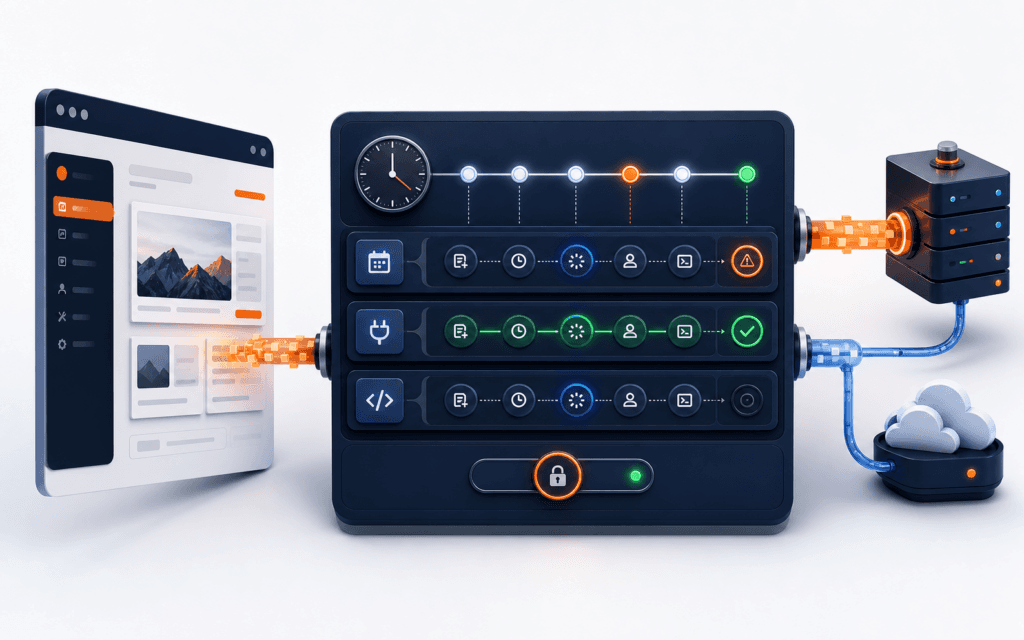
WordPress WP-Cron debugging works best when registration, due-state, spawning, lock ownership, callback execution, and the final business outcome are tested separately. A job listed in the cron array is not proof that WordPress spawned it, and a completed callback is not proof that an email, import, cleanup, or scheduled post reached the expected result.
Use a staging copy or approved maintenance window, take a current backup, and capture only redacted evidence. Never delete the cron option, clear every event, disable security controls, or repeatedly run unknown production callbacks merely to see whether the queue moves.
Define The Failed Outcome
Describe the missed outcome with a hook name, expected time, site, plugin or theme owner, recurrence, arguments, and observable result. Distinguish a scheduled post that stayed pending from a callback that ran but failed to send mail or update a remote service. Record the first known failure and the last known successful run.
Choose one representative event and one safe control event. Note WordPress and PHP versions, hosting topology, traffic pattern, timezone settings, object cache, security layer, loopback policy, and whether DISABLE_WP_CRON or ALTERNATE_WP_CRON is defined. This prevents unrelated configuration changes from becoming the diagnosis.
Separate The Six Cron Gates
Use six gates: the event is registered with the expected identity; its timestamp is due; WordPress attempts to spawn cron; one runner owns the lock; the callback executes; and the business effect completes. Capture one artifact for each gate instead of treating the phrase missed cron as a single cause.
A due event can remain queued because traffic never triggers the check, a loopback request fails, an external scheduler is absent, or another runner holds the lock. A runner can also start successfully while the callback exits early, throws an error, times out, loses database access, or fails downstream.
Inventory Events Safely
Start with Site Health and an approved read-only event listing. The official WP-CLI cron commands can test the spawning system and inspect events and schedules. Record hook, next-run UTC timestamp, recurrence, arguments, and owner without exposing secrets or personal data.
Do not infer ownership from a similar hook prefix alone. Search installed code and deployment records for the exact registration and callback. Identify orphaned hooks from removed plugins, overdue events, unexpectedly dense recurrences, and several entries that differ only by serialized argument types.
Verify Hook And Argument Identity
WordPress identifies scheduled events with the hook and arguments. The wp_next_scheduled() reference explains that arguments must match those used for scheduling. Compare types as well as visible values because an integer and numeric string can produce different serialized identities.
Guard recurring registration with the same hook and argument array used by the schedule call. Register on an appropriate activation or initialization path, check for an existing event, and unschedule with the exact timestamp, hook, and arguments during deactivation. Test activation, repeated requests, updates, and deactivation.
Check UTC And Recurrence
Store and compare cron timestamps as UTC Unix values, then render the expected local time separately. Check the WordPress timezone, server clock, PHP timezone assumptions, daylight-saving transitions, and any plugin conversion. A display-time mistake can resemble a scheduler delay even when the event is correctly due.
Confirm the recurrence exists in wp_get_schedules and that a custom interval is registered before the event is evaluated. Document whether the requirement is approximate recurring work or an exact wall-clock deadline. WP-Cron is not a continuously running system scheduler and should not be promised as exact-to-the-minute execution.
Prove The Event Is Due
The WordPress Cron handbook states that due tasks are checked on page loads. Compare the event timestamp with current UTC and the timing of eligible requests. Low-traffic or cached sites can delay the next opportunity to spawn work.
Make one approved uncached request and observe whether the due event changes. Do not generate artificial traffic or bypass a CDN broadly. If exact timing matters, plan an authenticated system scheduler that calls the supported cron entry point at a controlled interval and monitor that scheduler separately.
Test The Spawn Path
Run wp cron test in the correct WordPress installation and environment. Record success or the exact error. Then verify site URL resolution, HTTPS trust, DNS, proxy behavior, redirects, basic authentication, maintenance mode, firewall rules, and whether wp-cron.php is reachable from the server itself.
A browser receiving HTTP 200 does not prove the server can complete its own loopback request. Test from the application host or approved management layer. Keep authentication material out of command history and reports, and do not weaken firewall or TLS verification as a permanent fix.
Inspect Loopback And HTTP Failures
The spawn_cron() reference shows that WordPress sends a non-blocking request to wp-cron.php. Inspect redacted HTTP API errors, Site Health loopback results, web-server logs, PHP logs, and upstream proxy logs around one correlation time.
Classify DNS failure, connection refusal, TLS error, timeout, redirect loop, authentication challenge, blocked user agent, WAF denial, or wrong site URL separately. Correct the narrow infrastructure rule, repeat one spawn test, and verify that ordinary public and administrative requests remain protected.
Evaluate The Cron Lock
WordPress uses the doing_cron transient and WP_CRON_LOCK_TIMEOUT to reduce concurrent spawning. Record the lock value, current UTC time, object-cache behavior, and active workers. Do not delete a fresh lock while another callback may be writing data.
If a lock appears stale, first prove no cron PHP process, container task, or external runner is active. Investigate fatal errors, terminated workers, cache inconsistency, and callbacks that exceed the lock window. Clear only the verified stale lock during an approved window and preserve before-and-after evidence.
Run One Event Under Observation
On staging, or with explicit production approval for a reversible event, run one named due event through WP-CLI and capture exit status, duration, memory, relevant logs, and resulting state. Avoid commands that run every due event when callbacks can send messages, charge services, publish content, or delete data.
Use synthetic records where possible and make the callback idempotent. A manual run isolates callback behavior from spawning, but it does not prove the automatic spawn path. After the callback passes, retest registration, due-state, spawn, lock, and outcome together.
Trace Callback Completion
Instrument the callback with compact structured milestones: accepted event identity, safe correlation ID, start, guarded dependency calls, rows affected, final status, and duration. Never log passwords, tokens, full email addresses, form bodies, customer records, or remote payloads.
Check PHP fatal logs, memory and execution limits, database locks, filesystem permissions, mail delivery, API timeouts, and exception handling. Update the business record only after the intended transaction completes. A callback that silently returns early should emit an explainable non-sensitive reason.
Find Duplicate Registration
Search every code path that calls wp_schedule_event or wp_schedule_single_event. Registration inside a frequently executed hook without a matching wp_next_scheduled check can create duplicates. Argument type drift and changed defaults can also bypass an apparently correct guard.
Count events by normalized hook and exact serialized arguments. Fix the registration path first, deploy it, and then remove only confirmed duplicates while preserving one intended next occurrence. Verify activation, upgrade, cache flush, rollback, and multiple web-node behavior.
Review External Scheduler Mode
If DISABLE_WP_CRON is true, prove an external scheduler exists, targets the correct environment, runs at the intended interval, resolves the production URL or executable path, and records success and failure. Avoid having both uncontrolled traffic spawning and an external runner create unexpected concurrency.
Document the owner, credential method, timeout, alert, retry policy, and deployment dependency. Test the scheduler from its actual runtime, not only from an administrator laptop. A successful shell launch still needs callback and business-outcome evidence.
Cover Multisite And Queues
In multisite, identify the blog ID and switch context deliberately because each site can own different events and options. On horizontally scaled hosting, confirm all nodes share the expected database and object-cache behavior and that loopback routing reaches a healthy application instance.
Separate WP-Cron from plugin-managed queues such as background processors. A plugin may use WP-Cron only to wake its own queue, after which queue tables, claims, retries, and worker locks become a second system. Diagnose each boundary and do not delete queue rows as a substitute for understanding ownership.
Protect Production Evidence
Back up the database before schedule or option changes and follow the WordPress update safety checklist. Limit log access and retention. Hash exported diagnostic files and redact URLs that embed private tokens.
After a WordPress database migration, recheck site URLs, serialized options, timezone, object cache, and external scheduler destinations. Never copy production cron callbacks into staging if they can contact real users or services.
Build A Regression Matrix
Create rows for recurring and single events, no-argument and typed-argument identities, due and future timestamps, low traffic, loopback denial, stale lock, callback exception, external timeout, multisite context, and duplicate registration. Create columns for registration, due-state, spawn result, lock, callback milestones, and business outcome.
Include a safe control event, rollback, and alert verification. Repeat focused tests after plugin updates, hosting changes, cache changes, URL migrations, scheduler changes, and PHP upgrades. Preserve the exact versions and commands used so another engineer can reproduce the result.
Define Release And Rollback Evidence
Release when the intended event exists once, UTC and recurrence are correct, the configured trigger works, loopback or external execution is observable, lock behavior is sane, the callback is idempotent, failures are logged safely, and the business outcome is verified. Monitor at least one automatic recurrence.
Block release for unexplained overdue events, duplicate identities, disabled cron without a runner, loopback failures, fresh locks cleared manually, unbounded callbacks, secret-bearing logs, or untested rollback. The WordPress Development course can build the hooks, plugin, testing, and maintenance skills behind this workflow.
Prospective learners may use this practical method when comparing the WordPress Development in Gujrat or through live online study across Pakistan. Confirm current batch details directly, then judge fit through the expected exercises, feedback, and project evidence.
FAQ
Why do WordPress scheduled events run late?
WP-Cron normally checks due events when eligible page loads occur. Low traffic, cached requests, loopback failures, locks, disabled spawning, or an absent external scheduler can delay the next execution opportunity.
How can I test WP-Cron without running every event?
Use read-only inspection first, run wp cron test for spawning, and execute only one approved named event under observation on staging or during a controlled maintenance window.
Is deleting the doing_cron transient a safe fix?
Only after proving the lock is stale and no runner is active. Deleting a fresh lock can create concurrent callbacks and duplicate side effects.
Want to Build Practical Technology Skills?
Explore RisingEdge courses designed to help students learn real skills, build projects, and prepare for career opportunities.