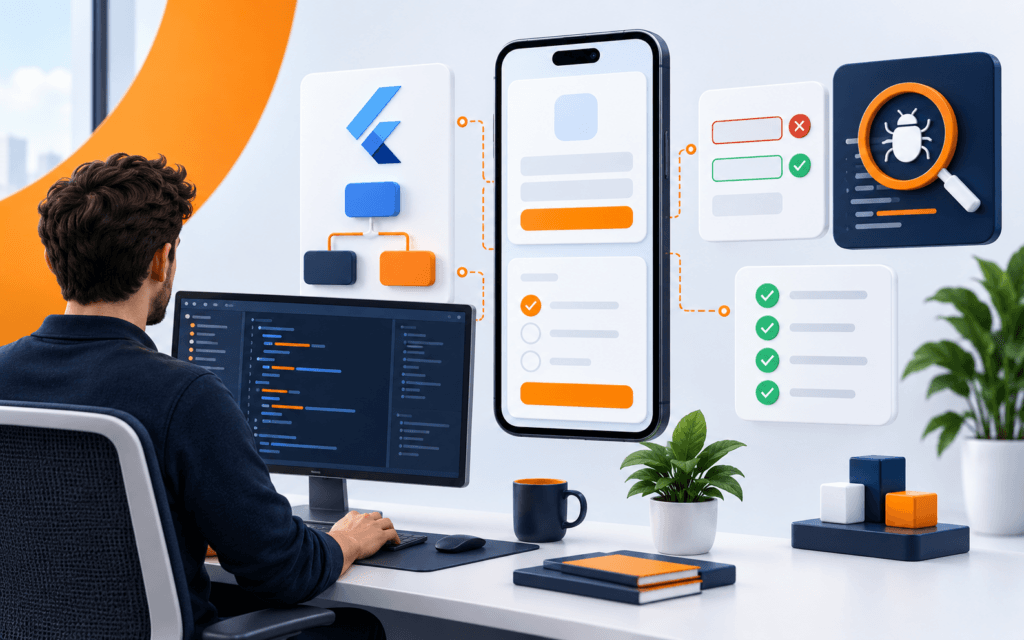
Developer Environment Setup: Editor, Git, Terminal, Debugger
A dependable developer environment setup gives every tool a clear job. The editor helps you understand and change code. Git records intentional changes. The terminal runs the.

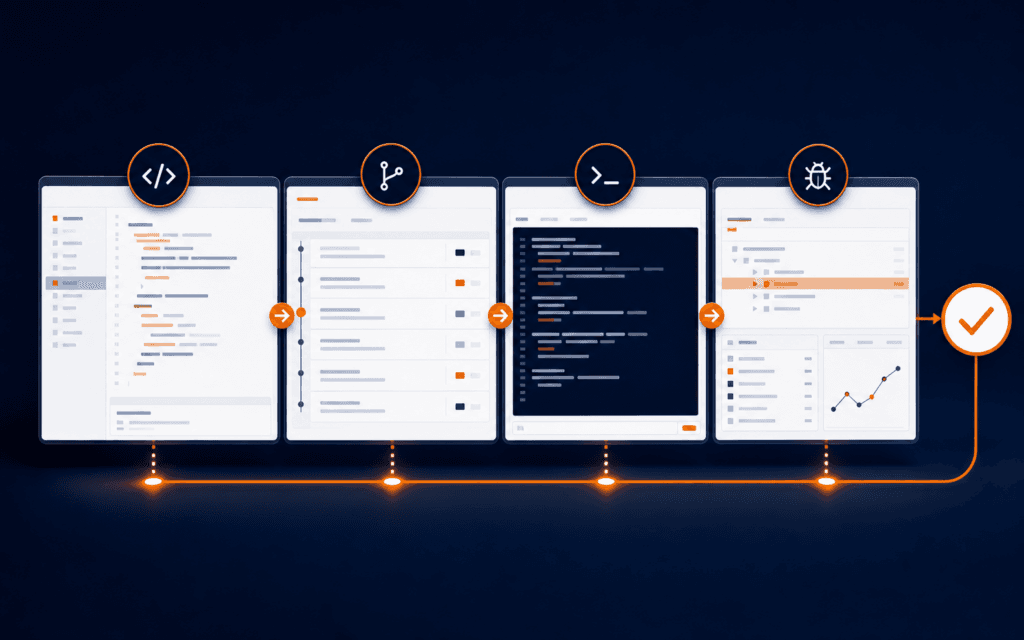
A dependable developer environment setup gives every tool a clear job. The editor helps you understand and change code. Git records intentional changes. The terminal runs the project and its checks. The debugger explains runtime behavior. Project configuration makes those actions repeatable for the next session or the next developer.
The goal is not to install the largest extension collection. It is to create a short, observable path from opening a repository to making a verified change. Build the smallest baseline first, document it, and add tools only when they solve a recurring problem that the baseline cannot handle well.
Define The Workflow Before Choosing Tools
Write the normal change cycle in plain language: open the correct repository, understand the task, inspect current behavior, create a focused change, run checks, review the diff, and record the result. This sequence exposes what the environment must support. It also separates essential capabilities from personal preferences.
Assign one primary responsibility to each tool. Use the editor for navigation and precise changes, the terminal for commands, Git for change history, and the debugger for runtime evidence. Overlap is acceptable, but unclear ownership causes mistakes. For example, running Git in both a graphical panel and a terminal is useful only when you understand that both interfaces operate on the same repository state.
Keep project requirements separate from personal customization. A repository may require a language version, package manager, environment variables, and test commands. Font choices, themes, and key bindings belong to the individual. This distinction lets teams reproduce the work without forcing identical desktops.
Create A Reproducible Project Baseline
Start with a clean checkout and follow the documented setup exactly. Record the required runtime, package manager, installation command, configuration files, local services, and startup command. If an undocumented step is necessary, fix the documentation while the gap is visible rather than relying on memory.
Pin important versions where the ecosystem supports it. A version file, lockfile, or declared engine requirement reduces uncertainty about which runtime and dependencies produced a working result. Do not commit secrets. Provide an example environment file that names required variables and explains safe sample values without including production credentials.
Test the baseline in a fresh directory or user profile. Existing global packages and cached credentials can hide missing instructions. A reproducible setup should reach the same initial page, command output, or test result without depending on private files from an older project.
Configure The Editor For Understanding
Use the editor first as a navigation and feedback system. Confirm that language support identifies definitions, references, syntax problems, and formatting rules for the project. These signals reduce search time, but they do not replace reading the surrounding code or understanding the build process.
The official Visual Studio Code core editor overview groups editing, source control, debugging, testing, and terminal features as connected capabilities. That is a useful model even if you use another editor: configure a small set of functions that support the project instead of treating extensions as independent decorations.
Prefer repository-level formatting and lint settings over manual style correction. Enable format-on-save only when it agrees with the project’s formatter and does not rewrite unrelated files. Review the first formatted diff before applying the behavior across a large codebase.
Make Git State Visible
Check repository state before and after each meaningful step. The official Git status documentation explains that status reports differences among the working tree, index, and current commit, along with untracked files. Learn those states rather than treating the output as a generic list of changed filenames.
Review a diff before staging, and review the staged diff before committing. This catches debug output, accidental formatting, generated files, and unrelated edits while they are still easy to remove. Small coherent commits make later review and rollback more precise.
Graphical source-control panels can make changes easier to scan, while terminal commands remain useful for exact inspection and automation. VS Code documents that its source-control interface and command-line Git actions stay synchronized. Use either interface deliberately, but verify the same underlying state before recording work.
Use The Terminal As The Execution Record
Run install, development, test, build, and maintenance commands from the project directory. Learn what each command does and where its configuration lives. Copying a command from chat or documentation without checking the current directory, environment, and expected output can modify the wrong project or conceal a failed prerequisite.
Standardize frequent commands through package scripts, task files, or repository documentation. A teammate should not need to remember a long sequence of flags for the normal test or build. Keep destructive maintenance commands separate and clearly named so that routine development cannot invoke them accidentally.
Read the first meaningful error, not only the last line. Capture the command, exit code, relevant log section, runtime version, and recent change. This creates a compact problem statement that can be reproduced without sharing secrets or an entire terminal history.
Debug With Evidence Instead Of Guessing
Use a debugger when the question concerns execution order, variable state, branches, or asynchronous behavior. Set a breakpoint close to the earliest point where expected and actual behavior diverge. Inspect inputs and state, then move forward one meaningful boundary at a time.
Keep breakpoints and watch expressions focused. Stopping everywhere produces noise and can alter timing-sensitive behavior. If a debugger is not appropriate, add temporary structured logging around the same boundaries, reproduce the issue, and remove or refine the logs after the cause is understood.
Separate a symptom from its cause. A failed interface action may originate in validation, a network request, server logic, or stored data. Use browser tools, server output, tests, and the debugger together to identify the layer that first becomes incorrect before changing code.
Control Extensions And Automation
Every extension adds behavior, updates, permissions, and possible conflicts. Keep extensions that provide clear language support, formatting, testing, or workflow value. Disable overlapping tools and remove experiments that are no longer used. A smaller set is easier to troubleshoot and reproduce.
Review workspace recommendations before accepting them. Confirm the publisher, purpose, requested access, and whether the repository actually depends on the extension. Do not install a tool merely because configuration files mention it if the same check already runs through the project’s command line.
Automate checks that are deterministic and frequent, such as formatting verification, linting, tests, and builds. Keep the command runnable locally and in continuous integration. When local and remote results differ, compare runtime versions, environment variables, operating-system assumptions, and generated artifacts.
Verify The Environment With One Change
Choose a harmless, small task that touches the normal workflow. Update a test fixture, correct visible copy, or add a narrow validation case. Run the application, make the change, inspect editor feedback, execute the relevant test, review the Git diff, and build the project if the repository requires it.
Write down the expected evidence at each step. The project starts successfully, the intended test changes state, unrelated tests remain stable, the diff contains only planned files, and the final command exits successfully. Evidence prevents a visually plausible result from being mistaken for a verified one.
Repeat the verification after restarting the editor and terminal. This catches hidden state such as an unsaved file, a manually started service, or a temporary environment variable. A dependable setup survives a normal restart without an improvised recovery ritual.
Document A Team Ready Setup
Keep setup instructions close to the repository. Include prerequisites, version checks, installation, safe configuration, startup, tests, build, common failures, and where to ask for project-specific help. Use exact commands, but explain what success looks like so readers can detect a partial setup.
Add a short troubleshooting table for recurring failures. Record the symptom, likely layer, first safe check, and authoritative reference. Do not include private hostnames, access tokens, or screenshots containing credentials. Link to internal operational documentation only when readers are authorized to use it.
A guided Full Stack Web Development course can provide practice connecting editor, Git, terminal, debugging, testing, and deployment in complete projects. Regardless of the learning path, keep the setup evidence in the project so the workflow remains transferable.
Audit The Setup Regularly
Review the environment when the project changes runtime, package manager, framework, testing strategy, or deployment target. Also review it when setup time grows or new team members repeatedly encounter the same failure. Those are signs that the baseline or documentation has drifted.
Remove obsolete scripts, duplicate formatters, unused extensions, and instructions for unsupported versions. Confirm that dependency and extension updates do not silently change formatting, test discovery, debugging, or terminal behavior. Update one layer at a time when practical so regressions have a smaller search area.
The final test is simple: can a prepared developer move from a clean checkout to a verified small change using the documented path? If not, improve the environment before adding more tooling. Reliability is the feature that makes every later development task easier.
Learners in Gujrat, Punjab, Pakistan can use this practical method as a small practice standard before choosing the Full Stack Web Development. Completing and explaining the work gives a clearer signal of subject fit than course terminology by itself.
FAQ
What tools are essential in a developer environment?
A code editor, version control, a terminal, the project runtime and package manager, and a way to run tests are the usual baseline. Add a debugger and project-specific services when the work requires them.
Should developers use Git in the editor or terminal?
Either interface can work because both operate on the same repository. Use the view that helps you understand the action, then verify status and diffs before committing.
How do you know a development setup is reproducible?
Test it from a clean checkout with documented versions and safe configuration. It should install, start, test, and build without relying on hidden global packages, private files, or remembered steps.
Want to Build Practical Technology Skills?
Explore RisingEdge courses designed to help students learn real skills, build projects, and prepare for career opportunities.