Evaluate a Shopify Product Page Build as Portfolio Evidence
A Shopify product page portfolio project is credible when a reviewer can inspect the requirement, content model, media decisions, variant behavior, accessibility checks, failure.


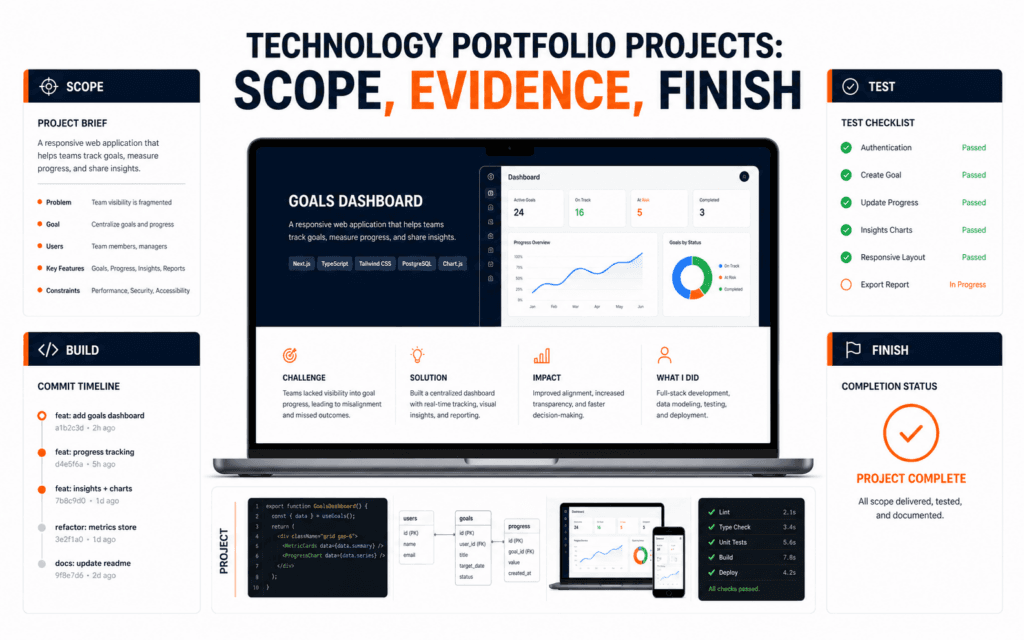
A Shopify product page portfolio project is credible when a reviewer can inspect the requirement, content model, media decisions, variant behavior, accessibility checks, failure tests, and handoff. A screenshot shows appearance at one moment. It does not prove that product choices update correctly, unavailable states are understandable, media is responsibly handled, or another person can maintain the page.
Build the exercise around one fictional product with synthetic details and no live payments. State that it is a learning project, avoid copied brand assets and invented performance claims, and preserve evidence from planning through testing. The goal is not to imitate a famous store. It is to demonstrate disciplined storefront reasoning within a bounded, reproducible scope.
Define The Evidence Question
Start with the question a reviewer should be able to answer: can this learner translate a product brief into a usable, accessible, testable Shopify page? Write the product purpose, intended customer task, required information, supported choices, media needs, and excluded commerce features. A precise brief makes later screenshots and test records meaningful.
Choose a fictional product that needs several decisions but no risky claims. A configurable desk organizer, reusable bottle, or training notebook can support variants, dimensions, materials, care information, and delivery caveats. Do not use medical, financial, safety-critical, or regulated claims. Keep inventory, reviews, discounts, and testimonials synthetic and visibly identified as demonstration data.
Create A Product Content Model
List fields before entering content: title, concise description, benefit explanation, specifications, dimensions, materials, care, included items, variants, availability language, shipping context, media alternatives, and last-reviewed owner. Separate a factual attribute from persuasive copy. This makes omissions visible and supports consistent handoff rather than improvising inside the theme editor.
Shopify documents that products can include descriptions, media, variants, inventory, tags, and metafields. Use only the fields the exercise actually needs. If a specification repeats across products, explain whether a metafield would provide consistent structure. Do not add custom data merely to make the project seem complex; every field should support a customer question or maintenance task.
Plan Product Media Responsibly
Create a media shot list tied to questions: overall appearance, scale, key detail, variant difference, included components, and use context. Shopify’s product media guidance supports images, video, and compatible 3D media. Use only original, licensed, or clearly synthetic assets and record their source and permitted use.
Never upload private documents, customer data, credentials, or internal files to a public storefront file area. Compress and crop media appropriately outside the production store using authorized tools, preserve useful detail, and test mobile framing. If video or 3D media is outside the exercise, state that limitation instead of placing an unsupported placeholder in the gallery.
Write Useful Product Copy
Lead with what the product is and who it may suit, then answer practical questions in scannable sections. Describe materials and dimensions accurately. Explain uncertainty rather than inventing precision. Avoid urgency, unsupported sustainability language, fake scarcity, guaranteed outcomes, and comparisons you cannot substantiate. Portfolio copy should be complete enough to test the real layout.
Check long names, multi-line options, units, punctuation, and reading order. Use headings in sequence and keep related details together. The page should work when an image fails or a visitor scans only headings. Save the approved copy separately from the theme configuration so a reviewer can compare the source requirement with the rendered result.
Implement A Bounded Theme Build
Work in an authorized development or training store. Record the theme name and version, duplicate the theme before changes, and prefer supported theme settings and blocks for the first implementation. If code changes are necessary, isolate them, describe the reason, and keep a clean comparison so reviewers can see exactly what changed.
Build the product information, gallery, choice selector, availability state, quantity behavior, and primary action as one coherent page. Do not install unrelated applications or copy a production theme without permission. Keep payment, account, analytics, and fulfillment outside scope unless the training environment and brief explicitly support safe testing.
Test Variant And Availability States
Create a small matrix that lists each option combination, expected media, price display, availability message, identifier, and action state. Test every row rather than clicking two convenient choices. Verify that a change updates the intended details without stale images, contradictory availability, or a primary action that remains enabled for an unavailable combination.
Also test missing optional media, a long option name, a sold-out choice, a single-choice product, and a direct product URL with a selected variant when supported. Capture the expected and actual result. A reviewer needs to see the test condition and outcome, not a statement that variants were checked.
Audit Accessibility In Context
Shopify’s theme accessibility guidance covers contrast, heading sequence, distinguishable links, image alternatives, controlled motion, captions, and keyboard support. Test the product page with keyboard-only navigation, browser zoom, narrow screens, and visible focus. Do not claim formal compliance from a short checklist.
Use alt text according to the image’s function and page context. A useful product photo alternative identifies the product and meaningful visible difference; a redundant decorative image may need an empty alternative. Shopify recommends brief descriptive product-media alternatives. Verify the saved value in the rendered page and avoid keyword lists that do not communicate the image’s purpose.
Test Failure And Edge Conditions
Test a slow or failed image, unavailable option, empty quantity, excessive quantity, invalid direct URL, interrupted add-to-cart request, and disabled JavaScript behavior where relevant to the theme. Observe whether the customer receives a clear state, retains selections appropriately, and can recover without guessing. Do not simulate success when the action failed.
Inspect console and network errors in the authorized environment, but do not treat an empty console as proof of quality. Record browser, viewport, date, theme version, setup, expected result, actual result, and evidence. Correct defects and repeat the exact case so the portfolio contains both discovery and verified resolution.
Measure Quality Without Invented Results
Use evidence you can reproduce: number of specified scenarios tested, accessibility checks completed, defects found and corrected, supported devices reviewed, and handoff tasks another learner completed. Do not claim conversion improvement, revenue, engagement, speed gains, or customer satisfaction without real authorized data and a defensible method.
If you use automated performance or accessibility tools, preserve the configuration and interpret findings rather than presenting a score as certification. A training store may behave differently from production. Explain environmental limits, third-party dependencies, and checks that still require human evaluation. Honest boundaries strengthen the work because reviewers can trust what each artifact proves.
Package The Portfolio Evidence
Create a concise case study with the brief, page structure, content model, media register, variant matrix, key implementation decisions, responsive views, keyboard notes, defect log, final verification, and known limitations. Redact store administration URLs, tokens, account details, unpublished pricing, and any personal information before sharing.
Link to an authorized preview only when access and expiration are appropriate. Otherwise use focused screenshots and a short demonstration that follows the test matrix. Explain your contribution when others supplied copy, design, assets, or code. Do not describe a tutorial reproduction as independent client work.
Create A Maintainable Handoff
Provide setup notes, theme and dependency versions, changed templates or sections, content ownership, media rights, metafield definitions, rollback steps, test cases, and maintenance tasks. Ask another person to follow the handoff in a clean authorized environment. Record questions they had and improve the instructions before calling the project complete.
Define what happens when an option, specification, price, image, or policy changes. A product page is maintainable when the owner can update content without breaking relationships or losing verification. A structured Shopify Development course can provide guided practice, while the portfolio must still show your own requirements, decisions, tests, and honest scope.
Use A Final Review Gate
Before publishing the case study, verify the fictional-project disclosure, asset rights, complete copy, variant matrix, accessibility results, failure cases, clean screenshots, and reproducible handoff. Check that no placeholder text, private data, credentials, customer information, or unsupported claim appears in the page or evidence package.
Ask the reviewer to locate one specification, change a variant, identify an unavailable choice, navigate by keyboard, and explain one implementation tradeoff from the record. If those tasks depend on your verbal coaching, improve the interface or documentation. Portfolio evidence is ready when the central decisions remain understandable without the author standing beside it.
Preserve evidence from multiple product states: available, unavailable, discounted, and missing optional information. A portfolio review is stronger when the page handles imperfect catalog data without misleading the shopper.
For technology learners based in Gujrat, Punjab, Pakistan, the practical approach in this article shows one kind of evidence worth building through the Shopify Development. The focus should remain on defensible decisions and finished work rather than attendance or software familiarity.
FAQ
Can a Shopify product page be a complete portfolio project?
Yes, when the scope includes requirements, content, media, variant behavior, accessibility, failure tests, and handoff evidence. One tested page can be stronger than a large unfinished store.
Should the project use a real brand or product?
Use a fictional product or authorized material. Do not copy trademarks, private store data, customer information, or unsupported claims merely to make the project look realistic.
What should I show instead of sales results?
Show reproducible requirements, decisions, test cases, defects corrected, accessibility checks, responsive evidence, asset rights, and maintenance documentation.
Want to Build Practical Technology Skills?
Explore RisingEdge courses designed to help students learn real skills, build projects, and prepare for career opportunities.