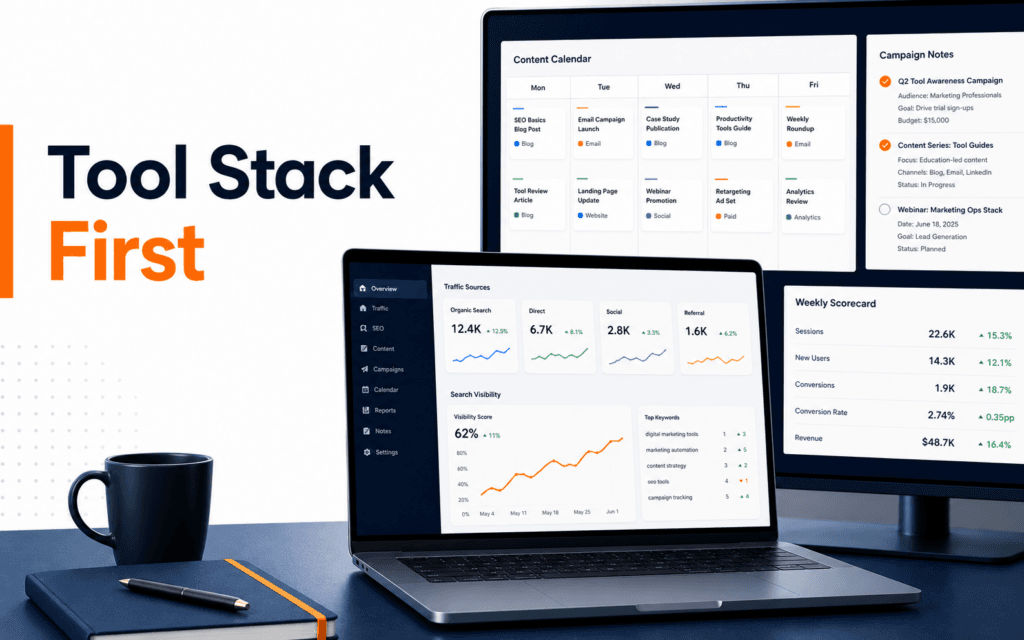
Digital Marketing Tool Stack: Plan, Publish, Measure, Improve
A useful digital marketing tool stack is not the longest list of popular platforms. It is the smallest connected system that helps a team understand an audience, plan an asset.


A useful digital marketing tool stack is not the longest list of popular platforms. It is the smallest connected system that helps a team understand an audience, plan an asset, produce and approve it, distribute it, measure the intended action, learn from the result, and preserve the decision. Each tool needs a defined job, owner, input, output, and source of truth. If two products do the same job without a deliberate reason, the stack is creating reconciliation work rather than leverage.
Start with the workflow and decisions, then choose tools. A spreadsheet, shared document, website CMS, email platform, platform-native scheduler, Search Console, and analytics implementation may be enough for a small team. Add specialist software only when a verified bottleneck, control requirement, data volume, or collaboration need justifies the cost and operational burden.
Map The Marketing Loop Before Choosing Tools
Write the loop from question to decision: audience problem, offer, message, asset, channel, landing experience, intended action, measurement, review, and next change. Name who owns each transition and what evidence allows the work to move forward. A tool belongs in the stack only when it improves one of these transitions or protects an important control.
Separate systems of record from working surfaces. The approved content brief may live in one project system, the published page in the website, subscriber permission in the email platform, and performance evidence in analytics. Do not let every dashboard become an independent version of truth. Define which record wins when names, dates, status, or results disagree.
Use A Brief As The Planning Control
A planning tool should capture the audience, problem, intent, offer, primary action, proof, channel, format, owner, deadline, approval route, and measurement plan. It can be a spreadsheet, document, or project board. The important feature is a stable template that makes missing decisions visible before production begins.
Keep research notes, approved claims, source URLs, asset rights, and revision status attached to the brief. The content brief template provides a structured starting point. Avoid turning the board into a second analytics system or storing private customer data merely because the tool supports custom fields.
Choose Research Tools By The Question
Use search results, Search Console, customer enquiries, sales notes, site search, support categories, and direct interviews for different questions. Search Console can reveal the queries and pages already earning impressions or clicks from Google, while customer conversations expose language and objections that search data may not contain. Keyword tools can organize possibilities, but they do not define the audience problem by themselves.
Record where every insight came from, its date, scope, and limitation. Keyword Planner is designed around Google Ads planning and forecasts, so do not present its output as a guaranteed organic result. A useful research record distinguishes observed first-party behavior, platform estimates, qualitative feedback, and the team’s interpretation.
Keep Content Production Traceable
Select writing, design, and video tools that support the actual review process. Required capabilities may include comments, version history, role-based access, reusable brand components, export control, and accessible output. A feature-rich editor that bypasses approval or scatters assets across personal accounts can be worse than a simpler shared workspace.
Define a naming and status convention: draft, factual review, brand review, approved, scheduled, published, and retired. Preserve the final source file, usage rights, alt text, caption, and campaign association. Generative tools can assist with options or transformations, but a person still owns claims, originality, permissions, accessibility, and final publication.
Use Channel-Native Publishing Where It Fits
Email services, social platforms, advertising systems, and website platforms each expose channel-specific controls. Use their native scheduling and delivery features when they provide reliable permissions, previews, audience selection, and reporting. A central scheduler can reduce repetitive work, but only if it preserves the controls and formats the channel actually needs.
Never publish the identical asset everywhere by default. Adapt the opening, crop, length, link behavior, and call to action to the channel while preserving the approved claim. Keep a distribution record with final URL or post ID, owner, publish time, audience, campaign code, and rollback or correction route.
Instrument The Intended Action
Define the action before reading dashboards: view a course page, submit an enquiry, start an application, subscribe with consent, download a resource, or complete a purchase. In Google Analytics 4, interactions are measured as events and selected events can be marked as key events. Use a documented event name, trigger, parameters, consent behavior, owner, and test case.
Test measurement in a controlled environment and verify the receiving report. Do not count a button click as a completed form submission, or a form submission as a qualified lead. Preserve the distinction between interface activity, delivery success, business acceptance, and later outcome. Collect only data needed for the defined purpose and follow applicable consent and retention requirements.
Standardize Campaign Links
Use a campaign naming policy for source, medium, campaign, content variation, and term where appropriate. Google’s Campaign URL Builder documents the common campaign parameters. Decide lowercase rules, separators, abbreviations, channel names, and who can create values so reports do not split one campaign across accidental variations.
Keep the untagged canonical page URL as the public destination and use tagged links for distribution. Test every final link for redirects, mobile behavior, and correct parameters. Never place personal or sensitive information in a URL because URLs can appear in browser history, analytics, referrers, screenshots, and logs.
Pair Analytics With Search Evidence
Analytics explains measured behavior on the properties where the implementation and consent state allow it. Search Console explains how verified pages perform in Google Search through dimensions such as query, page, country, and device. They answer related but different questions, and numbers can differ because their definitions, processing, attribution, and scope differ.
Review them together without forcing equality. A page may gain impressions but not clicks, receive clicks but fail the intended action, or convert existing demand while attracting little discovery. Use the mismatch to form a question, inspect the page and measurement, and choose a bounded next test rather than declaring success from one chart.
Create A Weekly Decision Report
A useful report starts with the goal and decision, not screenshots of every dashboard. Show the defined outcome, period, data sources, important changes, segmentation, quality checks, interpretation, limitation, owner, and next action. Include zero or negative results when they change the decision.
Choose a small set of metrics tied to the funnel and operating risk. Reach, engagement, action, acceptance, cost, and retention can be useful categories, but each needs an exact definition. Avoid blended totals that combine unlike channels or hide missing data. Annotate launches, outages, tracking changes, seasonality, and major content revisions.
Add Automation Only After The Manual Loop Works
Automate stable, repetitive transfers such as approved status notifications, scheduled exports, campaign-name validation, or dashboard refreshes. Keep approval before publication, audience changes, budget changes, or destructive actions. Log the input, rule, result, error, and owner so a failure can be diagnosed without exposing credentials.
Do not connect every system merely because an integration exists. Each connection adds permissions, data movement, rate limits, schema dependencies, and failure modes. Start with one low-risk automation, test duplicate and partial-failure behavior, define a rollback, and review whether it actually saves time after maintenance is included.
Evaluate Tools With A Trial Scorecard
Test shortlisted tools against real work for one or two cycles. Score required workflow fit, permissions, approval, export, accessibility, integration, data ownership, support, security controls, total cost, and exit effort. Treat attractive templates and AI features as secondary unless they solve a documented bottleneck.
Use the same sample brief and asset across trials. Ask whether another team member can find the source, understand status, review changes, publish safely, verify measurement, and export the record. Reject a tool that creates an unsupported dependency or prevents recovery, even when its demonstration is impressive.
Protect Access And Customer Data
Use organization-owned accounts, least-privilege roles, multifactor authentication, documented administrators, and prompt removal when a contributor leaves. Review third-party application access and API credentials. Keep secrets outside briefs, spreadsheets, URLs, screenshots, and public repositories.
Map what personal data enters each tool, why it is needed, where it is stored, who can access it, how long it remains, and how deletion or correction works. Platform availability does not establish legal permission. Obtain appropriate professional guidance for jurisdiction-specific privacy, advertising, employment, health, financial, or children’s data obligations.
Build A Compact Starter Stack
A small institute or service business can begin with a shared brief and calendar, approved design workspace, code-managed or CMS website, channel-native publishing, consent-aware analytics, Search Console, a secure enquiry system, and a weekly decision log. The stack covers planning, production, delivery, first-party response, search visibility, and learning without requiring a suite for every activity.
As volume grows, add a customer relationship system, asset library, experimentation platform, reporting layer, or automation service only when ownership and data contracts are clear. A Digital Marketing course can provide structured practice across strategy and execution; the production stack still needs organization-specific governance, testing, privacy review, and accountable decisions.
This topic also has a local training use for students in Gujrat, Punjab, Pakistan: the practical approach in this article can be compared with practical exercises in the Digital Marketing. Confirm current batch requirements directly and judge the learning path by inspectable work.
FAQ
How many tools should a digital marketing stack contain?
Use the fewest tools that reliably cover planning, production, publishing, measurement, and learning. Add a tool only for a documented requirement or bottleneck.
Can one dashboard be the source of truth for marketing?
Usually not for every domain. Define authoritative records for content status, published assets, customer permission, campaign delivery, and measured behavior, then reconcile them deliberately.
Which marketing tool should a beginner learn first?
Learn the workflow first. A shared brief, website publishing process, platform-native reporting, Search Console, and basic analytics provide a stronger foundation than collecting specialist subscriptions.
Want to Build Practical Technology Skills?
Explore RisingEdge courses designed to help students learn real skills, build projects, and prepare for career opportunities.