Development Toolchain Explained: Editor, Git, Packages, Debugger, CI
A development toolchain is the connected set of tools that turns source code into a reviewed, reproducible, testable, and releasable change. The editor changes source; a runtime or.

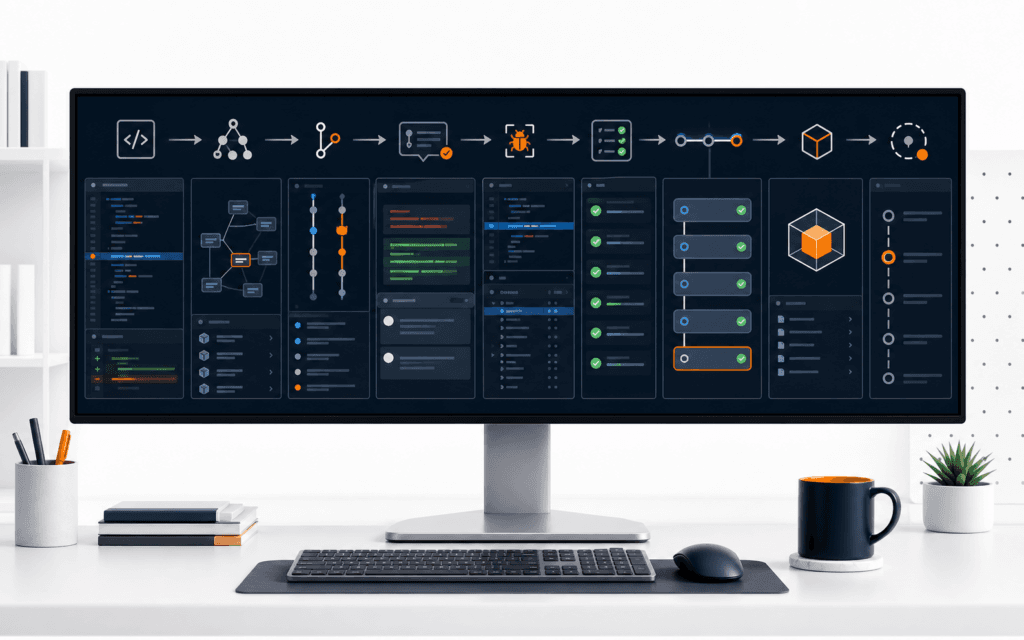
A development toolchain is the connected set of tools that turns source code into a reviewed, reproducible, testable, and releasable change. The editor changes source; a runtime or compiler executes or transforms it; the package manager resolves declared dependencies; Git records history; formatters and linters check conventions and suspicious patterns; tests check behavior; a debugger exposes runtime state; a build system produces artifacts; and continuous integration repeats defined checks in a controlled environment.
Understanding the boundaries matters more than memorizing commands. When a build fails, ask which layer owns the evidence. A missing package, type error, failing assertion, network response, formatting warning, merge conflict, and deployment error require different tools. The toolchain should preserve enough context to reproduce the failure and recover without guessing.
Begin With Source And Configuration
Source files describe intended behavior; configuration tells tools how to interpret, transform, test, and package them. Keep human-authored source separate from generated output, caches, downloaded dependencies, secrets, and local machine settings. A repository should make that boundary obvious through directory structure and ignore rules.
Treat configuration as executable project behavior. Review changes to compiler options, dependency ranges, test discovery, linter rules, build targets, and CI permissions with the same care as application code. A one-line configuration change can alter every file or the security boundary of a release.
Use The Editor As An Interface To Evidence
A code editor provides navigation, syntax awareness, refactoring, integrated terminals, source-control views, and debugger connections. Language services can report errors and offer completions, but their output depends on the selected runtime, project configuration, and installed extensions.
Keep the editor replaceable. Store essential commands and settings in the project rather than one person’s workspace. Review extension permissions and avoid pasting secrets into tools or assistants. An editor warning is useful evidence, but the command-line check and CI result remain important because they can run consistently outside one workstation.
Distinguish Runtime From Compiler
A runtime supplies the environment in which code executes, including language engine, standard APIs, memory behavior, and access to operating-system or browser capabilities. A compiler or transpiler transforms source into another representation and may perform type or syntax checks. Some modern environments combine several of these stages.
Record the supported version and install method. Code that works under one runtime or browser may fail under another because APIs, module behavior, or defaults differ. Use a version file, package engines field, container, or documented setup as appropriate, then test the actual supported environments rather than relying on the developer’s newest installation.
Let The Package Manager Own Dependencies
A package manifest declares direct dependencies, development tools, scripts, and project metadata. The lockfile records a resolved dependency graph for repeatable installation. Commit the lockfile when the ecosystem and project policy require it, and use the matching package manager in local and CI environments.
Do not edit downloaded dependency folders or treat them as source. Review dependency purpose, maintenance, license, update risk, install scripts, transitive exposure, and bundle impact. A package manager can resolve and install software; it cannot guarantee that the package is trustworthy, compatible with every use, or free of vulnerabilities.
Use Git To Preserve Decisions
Git records snapshots and supports branches, merges, tags, and distributed history. Make each commit a coherent change with a message explaining purpose. Stage intentionally so unrelated formatting, generated files, or secrets do not enter the same record.
A branch is not a backup of uncommitted work, and a commit is not proof that behavior is correct. Pair history with tests, review, and release records. Use pull requests or an equivalent review process to show the diff, context, checks, discussion, and approval before changes reach a protected branch.
Format And Lint Before Deeper Review
A formatter applies agreed presentation rules so reviewers spend less time debating whitespace. A linter analyzes code for selected patterns, possible errors, consistency, and project policy. Run both through project scripts with pinned versions and reviewed configuration.
Do not enable hundreds of rules without ownership. Classify findings as errors, warnings, or suggestions and document justified exceptions near the narrowest scope. Formatting success does not establish correctness, while a lint warning may be a false positive. Use each result according to what the rule actually checks.
Test Behavior At Useful Boundaries
Unit tests isolate small behavior, integration tests verify components working together, and end-to-end tests exercise representative user paths. Choose the lowest level that can prove the requirement without hiding the real integration risk. Add regression tests for verified failures.
A test needs a clear input, setup, expected result, and failure message. Control time, randomness, network, and external services where practical. Keep fixtures authorized and free of sensitive production data. A passing suite proves only the configured cases in that environment, so preserve scope and known omissions.
Debug From Reproduction To State
A debugger pauses execution and exposes call stacks, variables, breakpoints, and control flow. Start with a reliable reproduction and the smallest failing input. Place a breakpoint near the first divergence between expected and actual behavior, not only where the error is finally thrown.
Combine debugger state with logs, network traces, database records, and test output. Avoid logging secrets or personal data. Change one hypothesis at a time, rerun the same case, and preserve the correction as a test. Random edits that make the symptom disappear do not explain the defect.
Understand The Build Artifact
A build may compile types, bundle modules, transform syntax, optimize assets, generate routes, and emit deployable files. Know which directory is generated, which environment values are embedded, and which checks happen before output. Never manually patch the generated artifact as the durable fix.
Build from a clean checkout with declared dependencies. Record tool versions and artifact hashes where release integrity matters. Separate build-time public configuration from server-only secrets. Inspect source maps, licenses, image optimization, and bundle composition according to the product’s exposure and performance requirements.
Use CI To Repeat The Contract
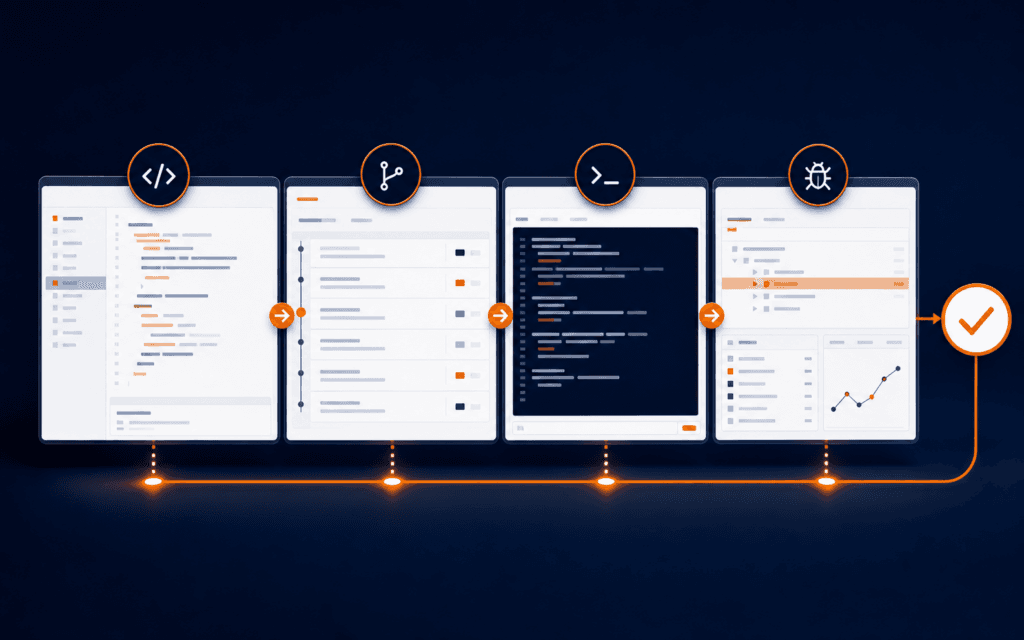
Continuous integration runs defined workflows when events occur, such as a push or pull request. GitHub Actions describes workflows made of jobs and steps executed by runners. A basic pipeline can install from the lockfile, format-check, lint, type-check, test, build, and preserve reports.
Grant the workflow only the permissions it needs. Pin or review third-party actions, protect secrets, avoid exposing sensitive values in logs, and separate untrusted pull-request execution from privileged deployment. A green pipeline is useful because its contract is repeatable, not because the color itself guarantees production readiness.
Read Failures By Layer
A command-not-found error points to environment or setup. An unresolved module points to dependency, path, or package configuration. A compiler diagnostic points to source or configuration. A failing assertion points to behavior or expectation. An HTTP failure points to request, service, network, or environment. A CI-only failure points to an environment difference until evidence says otherwise.
Capture the exact command, version, working directory, input, relevant output, and first failing stage. Fix the earliest causal failure before later symptoms. Do not disable a check merely because it blocks a merge. Change the source, test, rule, or configuration only after establishing why the existing contract is wrong for the project.
Follow One Change Through The Toolchain
Suppose a registration form must reject whitespace-only names. Update the requirement and add a failing test. Change the validation function in the editor, use the debugger for an unexpected Unicode case, format and lint, run focused and full tests, build the application, and inspect the browser state. Commit the requirement, test, and correction together.
Open a review with reproduction, expected behavior, screenshots only where useful, test evidence, and limitations. CI repeats installation, checks, tests, and build from the lockfile. After approval, the release process deploys the identified artifact and verifies the public flow. If a regression appears, the team can trace the commit and use a Git bisect tutorial when a good and bad revision are known.
Document Setup And Recovery
A project README should name prerequisites, supported versions, installation, environment-variable names without values, local commands, tests, build, common errors, deployment boundary, and ownership. Verify the instructions in a clean environment or ask another contributor to follow them.
Define recovery before release: revert a commit, disable a feature, restore a known artifact, or roll back a deployment using the platform’s supported method. Preserve data migration compatibility and monitoring. Never improvise destructive repository commands or delete state while diagnosing a toolchain failure.
Learn The Workflow, Then The Shortcuts
Practice the same small change from issue to release until you can explain each artifact and failure. Learn command help, configuration locations, and logs before relying on editor buttons. Tool interfaces change, but source, dependencies, execution, history, verification, artifact, and recovery remain durable concepts.
A Full Stack Web Development course can provide a structured environment for using the complete workflow. Production teams still need project-specific versions, permissions, review rules, CI controls, release ownership, and incident procedures. The goal is not a fashionable stack; it is a traceable change another contributor can reproduce and maintain.
For a learner comparing classroom training in Gujrat, Punjab, Pakistan, this practical method turns interest in the Full Stack Web Development into concrete evaluation criteria. It clarifies which decisions and checks should appear in credible practical work.
FAQ
Is Git part of the build system?
Git records source history and can trigger automation, but the build system transforms source into artifacts. Keep those responsibilities distinct.
Why does code pass locally but fail in CI?
Compare runtime and package-manager versions, lockfile use, environment variables, operating system, working directory, network dependencies, test order, time, and generated files.
Do I need every development tool for a small project?
Use a proportionate toolchain, but retain the core controls: declared setup, version history, repeatable checks, understandable artifacts, and a recovery path.
Want to Build Practical Technology Skills?
Explore RisingEdge courses designed to help students learn real skills, build projects, and prepare for career opportunities.