Shopify Variant QA: Options, SKUs, Pricing, Inventory, Media, URLs
Shopify variant QA verifies that every sellable option combination keeps the same identity, price, inventory position, media, availability, URL behavior, and fulfillment meaning.

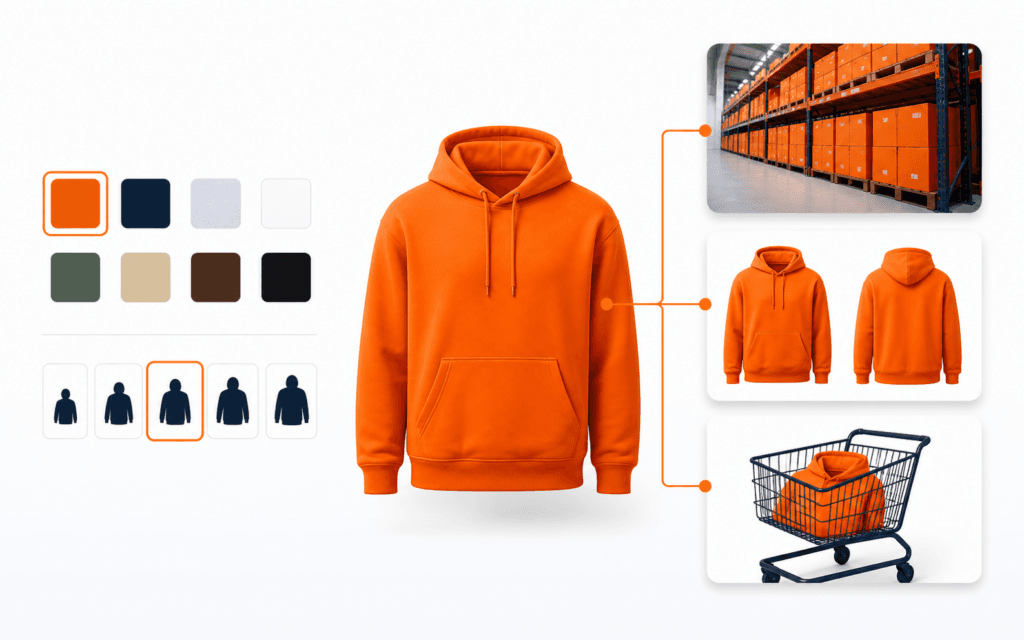
Shopify variant QA verifies that every sellable option combination keeps the same identity, price, inventory position, media, availability, URL behavior, and fulfillment meaning from admin data through storefront, cart, checkout, order, feeds, and later updates. A product page that looks correct for the default choice can still fail for every other variant.
Use a compact test catalog that covers available, unavailable, discounted, location-specific, and variant-media cases. Keep production SKUs, customer data, live orders, and supplier credentials out of fixtures. Record product and variant IDs, not only visible labels, because labels can change while integrations continue using persistent identifiers.
Define The Sellable Matrix
List each product option and every supported combination before entering data. Mark combinations that are sellable, intentionally unavailable, impossible, preorder, subscription-only, or market-specific. Shopify variants represent distinct versions such as a size and color combination, so each enabled combination needs an explicit business outcome.
Compare the expected matrix with actual admin variants and storefront choices. Detect missing combinations, accidental duplicates, and impossible combinations that were created by a bulk operation. Keep the fixture small enough to review manually but broad enough to cover every rule used by the real catalog.
Create Stable Variant Identity
Record product ID, variant ID, option values, SKU, barcode, inventory item, and selected media relationship. Treat the platform variant ID as the durable system identity and SKU as a business identifier whose uniqueness rules must be documented. Do not join systems by option label alone.
Test exports, webhooks, apps, analytics, and fulfillment mappings after labels and product handles change. A renamed color should remain the same variant when the business meaning has not changed. A newly created replacement variant needs deliberate migration because it receives a different identity.
Audit Option Names And Values
Review option order, spelling, capitalization, localization, whitespace, and customer-facing clarity. Keep values semantically consistent across products when filters or integrations depend on them. Verify Size, Color, Material, or other labels match what shoppers and fulfillment teams understand.
Test values containing punctuation, accents, numerals, long text, and translated content. Ensure theme code does not assume a fixed option position or English label. An unavailable combination should be disabled or explained clearly rather than allowing a confusing selection that fails only after Add to cart.
Verify SKU And Barcode Rules
Define whether SKU is required, unique across the store, unique only within a supplier, or intentionally shared. Check leading zeros, case, spaces, maximum lengths, and export behavior. Validate barcodes against the format used by warehouses and sales channels instead of accepting any numeric string.
Create tests for missing, duplicate, malformed, and changed values. Follow one variant through picking, returns, inventory sync, and reporting to prove the business identifier does not map to another item. Protect leading zeros in spreadsheets and CSV tools that may coerce values into numbers.
Test Price And Compare-At Price
Verify base price, compare-at price, cost where used, tax behavior, unit price, subscription adjustment, and app-generated discounts for each variant. A compare-at price should represent a legitimate reference price under the merchant’s policy and applicable rules, not a decorative strike-through.
Switch variants repeatedly and confirm visible price, currency, savings text, installment information, and Add to cart payload all update together. Test zero, high-value, decimal, and equal compare-at cases. Clear or reject invalid states where compare-at price is lower than the selling price.
Validate Inventory Ownership
Identify the inventory item and the system allowed to adjust it. Shopify’s inventory model connects variant inventory with locations and quantity states. Define whether Shopify, an ERP, warehouse system, supplier app, or custom service is authoritative for each transition.
Test receive, reserve, commit, fulfill, cancel, refund, restock, damage, and manual correction events. Prevent two systems from writing the same quantity independently. Record event IDs and idempotency behavior so webhook retries do not apply one stock movement twice.
Check Availability Across Locations
Set controlled quantities at two or more locations and verify online availability follows fulfillment eligibility, market, delivery profile, pickup configuration, and overselling policy. A positive quantity at an inactive or ineligible location should not automatically make the variant purchasable.
Exercise safety stock, incoming inventory, transfers, reservations, and delayed sync. Compare storefront availability with admin quantities and the selected location logic. The multi-location inventory reconciliation workflow can help diagnose drift without overwriting a trustworthy source.
Bind Media To The Right Variant
Assign variant-specific images or media where shoppers need visual confirmation. Shopify documents updating displayed media with the selected variant. Verify each color or style opens the intended asset while shared detail images remain accessible.
Test initial load, selector change, thumbnail click, browser back, direct variant URL, quick view, mobile gallery, zoom, video, and alternative text. Do not hide all useful media when one variant has no dedicated image. Ensure alt text describes the product view rather than repeating an internal variant code.
Test The Variant Selector
Generate selectors from actual product options and values rather than hard-coded choices. Shopify theme guidance uses option data and the selected or first available variant. Confirm the default selection follows the merchant’s policy and does not silently add an unavailable or expensive combination.
Use keyboard, touch, screen reader, zoom, and narrow viewport tests. Selected, disabled, unavailable, focus, hover, and error states must be distinguishable without color alone. Changing one option should preserve compatible choices and update the full product state without layout shifts or stale controls.
Verify Variant Deep Links
Open product URLs carrying a valid variant selection and confirm the selector, price, media, availability, SKU display, and form payload initialize to that exact variant. Test missing, deleted, foreign-product, malformed, and unavailable variant values with a predictable fallback.
Copy the URL after a selection change and open it in a clean session. Decide whether history should update on every choice and test back and forward navigation. Keep the canonical product policy consistent while allowing shareable variant state where the storefront supports it.
Carry Identity Into Cart
Add each fixture variant and inspect the cart line’s variant ID, option summary, price, quantity rules, selling plan, properties, media, and fulfillment context. Two variants of the same product must remain separate lines unless the product intentionally merges identical configuration.
Change quantity, remove, restore, and add from product page, quick view, recommendations, search, and direct API calls. Revalidate price and availability server-side. Never trust a client-supplied price, SKU, or option label as authority for the line being purchased.
Check Checkout And Orders
Proceed through checkout with available, low-stock, discounted, subscription, pickup, and shipping-restricted variants. Verify taxes, duties, shipping eligibility, payment amount, order line variant identity, inventory commitment, confirmation, and fulfillment export.
Simulate stock changing between product view and checkout. The shopper should receive a clear recoverable outcome, and inventory must not become negative unless overselling is deliberately enabled. Follow cancellation, partial fulfillment, refund, exchange, and restock to the correct inventory item.
Test Markets And Channels
Review whether each variant is published and purchasable in the intended markets and sales channels. Test localized price, currency, language, catalog assignment, delivery availability, and channel-specific restrictions. A product being published does not prove every variant is eligible everywhere.
Compare online store, social channel, marketplace, point of sale, and headless storefront results where used. Record synchronization delays and error states. Do not expose a variant in a feed when checkout will reject it for that buyer’s market.
Validate Structured Data And Feeds
Inspect rendered product structured data and merchant feeds for variant price, availability, currency, identifiers, URLs, and images. Match claims to the landing page and checkout reality. Avoid emitting one default variant’s availability for every combination.
Test updates after price, inventory, image, handle, and publication changes. Validate feed diagnostics, but also fetch the final landing URL as a clean user. Canonicals, variant parameters, and structured data should follow one documented search strategy rather than creating accidental duplicate pages.
Exercise Imports And Integrations
Run CSV, API, app, and ERP updates against the fixture catalog. Match records using stable identifiers and require dry-run or review output before destructive bulk changes. The Shopify CSV import QA checklist covers handles, rows, images, and inventory boundaries.
Test reordered rows, duplicate SKUs, missing variant IDs, blank cells, partial failures, rate limits, and retry. A blank value may mean clear, unchanged, or invalid depending on the interface, so document semantics. Reconcile counts and hashes after every bulk operation.
Handle Variant Lifecycle Changes
Test adding, renaming, reordering, archiving, and deleting variants. Identify downstream references in carts, saved links, subscriptions, orders, analytics, feeds, reviews, bundles, and fulfillment systems before removal. Historical orders must preserve what was purchased even after catalog changes.
Use redirects or controlled fallback for shopper-facing links where appropriate, but never remap an old variant ID to a different sellable item. Plan inventory transfer and SKU retirement explicitly. Verify webhooks and apps process deletion without recreating stale data.
Run The Release Matrix
Create one evidence row per fixture variant across admin identity, options, SKU, barcode, price, inventory, availability, media, selector, URL, cart, checkout, order, market, feed, and lifecycle behavior. Include expected and observed IDs, values, screenshots, timestamps, and integration events.
Block release for wrong-variant carts, cross-variant media or pricing, duplicate business identifiers contrary to policy, inventory drift, inaccessible selectors, invalid deep links, checkout mismatch, or channel claims that cannot be fulfilled. The Shopify Development course can build the Liquid, data, integration, and testing skills behind this gate.
For learners in Gujrat, Punjab, Pakistan, this checklist provides a practical benchmark when exploring the Shopify Development. It helps prospective students ask about project work, feedback, and current requirements without relying on broad promotional claims.
FAQ
Should SKU or variant ID be the primary integration key?
Use Shopify’s durable variant identity for platform relationships and document SKU as a business identifier with explicit uniqueness and change rules.
Should unavailable combinations exist as variants?
Only when the business workflow needs them; otherwise prevent impossible combinations and make unavailable valid combinations clear in the selector.
What should a variant deep link update?
It should initialize the selected options, price, media, availability, and cart payload to the same valid variant.
Want to Build Practical Technology Skills?
Explore RisingEdge courses designed to help students learn real skills, build projects, and prepare for career opportunities.