Shopify Checkout Troubleshooting: Payments, Shipping, Taxes, Test.
Shopify checkout troubleshooting should follow the order a customer follows: product, cart, customer location, shipping, taxes, payment, discount, confirmation, and order record.

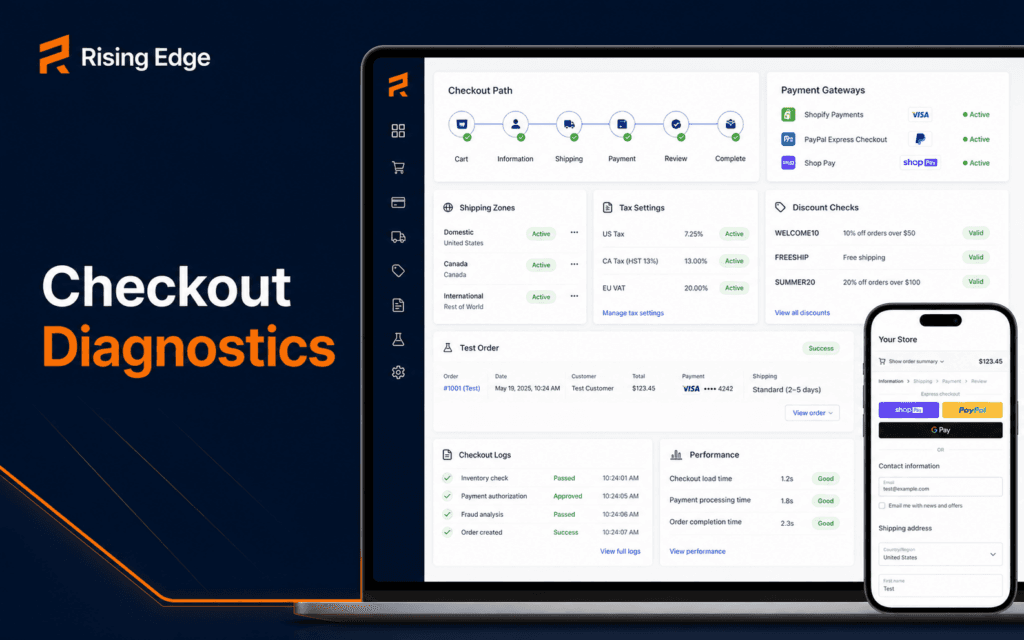
Shopify checkout troubleshooting should follow the order a customer follows: product, cart, customer location, shipping, taxes, payment, discount, confirmation, and order record. When checkout fails, guessing at the theme or payment gateway first often wastes time.
Shopify Help Center documentation covers testing Shopify Payments, setting up shipping rates, and configuring taxes and duties. Those areas are common checkout failure points, so a practical troubleshooting workflow should collect evidence from each setting before making changes.
Reproduce The Customer Path
Start with the same product, variant, quantity, location, device, discount code, and payment method the customer used. A checkout issue that appears for one country, one product, or one shipping profile may not appear in a general test.
Record the exact error message and the step where it appears. Does the problem happen in cart, shipping, payment, review, or confirmation?
A good bug note includes screenshot, URL, product, variant, shipping address region, payment method, discount code, and time of test.
Check Product Eligibility
The product must be active, available to the relevant sales channel, priced correctly, in stock if inventory is tracked, and assigned to the right shipping profile when physical delivery is needed.
Variant settings matter. A product may look available while one size, color, or bundle variant is missing inventory, weight, or fulfillment information.
Do not troubleshoot payment settings until the product itself can move through cart normally.
Review Shipping Profiles And Zones
Missing shipping rates are one of the most common checkout blockers. Shopify shipping rates depend on profiles, zones, and rate conditions such as price, weight, or carrier availability.
Check whether the customer address belongs to a configured shipping zone. Then check whether the product belongs to the shipping profile that contains rates for that zone.
If rates depend on weight, confirm product weights are set. If rates depend on order value, test below and above the threshold.
Confirm Taxes And Duties Settings
Taxes usually do not block checkout by themselves, but incorrect tax or duties configuration can create customer confusion and accounting issues. Shopify provides tax and duties settings that merchants configure based on obligations and regions.
Confirm the store’s tax regions, product tax settings, and customer location. If the store sells across borders, review whether duties, import taxes, and markets settings affect the checkout.
Do not invent tax advice for a merchant. Use Shopify settings and qualified local guidance where required.
Test Payment Availability
Payment methods appear based on gateway setup, country, currency, customer location, device, and store eligibility. If a method is missing, check whether the gateway is active and whether the order meets its conditions.
Shopify provides test mode guidance for Shopify Payments. Use test mode or approved testing methods instead of placing uncontrolled real transactions.
Record which payment method was tested, whether authorization appeared, whether the order was created, and whether any gateway message was shown.
Check Discounts And Gift Cards
A discount can change the checkout total, shipping eligibility, payment availability, or tax calculation. Test checkout with and without the code.
Confirm discount dates, usage limits, customer eligibility, minimum purchase, product inclusion, and combination rules. A valid-looking code may be unavailable for the specific cart.
If a problem appears only with a code, isolate discount rules before changing checkout or shipping settings.
Inspect Theme And App Customizations
Theme code and apps can affect cart behavior, buttons, product forms, cart drawers, and scripts that pass data to checkout. A product may fail before reaching Shopify checkout if custom code sends incomplete variant or quantity data.
Disable or bypass nonessential cart customizations in a safe test environment when diagnosing. Compare the normal product form, cart drawer, and direct checkout path.
The Web Design course connects because design choices around cart layout, errors, and buttons can directly affect checkout usability.
Run Test Orders
A checkout workflow is not verified until a test order proves the path. Test at least one simple product, one variant product, one discounted cart, one shipping-rate edge case, and one mobile checkout.
Use approved test payment methods. Confirm the order record, customer email, shipping line, tax line, discount line, fulfillment status, and analytics event where applicable.
After testing, cancel or mark test orders clearly so reporting and fulfillment teams do not treat them as real customer orders.
Read The Order And Event Evidence
When an order is created, inspect the order timeline, payment status, fulfillment status, fraud notes, customer details, shipping method, tax line, and discounts. These fields show what checkout actually accepted.
If no order is created, inspect where the path stopped. Cart failures, shipping-rate failures, payment authorization failures, and gateway declines are different problems.
The Shopify Development course is relevant because students need to connect admin settings, theme behavior, and checkout evidence.
Check Markets And Customer Location
Customer location can change currency, product availability, taxes, duties, shipping rates, and payment methods. If checkout works for one region and fails for another, review markets and regional settings.
Test with realistic addresses from the affected region. Do not assume a rate appears everywhere because it appears for the store owner’s city.
Record country, province or state, postal code, currency, and market rules during troubleshooting. Those details often explain checkout differences.
Add Automation Carefully
Automation can help monitor failed checkouts, abandoned carts, test-order checks, or operational alerts. But checkout automations should not change orders or customer messages without review.
The AI Automation and Agent Development course connects when teams want logs, alerts, retries, and approval workflows around store operations.
Start with read-only reporting before adding actions. Checkout is too important for unreviewed automation experiments.
Prepare A Launch Checklist
Before launch, run checkout tests for desktop and mobile, guest checkout if enabled, discount codes, shipping regions, tax display, payment authorization, confirmation emails, and order records.
Also test failure states. Try an invalid card in test mode, an unsupported address, an expired discount, and a product with limited inventory. A store should fail clearly when checkout cannot continue.
Save the launch checklist beside the store documentation. It becomes the baseline for future theme changes, app installs, payment updates, and seasonal campaigns.
Record And Communicate The Fix
When the issue is resolved, write what caused it, what setting or code changed, which test order proved the fix, and what should be monitored next.
A clear fix note helps support, marketing, and fulfillment teams answer customer questions accurately. It also prevents the same checkout issue from returning during the next update.
Checkout is a revenue path, so the fix should be visible to the people responsible for store operations, not buried in one developer’s memory.
Monitor After The Fix
After a checkout fix, monitor abandoned checkouts, payment failures, customer messages, shipping-rate complaints, and order volume for the affected region or product.
A fix that works in one test order can still miss an edge case. Monitoring confirms whether the real customer path is healthy again.
Use a short review window after major changes such as app installs, theme updates, new shipping zones, payment gateway changes, or campaign launches.
Train The Support Team
Support teams should know the common checkout failure patterns. Give them a small checklist for collecting product, region, payment method, discount code, screenshot, and exact error message.
Good support intake makes technical troubleshooting faster. Without those details, developers may spend time trying to reproduce a path that lacks the real conditions.
When checkout issues affect customers, clear support communication protects trust while the technical team investigates.
Avoid Risky Checkout Changes
Do not edit several checkout-related settings at once unless the store is in a controlled maintenance window. Changing shipping, payments, taxes, and apps together makes the real cause harder to prove.
Use one change, one test, and one note. If the test fails, the team knows which hypothesis was wrong. If it passes, the team has evidence for the fix.
For live stores, prefer low-traffic windows and communicate with anyone handling customer support or fulfillment before testing sensitive changes.
Create A Repeatable Test Matrix
A test matrix keeps checkout review organized. Use rows for products and columns for customer region, shipping method, discount, payment method, device, expected result, and actual result.
This makes checkout QA repeatable after theme updates, app changes, new campaigns, or new shipping rules. It also gives managers a clear view of what was tested.
Final Troubleshooting Order
Use this order: reproduce the path, check product eligibility, review shipping profiles, confirm taxes, test payment methods, isolate discounts, inspect theme or app changes, run test orders, and record the fix.
Checkout troubleshooting becomes manageable when each test follows the customer path and every change is tied to evidence.
For learners in Gujrat, Punjab, Pakistan, the practical approach in this article provides a practical benchmark when exploring the Shopify Development. It helps prospective students ask about project work, feedback, and current requirements without relying on broad promotional claims.
FAQ
Why are Shopify shipping rates missing at checkout?
Common causes include missing zones, products assigned to the wrong shipping profile, rate conditions not met, missing weights, or carrier-rate availability issues.
How should Shopify payments be tested?
Use Shopify’s approved test mode or testing guidance for the active payment method, then confirm the order record and payment status.
What should a checkout bug report include?
Include product, variant, customer region, shipping address type, payment method, discount code, error message, screenshot, and test time.
Want to Build Practical Technology Skills?
Explore RisingEdge courses designed to help students learn real skills, build projects, and prepare for career opportunities.