Server-Sent Events Reliability: IDs, Reconnects, Proxies, Cleanup
Server-Sent Events reliability means a browser can receive an ordered stream of server updates, survive ordinary disconnects, resume from an understood point, avoid unsafe.

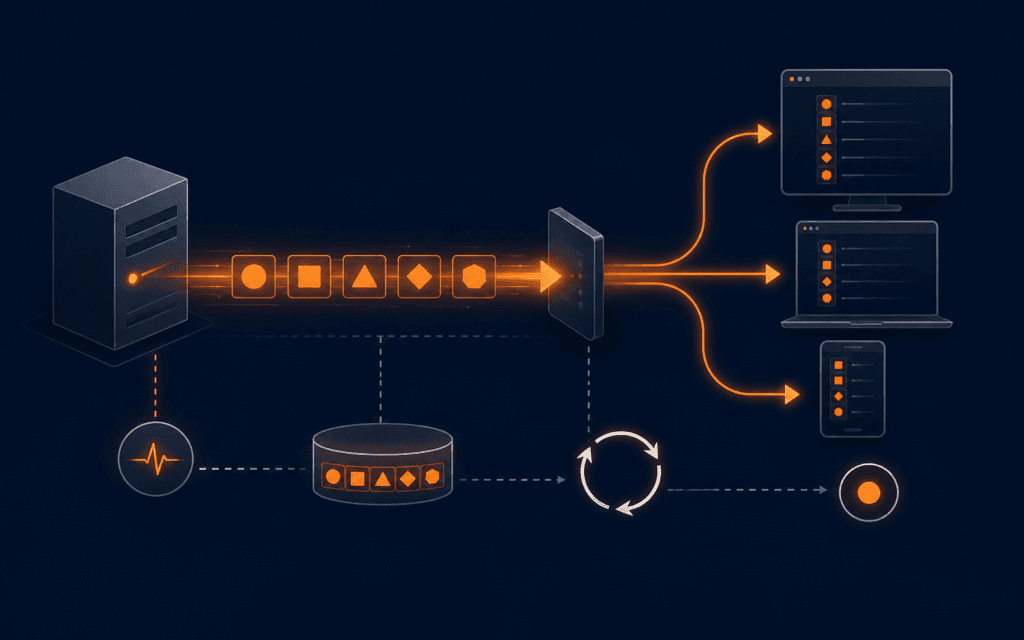
Server-Sent Events reliability means a browser can receive an ordered stream of server updates, survive ordinary disconnects, resume from an understood point, avoid unsafe duplicates, and release resources when the consuming view no longer needs the channel. The browser EventSource API provides UTF-8 event-stream parsing and automatic reconnection, but the application must still define event identity, replay limits, authorization, infrastructure behavior, lifecycle ownership, and evidence for failure recovery.
Use SSE for one-way server-to-browser updates such as progress, notifications, monitoring, and changing summaries. It is not automatically the right transport for bidirectional messaging, huge binary data, unbounded history, or exactly-once side effects. Build with synthetic events and dedicated test accounts. Never place credentials in query strings, event payloads, screenshots, or general logs.
Define The Delivery Contract
Document the stream URL, audience, event types, data schema, ordering scope, latency target, retention window, authorization, reconnect behavior, and client action for each event. State whether events are informative, state snapshots, or commands.
Do not promise exactly-once delivery merely because events have IDs. Networks can disconnect after the browser receives data but before either side knows the final shared state. Design handlers to tolerate replay.
Choose SSE For The Right Shape
SSE is a one-way channel from server to browser over HTTP. Prefer it when the client mainly receives text updates and ordinary browser reconnection is useful. Use normal requests for commands and acknowledgements.
Choose another protocol when the product requires frequent bidirectional messages, binary frames, peer communication, or transport-level acknowledgement. Separate product needs from familiarity with an API.
Return The Correct Response
Respond with content type text/event-stream, an appropriate cache policy, and a streaming body. Send headers promptly, then flush complete event blocks. Keep status and authentication failures truthful before opening the stream.
Do not compress or buffer blindly. Every framework, runtime, reverse proxy, CDN, and hosting platform must support long-lived streaming for the selected route. Verify the deployed path, not only localhost.
Format Events Exactly
Each event is a sequence of fields ending with a blank line. Use data for payload lines, event for a named type, id for resumable identity, and retry only when the server intentionally suggests a reconnection delay. Encode the stream as UTF-8.
Serialize payloads with a structured encoder, then parse them with schema validation on the client. Do not concatenate untrusted text into fields where newlines could create unintended event boundaries.
Assign Stable Event IDs
Choose an ID that identifies a committed event within a defined stream scope, such as a monotonic sequence or durable log offset. Persist the event before exposing its ID so a reconnect can retrieve it.
Avoid timestamps alone when multiple events can share a time or clocks can move. Never reuse an ID for different data. Document whether IDs are global, tenant-scoped, topic-scoped, or connection-specific.
Handle Last-Event-ID
The WHATWG standard defines a last event ID string and sends it in the Last-Event-ID header when reconnecting after an event with an ID. The server should validate the value and map it to the authorized stream.
Treat the header as untrusted input. Enforce length and format, tenant ownership, retention bounds, and topic consistency. A client-provided offset must not reveal another user’s events.
Design Bounded Replay
On reconnect, return events after the verified last ID when they remain in the retention window. Cap replay count and bytes. When the gap is too old or large, send a typed reset event that tells the client to fetch a fresh snapshot.
Replay is at-least-once behavior. Client reducers should use IDs, entity versions, or idempotency keys to ignore duplicates and prevent old updates from overwriting newer state.
Use Snapshots With Deltas
Load an authenticated HTTP snapshot before opening the stream, then apply events newer than the snapshot cursor. Alternatively, open the stream first, buffer briefly, fetch the snapshot, and reconcile by version when race conditions matter.
Specify one algorithm and test events that arrive during startup. A vague fetch then listen sequence can lose updates between the two operations.
Control Reconnection
EventSource reconnects after ordinary closure and uses its reconnection time. The server can send a retry field, while user agents may introduce additional delay. Keep retry suggestions within a safe reviewed range.
Prevent reconnect storms with capacity planning, jitter where the client implementation allows application control, rate limits, and truthful terminal responses. WHATWG specifies HTTP 204 as a way to tell the client to stop reconnecting.
Send Keepalive Comments
Intermediaries may close idle connections. A comment line followed by a blank line can keep bytes moving without dispatching an application event. Choose an interval shorter than the smallest verified idle timeout on the deployed path.
A heartbeat proves only that the connection carried bytes. It does not prove that application data is current. Monitor last application event separately from last transport activity.
Test Proxy Buffering
Configure the streaming route so reverse proxies and platforms do not collect many events before forwarding them. Verify time-to-first-event and inter-event latency through every production layer, including CDN and TLS termination.
Use vendor-supported streaming controls and scope them to the SSE route. Disabling buffering or caching globally can harm unrelated pages. Record the actual infrastructure configuration and test result.
Plan Connection Capacity
Estimate concurrent users, tabs per user, streams per page, connection duration, server descriptors, memory, upstream subscriptions, and reconnect peaks. Browsers and HTTP versions may impose per-origin behavior that affects multiple tabs.
Prefer one multiplexed stream per user or application area when practical. Do not open a separate connection for every small widget. Close invisible or obsolete streams according to product requirements.
Authorize Every Stream
Authenticate before streaming and recheck authorization for replay and event publication. Because the native EventSource constructor has limited custom-header options, choose an approved cookie, same-origin session, or short-lived connection design without leaking secrets in URLs.
Stop sending when access is revoked or tenancy changes. Payloads must contain only fields the current subscriber may receive. A shared backend topic still needs per-subscriber filtering.
Validate Event Payloads
Define a versioned schema for each event type. Reject malformed server data during tests and handle unknown future versions safely on the client. Include entity version, occurrence time, and trace correlation only when useful.
Treat event data as untrusted before inserting it into HTML, URLs, commands, or storage. Parse JSON and render with safe APIs. Never execute payload text as code.
Own The Client Lifecycle
Create the EventSource in one component or service owner, register named handlers, and call close when the route, account, or component no longer needs it. Remove listeners and timers during cleanup.
Test route changes, sign-out, tab sleep, network offline and online, hot reload, and repeated mounting. A leaked connection often appears as duplicate UI updates long before memory usage becomes obvious.
Handle Errors Honestly
The error event does not by itself distinguish every transient and terminal cause. Show a non-disruptive reconnecting state for short interruptions, then expose a recovery action after the product’s threshold. Fetch a health endpoint only if it adds actionable evidence.
Use the Fetch API error handling pattern for companion requests. Do not loop a second custom retry mechanism on top of EventSource without understanding duplicate connections.
Instrument The Channel
Measure connection attempts, open duration, disconnect cause category, retry delay, replay count, reset count, event lag, duplicate suppression, parse failures, active connections, and bytes. Correlate without logging private payloads.
Alert on fleet-wide reconnect spikes, growing lag, excessive resets, authorization failures, and missing heartbeats. A green connection count can hide buffered or stale data.
Protect Slow Consumers
Define what happens when a subscriber, network, or browser cannot keep up. Bound per-connection queues and memory, coalesce replaceable state updates, and disconnect clients that exceed the documented limit so one slow consumer cannot exhaust the server.
Do not discard non-replaceable events silently. When delivery falls outside the replay contract, send or record a reset condition that requires a fresh snapshot. Measure queue depth and disconnect reason to distinguish overload from ordinary network loss.
Run Failure Drills
Test server restart, proxy timeout, network loss, duplicate events, missing IDs, expired cursors, malformed fields, slow consumers, revoked access, multiple tabs, and HTTP 204 shutdown. Verify final client state, not only reconnection.
The Full Stack Web Development course can strengthen the browser, server, HTTP, state, and deployment skills behind this exercise. Production release still requires infrastructure-specific evidence.
Release With Limits
Document supported browsers, event schemas, replay window, maximum connections, retention, timeouts, ownership, rollback, and emergency disable behavior. Start with bounded traffic and observe reconnect patterns before expanding.
Use the HTTP cache headers checklist to keep streaming policy separate from normal asset and document caching. Re-run end-to-end tests after any proxy, CDN, runtime, or authentication change.
Students considering technology training in Gujrat, Punjab, Pakistan can use the practical approach in this article to judge the practical depth of the Full Stack Web Development. The useful evidence is the work a learner can explain, test, and improve, not a list of tools alone.
FAQ
Are Server-Sent Events exactly once?
No. Automatic reconnection and replay can duplicate delivery. Use stable IDs and idempotent state application.
How does EventSource resume?
The browser tracks the last event ID and can send Last-Event-ID when reconnecting. The server must validate it and implement bounded replay.
When should the server stop reconnection?
The WHATWG standard specifies HTTP 204 No Content as a response that tells EventSource not to reconnect.
Want to Build Practical Technology Skills?
Explore RisingEdge courses designed to help students learn real skills, build projects, and prepare for career opportunities.