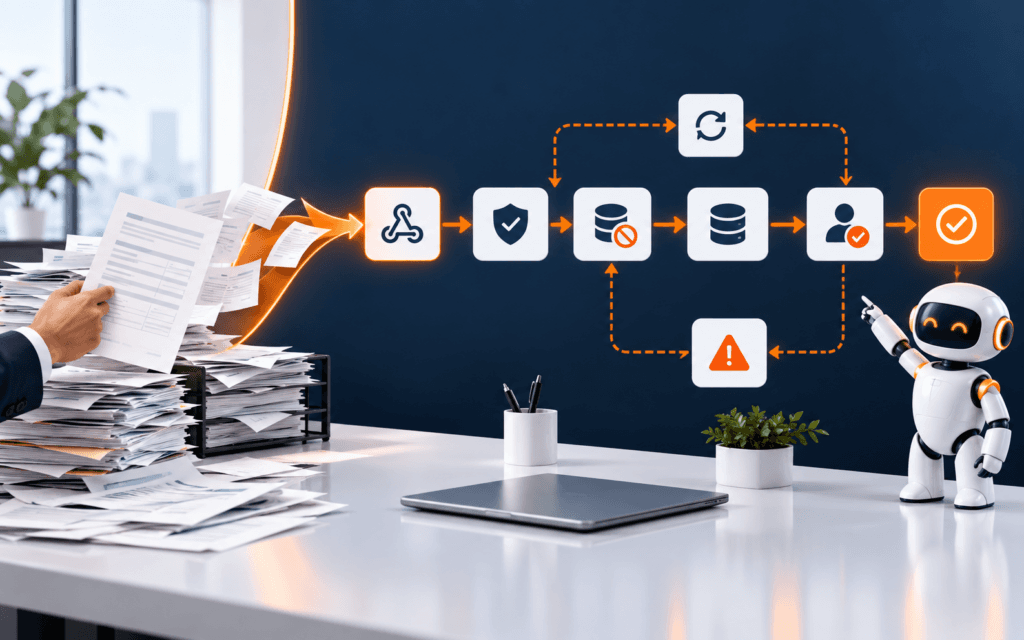
AI Agent Tool Permission Matrix: Read, Write, Approve, Revoke
An AI agent permission matrix is a control table that defines which identity may use which tool, against which resource, in which environment, for which action, under what.


An AI agent permission matrix is a control table that defines which identity may use which tool, against which resource, in which environment, for which action, under what approval, and for how long. Build it before connecting an agent to email, files, databases, browsers, commerce systems, or publishing APIs. The matrix turns broad automation intent into reviewable authorization rules.
This tutorial uses a low-risk example: an agent summarizes synthetic support requests and proposes a draft response. It may read an approved queue, but it cannot send, delete, change permissions, or access unrelated records. A human reviews every draft. The same design method can later support more complex workflows without granting blanket credentials.
Define The Workflow Boundary
Write the trigger, user, input, expected output, systems, and final owner. State where the workflow begins and ends. For the example, an authorized staff member selects a synthetic ticket; the agent reads that record and approved policy snippets; it returns a draft and evidence links to the reviewer.
List excluded outcomes explicitly. The agent does not send messages, close tickets, issue refunds, edit customer profiles, browse arbitrary websites, or learn from private conversations. A boundary is useful only when application code and permissions enforce it.
Inventory Every Tool
Create one row per callable operation, not one row per service. Read ticket, search approved policy, create draft, send response, update status, and delete record are separate tools even if one API supports all of them. Record the endpoint, method, resource type, side effects, owner, and environment.
Remove tools that are not necessary for the target task. Do not expose a generic execute request or run SQL function because it is convenient. Narrow functions make logs, validation, tests, and human review easier to understand.
Classify Actions By Consequence
Label each tool as read, propose, write, send, delete, financial, permission-changing, or external navigation. Assign a risk level based on reversibility, data sensitivity, user impact, and scale. A read can still be high risk when it exposes confidential records.
Define default treatment for every class. Low-risk reads may run automatically within scope. Proposals may be created but not committed. Sending, deleting, payments, and permission changes should require strong controls and often explicit human approval or remain completely unavailable.
Identify The Acting Principal
Decide whether calls use an end-user identity, a dedicated service account, or a controlled workload identity. Do not reuse a developer’s personal administrator token. The principal should have a named owner, documented purpose, limited environment, and a lifecycle independent of model prompts.
Authentication proves an identity; authorization decides what that identity may do. A valid credential is not permission for every operation. Enforce policy at the service or tool boundary on every call, even when the model has previously requested an allowed action.
Apply Least Privilege
Grant only the resource and action needed. If the agent reads tickets from one training queue, do not grant access to all queues. If it creates draft text in temporary storage, do not grant message-send permission. Deny by default and add rights through reviewed matrix entries.
Constrain fields as well as records. The summarizer may need subject and body but not billing data, authentication notes, or internal staff comments. Filter on the server before data enters model context; a prompt instruction to ignore fields is not an access control.
Separate Environments
Use different identities and credentials for development, staging, and production. Begin with synthetic data and a non-production tool target. Include the environment in every matrix row, log entry, dashboard, and approval screen so a reviewer cannot confuse a test action with a live one.
Block production endpoints from local or training credentials. If a workflow is later promoted, conduct a separate authorization review. Copying a configuration should not silently copy broad access or retained test secrets.
Design Explicit Approval
For an action requiring review, show the proposed operation, target resource, changed fields, source evidence, reason, and expected consequence. The approver should choose approve or reject for that exact action. Editing the proposal should create a new version and invalidate the old approval.
Use a documented approval automation workflow for ownership, evidence, expiry, and escalation. Do not interpret silence, an open browser session, or a prior approval as permission for a new action.
Use Short-Lived Credentials
Prefer scoped, short-lived credentials issued to the workload when the platform supports them. Store secrets in an approved secret manager or environment mechanism, never in prompts, source code, database rows, screenshots, or tool descriptions. Rotate according to policy and after suspected exposure.
Record credential identifiers and scopes without recording secret values. Ensure the tool cannot return credentials in error messages or model-visible logs. Redact authorization headers and sensitive query parameters before observability data is stored.
Validate Every Tool Input
Define a schema for required fields, types, length, allowed values, and resource identifiers. Resolve the authorized resource server-side from trusted context rather than accepting an arbitrary path or account supplied by model text. Reject unknown fields and malformed output.
Add business rules after schema validation. A draft tool may accept text but reject personal identifiers, unsupported attachments, or destinations outside the selected ticket. A URL tool should use an allowlist and protect internal network addresses instead of following any generated link.
Create A Useful Audit Log
For each attempt, record timestamp, workflow and version, authenticated principal, user or job that initiated it, tool, target identifier, decision, approval reference, result category, and correlation ID. Keep sensitive content out unless a documented need and retention policy justify it.
Logs should distinguish requested, authorized, executed, failed, rolled back, and denied. A model statement that an action succeeded is not execution evidence. Use the receiving system’s response and later verification when the consequence matters.
Test Denial Paths
Write tests for an unknown tool, wrong queue, production resource, excessive field, expired approval, reused approval, missing identity, revoked credential, malicious embedded instruction, and repeated request. Confirm the call is denied before a side effect and that the denial is logged safely.
Test positive paths too, but do not let a successful demo substitute for abuse cases. Run tests whenever tool definitions, scopes, identity providers, approval rules, model versions, or parsers change. Authorization regressions can occur outside the prompt.
Build Revocation And Recovery
Document how to disable the workflow, revoke the principal, rotate credentials, remove a tool, cancel pending approvals, and inspect recent actions. Give an on-call owner the ability to stop side effects without waiting for the original developer.
Run a revocation drill in the safe environment. Start an authorized session, revoke access, and confirm the next call fails. Check that cached tokens expire as expected and pending retries cannot continue under old authority.
Limit Rate And Scale
Set per-user, per-workflow, and per-tool limits that match the business task. A draft assistant may need a handful of records, not an unrestricted bulk export. Bound retries, concurrency, record count, attachment size, and total side effects so one error cannot multiply across the system.
Treat repeated denials, sudden volume, unusual targets, and approval bursts as signals for review. Rate limits do not replace authorization, but they reduce blast radius and provide time to stop a compromised or misconfigured workflow.
Protect Against Tool Result Injection
Tool results and retrieved documents can contain text that asks the model to ignore policy or call another function. Mark external content as untrusted data, keep system policy outside that content, and require application-side checks before any resulting action. Never grant authority because a document claims to be an administrator.
Test with a synthetic record that contains hostile instructions. The workflow should summarize the relevant user content, ignore embedded commands, preserve the authorization boundary, and log the case for review. Filtering text alone is insufficient; the tool gateway must still enforce resource and action policy.
Monitor Permission Drift
Compare deployed scopes, service roles, tool definitions, and approval rules with the approved matrix on a schedule and after releases. Alert on added permissions, new tools, disabled logging, long-lived tokens, or resources that moved into scope without review. Temporary access should expire automatically where possible.
Review whether permissions are still used. Remove stale accounts, abandoned integrations, old environments, and rights added for completed incidents. Least privilege is a maintenance process, not a one-time table created before launch.
Review The Matrix Before Release
Have the system owner, security or platform reviewer, and workflow owner inspect each row. Challenge why the resource, action, environment, duration, and approval are necessary. Remove temporary rights and attach tests as evidence. Preserve the approved matrix with the release version.
An AI Automation and Agent Development course can provide guided practice with tools and workflows. Production access still requires organization-specific identity, security, privacy, legal, incident, and change-management controls.
For technology learners based in Gujrat, Punjab, Pakistan, the practical approach in this article shows one kind of evidence worth building through the AI Automation and Agent Development. The focus should remain on defensible decisions and finished work rather than attendance or software familiarity.
FAQ
Can prompt instructions enforce agent permissions?
No. Prompts can guide behavior, but authorization must be enforced by application and service controls on every tool call.
Should an AI agent use an administrator account?
Normally no. Use a dedicated identity with the smallest resource and action scope needed, separate environments, expiry, monitoring, and revocation.
Which agent actions should require human approval?
Require explicit review for material external communication, publishing, deletion, payments, permission changes, sensitive records, and other high-impact or difficult-to-reverse actions.
Want to Build Practical Technology Skills?
Explore RisingEdge courses designed to help students learn real skills, build projects, and prepare for career opportunities.