SEO Crawlability Troubleshooting: Robots, Sitemap, URL Inspection
SEO crawlability troubleshooting helps you find why a page is not being discovered, crawled, or indexed. The right workflow checks whether the page exists, whether links reach it.

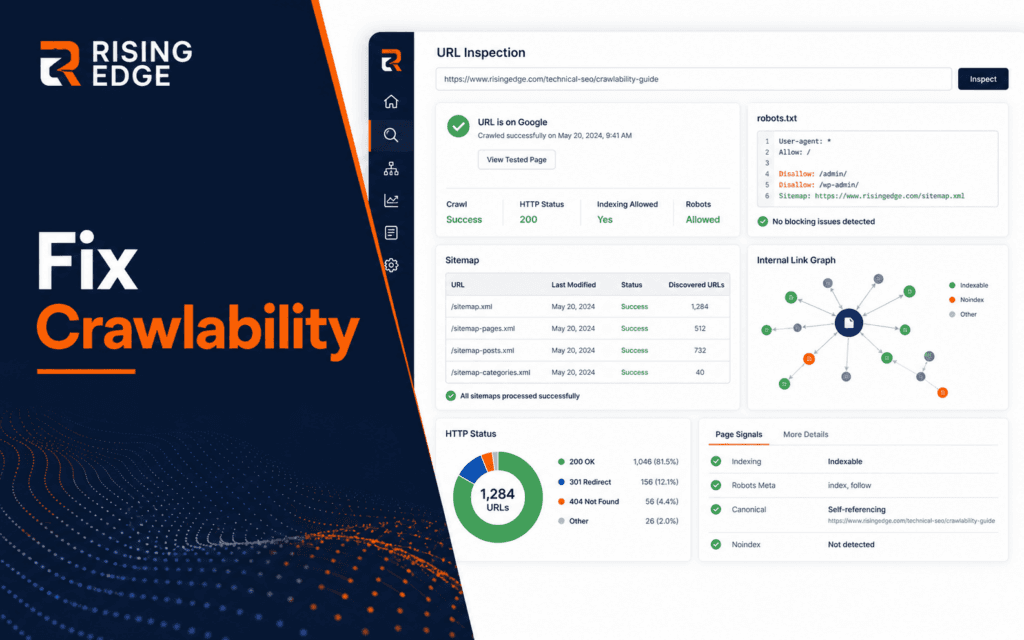
SEO crawlability troubleshooting helps you find why a page is not being discovered, crawled, or indexed. The right workflow checks whether the page exists, whether links reach it, whether robots.txt allows crawling, whether noindex is absent, whether the sitemap includes the URL, and whether Google Search Console can inspect it.
Google Search Central explains that robots.txt tells crawlers which URLs they can access, but it is not a way to keep a page out of Google. Google also says sitemap submission is a hint, not a guarantee. That means SEO troubleshooting should use evidence from several signals, not one setting.
Start With The Exact URL
Use the exact canonical URL you want Google to index. Do not start with a page title or a shortened path. Copy the full URL, including protocol, domain, path, trailing slash behavior, and query string if relevant.
Open the URL in a private browser window and confirm it returns the real public page. If it redirects, record the final destination. If it shows a login page, draft preview, 404, or server error, fix that before checking SEO tools.
A crawlability investigation fails quickly when the team is checking three slightly different URLs. One page can have http, https, www, non-www, trailing slash, and redirected variants.
Confirm The Page Is Public
A page must be available to users before search engines can treat it as a normal public result. Check status code, visible content, title, headings, images, and internal navigation.
Do not assume a page is public because it appears inside a CMS preview. Preview URLs, staging domains, password protection, and draft status can all block real discovery.
This connects to the Web Design course, because technical SEO still depends on a readable, accessible, user-facing page.
Check Internal Links
Search engines discover pages through links as well as sitemaps. Confirm that important pages are linked from relevant public pages using normal anchor links that users can click.
Avoid burying key pages behind filters, scripts, orphaned menus, or forms that require interaction before any link appears. If users cannot naturally reach the page, discovery becomes weaker.
Use descriptive anchors. A link such as SEO course guide is clearer than click here because it helps users and systems understand destination context.
Inspect Robots.txt Carefully
Robots.txt can block crawling of URL paths. Check whether a disallow rule covers the page, its folder, or resources the page needs. A broad rule can accidentally affect new content.
Google’s robots.txt documentation is clear that robots.txt is mainly about crawler access, not guaranteed removal from search results. If you need a page not indexed, Google recommends noindex or password protection instead.
Do not edit robots.txt casually. A small pattern mistake can block sections of a site. Record the rule, the affected URL, and the reason before changing it.
Check Noindex And Canonical Signals
A page can be crawlable but still tell Google not to index it. Inspect meta robots tags and HTTP headers for noindex. Also check the canonical URL if the page appears to point Google toward another URL.
Google documents supported meta tags and attributes for controlling indexing. For beginners, the practical rule is to inspect the rendered page source or SEO plugin output, not only the CMS settings screen.
If a page should be indexed, remove accidental noindex rules and make sure the canonical URL points to the public version you want ranked.
Verify Sitemap Inclusion
A sitemap tells search engines which URLs the site considers important. Check whether the exact URL appears in the sitemap and whether the sitemap itself is accessible.
Google says submitting a sitemap does not guarantee crawling or indexing. Treat sitemap inclusion as one signal. It helps discovery, but it cannot fix blocked crawling, noindex, broken pages, or thin content.
For dynamic websites, confirm the sitemap updates after publishing. A stale sitemap can leave new pages invisible to that discovery path.
Use URL Inspection Evidence
Google’s URL Inspection tool helps you inspect individual URLs and request recrawling. Use it after the public page, robots rules, noindex, canonical signal, and sitemap have been checked.
Record what Search Console reports: URL known or unknown, crawl allowed, indexing allowed, canonical selected by user, canonical selected by Google, last crawl, page fetch status, and enhancement warnings.
Do not treat request indexing as magic. If the page still blocks crawling or sends noindex, requesting indexing will not solve the cause.
Check JavaScript Rendering
Some pages load important content through JavaScript. Google can process JavaScript, but rendering issues can still hide content if data fails, scripts break, or content appears only after user interaction.
Open the rendered page, inspect visible text, and compare with view-source output when needed. If the important content only appears after a button click or login, it may not be discoverable as expected.
The Full Stack Web Development course is relevant because developers need to understand rendering, server responses, and client-side behavior together.
Inspect Important Resources
A page may load but still hide important resources from crawlers. Check whether CSS, JavaScript, images, and API endpoints needed for the visible page are accessible. If critical files are blocked or fail, the rendered page may not match what users see.
Do not block resource folders just to reduce crawl traffic without understanding the effect. Modern pages often need scripts and styles to render layout, navigation, and content properly.
When diagnosing, capture the page as a crawler would see it and compare that with a normal browser view. Differences point toward rendering or blocked-resource problems.
Review Status Codes And Redirects
A healthy indexable page normally returns a successful status and stable destination. Chains of redirects, temporary redirects, 404s, soft 404s, and server errors can all weaken discovery.
Check the first response and final response. If a URL redirects, the canonical and sitemap should usually point to the final preferred URL, not an old temporary path.
Status code checks are quick and concrete, so run them early when a page refuses to appear in search.
Check Duplicate URL Variants
Indexing confusion often comes from duplicate variants. The same content may appear through category paths, tracking parameters, uppercase paths, trailing slash variants, or old campaign URLs.
Pick one preferred URL and make the signals agree. Internal links, sitemap entries, canonical tags, redirects, and shared URLs should point to the same version when possible.
If Google chooses a different canonical than the one you expected, inspect why. The preferred page may have weaker internal links, inconsistent redirects, or duplicate content signals.
Avoid Thin Fixes
Do not respond to indexing trouble by changing titles repeatedly. If the crawl path is blocked, title edits will not help. If the page is thin, a sitemap change will not make it more useful.
Fix the earliest confirmed issue in the evidence chain. Public access comes before links, links before sitemap hints, crawl permission before indexing, and content quality before long-term performance.
The SEO course teaches this kind of sequence because technical SEO works best when each signal supports the next one.
Create A Publishing Preflight
A simple preflight prevents many crawlability issues before they reach Search Console. Before publishing, check public status, title, meta description, canonical URL, robots setting, internal link path, sitemap inclusion, image loading, and mobile rendering.
Run the preflight on the final public URL, not a preview URL. Many teams accidentally approve a page in preview and then discover the production slug, metadata, or noindex setting is different.
For blog publishing, add the public URL to a daily checklist. After publication, verify HTTP 200, scan the page for placeholders, and submit the URL for inspection only after the technical signals are clean.
Know When Indexing Delay Is Normal
Not every delay is a technical failure. New pages can take time to be discovered, crawled, processed, and shown. The key is to separate normal waiting from evidence of a block.
If the page is public, internally linked, crawlable, indexable, canonicalized, in the sitemap, and clean in URL Inspection, waiting may be reasonable. If any of those signals are broken, waiting will not fix the underlying issue.
Record the publish date, inspection date, and any request-indexing action. This gives the team a factual timeline instead of repeated guessing.
Record The Fix
Every crawlability issue should leave a short note: URL checked, problem found, evidence, change made, verification result, and next review date. This prevents the same issue from returning during future launches.
For teams, add the note to the publishing checklist. A page should not go live until public URL, internal link, canonical, noindex, sitemap, and Search Console checks are clean.
A troubleshooting record also helps when indexing takes time. You can distinguish normal waiting from an unresolved technical problem.
Final Checklist
Use this order: exact URL, public page, internal links, robots.txt, noindex, canonical, sitemap, status codes, JavaScript rendering, URL Inspection, fix note, and follow-up review.
SEO crawlability troubleshooting is not about clicking every setting. It is about proving that a search engine can reach the right URL, understand the page, and receive consistent indexing signals.
For technology learners based in Gujrat, Punjab, Pakistan, the practical approach in this article shows one kind of evidence worth building through the Search Engine Optimization (SEO). The focus should remain on defensible decisions and finished work rather than attendance or software familiarity.
FAQ
What is SEO crawlability?
Crawlability means search engines can access and fetch a page through allowed URLs, links, and server responses.
Does a sitemap guarantee indexing?
No. Google says sitemap submission is a hint and does not guarantee crawling or indexing.
When should I use URL Inspection?
Use URL Inspection after confirming the page is public, crawlable, indexable, correctly canonicalized, and included in the right discovery paths.
Want to Build Practical Technology Skills?
Explore RisingEdge courses designed to help students learn real skills, build projects, and prepare for career opportunities.